 UAU Ready
Description
The Product Loops for WooCommerce replaces the WooCommerce product loop with a library of grid and showcase styles that are ready to use, allowing you to switch the product card layout with visual control over the number of columns, hover effects, promotional badges, and the placement of the add-to-cart button. It’s designed for anyone selling fashion, electronics, cosmetics, or any catalog in WooCommerce who wants to stand out in the storefront without editing PHP templates or writing CSS, with application via shortcode or category.
Key Features of the Product Loops for WooCommerce
- Ready-to-use style library
Dozens of grid and carousel layouts applicable to shop, category, and search pages. - Shortcode-based application
Insert any style on a page, post, or widget with a short code and filter parameters. - Column and spacing control
Adjust grid density by breakpoint without touching the theme’s CSS. - Customizable hover effects
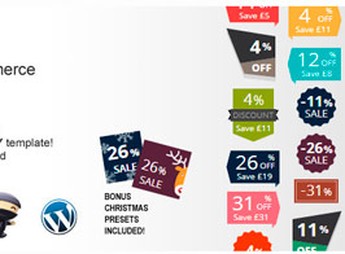
Add overlays, switch to a secondary image, and reveal the add-to-cart button when hovering. - Badges and promotional seals
Mark new, on-sale, out-of-stock, or featured products directly on the card.
Benefits of the Product Loops for WooCommerce
- Distinct visual identity
The storefront moves beyond the theme’s default look without needing to hire a frontend developer. - Fast implementation
Completely change the catalog layout in just a few clicks in the admin panel. - More clickable storefront
Detailed cards encourage exploration and guide visitors to the add-to-cart button. - Freedom by site section
Each category, landing page, or widget can use a different style depending on the sales goal.
Who Is the Product Loops for WooCommerce Intended For?
- Anyone selling fashion, home décor, food, or any product line in WooCommerce and wants to move away from the theme’s default layout.
- Agencies and freelancers delivering ecommerce projects who need visually varied catalogs without custom CSS.
- Anyone testing different storefront presentations to find which format converts best by category or campaign.
How to Download the Product Loops for WooCommerce
The Product Loops for WooCommerce is available for download here on Ultrapack. After downloading the .zip file, install it in Plugins > Add New > Upload plugin, select the package, and activate it; the new styles will be available in the plugin settings and can be applied via shortcode on any page.
Unlike solutions that require editing the theme’s PHP templates, the Product Loops for WooCommerce centralizes all catalog customization in a single panel, with granular application by category, tag, or page. It’s a practical way to evolve the storefront of a WooCommerce store over time, testing layouts without rewriting code or depending on updates to your current theme.
Frequently asked questions
Is Product Loops for WooCommerce GPL-licensed?
Yes. Product Loops for WooCommerce is distributed under the GPL (GNU General Public License). You may legally use, modify and redistribute it on as many sites as you want.
Can I use Product Loops for WooCommerce on multiple sites?
Yes. You can install Product Loops for WooCommerce on as many sites as you want. Only automatic updates through Ultrapack Auto Updater have a limit: from 3 to 80 sites, depending on the plan.
How much does Product Loops for WooCommerce cost at Ultrapack?
Product Loops for WooCommerce costs US$2.99 as a single purchase, and it is also included in the subscription plans starting at US$12/mo (VIP I).
Does Product Loops for WooCommerce include updates?
Yes. The current version of Product Loops for WooCommerce is 2.1.2, published at Ultrapack on Jan 3, 2026. Subscribers update straight from the WordPress dashboard with UAU (Ultrapack Auto Updater).
Is Product Loops for WooCommerce scanned before publication?
Yes. Every version of Product Loops for WooCommerce goes through a malware scan (ClamAV and YARA rules, at UltraHub) before it is published.
What are the requirements for the plugin Product Loops for WooCommerce?
Requires WordPress 4.5 or higher. Tested up to WordPress 7.9.9.
How to install
Automatic updates: this item is updated by the Ultrapack Auto Updater. With it installed, the new version shows up in your dashboard like any other WordPress update (how to set it up).
The file on this page is the developer’s full package, documentation included. Do not upload that file through the dashboard: WordPress answers that the package does not contain a valid plugin. The plugin comes ready inside it, as a ZIP of its own, and that is the one you upload.
- Download the file
elements-product-designer-for-woocommerce.zipand extract it on your computer. - Look inside the extracted files for the file
product-loops.zip. - In the WordPress dashboard, go to Plugins > Add New > Upload Plugin.
- Select that file, click Install Now and then Activate.
Requirements: Requires WordPress 4.5 or higher. Tested up to WordPress 7.9.9.
- There is nothing to zip. The ZIP inside the package is already in the format WordPress accepts.
- The rest of the package belongs to the author: documentation, license and sometimes sample files. None of that is installed through the dashboard.
Stuck on a step? Open a ticket telling us which one you stopped at.