 UAU Ready
Description
Product Time Countdown Pro for WooCommerce adds countdown timers directly on the store’s product pages, displaying a visual timer that counts the remaining time until the end of a promotion, flash sale, or availability window. The plugin allows configuring individual timers per product or in bulk per category, controlling the start date, end date, and the message displayed when time runs out.
Key Features
- Product-by-product counting: set start and end dates specific to each store item, with its own panel in the product edit screen.
- Bulk application: configure timers for multiple products or entire categories at once, without needing to adjust each item.
- Visual customization: adjust colors, typography, sizes and the label of each block (days, hours, minutes, seconds) to align the timer with the store’s identity.
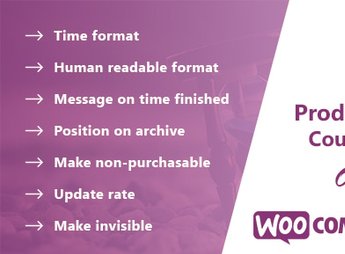
- Expiration message: display a custom alert, hide the product or block the purchase button automatically when time reaches zero.
- Flexible positioning: choose where the timer appears on the product page and also display it in store listings, carousels and category pages.
Benefits of Product Time Countdown Pro for WooCommerce
- Real urgency: the visible timer urges visitors to complete the purchase before the deadline, reducing checkout hesitation.
- Scheduled campaigns: schedule promotions with defined start and end times, without relying on manual adjustment on the switch day.
- Scaling application: run sales for entire collections by configuring the timer at the category level, saving hours of setup.
- Post-expiration control: set what happens when time ends, keeping the store consistent without administrator intervention.
Who is Recommended For?
- WooCommerce store owners running flash sales, Black Friday, Cyber Monday, and seasonal stock blasts.
- E-commerce operators focused on increasing conversion through scarcity and urgency triggers.
- Agencies and developers who need to deliver scheduled promotional campaigns for online retail clients.
For stores that rely on recurring promotions to accelerate inventory turnover, Product Time Countdown Pro for WooCommerce combines scheduling, visual display, and expiration control in a single plugin. The practical outcome is a more predictable campaign operation, with consistent timers throughout the storefront and automated actions when each offer ends.
Frequently asked questions
Is Product Time Countdown Pro for WooCommerce GPL-licensed?
Yes. Product Time Countdown Pro for WooCommerce is distributed under the GPL (GNU General Public License). You may legally use, modify and redistribute it on as many sites as you want.
Can I use Product Time Countdown Pro for WooCommerce on multiple sites?
Yes. You can install Product Time Countdown Pro for WooCommerce on as many sites as you want. Only automatic updates through Ultrapack Auto Updater have a limit: from 3 to 80 sites, depending on the plan.
How much does Product Time Countdown Pro for WooCommerce cost at Ultrapack?
Product Time Countdown Pro for WooCommerce costs US$2.99 as a single purchase, and it is also included in the subscription plans starting at US$12/mo (VIP I).
Does Product Time Countdown Pro for WooCommerce include updates?
Yes. The current version of Product Time Countdown Pro for WooCommerce is 1.5.7, published at Ultrapack on Jan 20, 2026. Subscribers update straight from the WordPress dashboard with UAU (Ultrapack Auto Updater).
Is Product Time Countdown Pro for WooCommerce scanned before publication?
Yes. Every version of Product Time Countdown Pro for WooCommerce goes through a malware scan (ClamAV and YARA rules, at UltraHub) before it is published.
What are the requirements for the plugin Product Time Countdown Pro for WooCommerce?
Requires WordPress 4.4 or higher. Tested up to WordPress 6.9.
What changed in this version
Version 1.5.7 Dec 19, 2025
- Updated: Latest WordPress 6.9 compatibility Check
Version 1.5.6 Apr 15, 2025
- Latest WordPress 6.8 compatibility Check
- WC tested up to: 10.4.2
Version 1.5.5 Nov 27, 2024
- WP tested up to: 6.7.1
Version 1.5.4 Sep 2, 2024
- Dev - Support for WooCommerce's High-Performance Order Storage (HPOS) added.
- WP tested up to: 6.6.1
- WC tested up to: 9.0.2
Version 1.5.3 Sep 1, 2023
- Fix - Disable Rating Notice.
- WP tested up to: 6.3
Release notes published by the developer.
How to install
Automatic updates: this item is updated by the Ultrapack Auto Updater. With it installed, the new version shows up in your dashboard like any other WordPress update (how to set it up).
- Download the file
elements-product-time-countdown-pro-for-woocommerce.zip. - In the WordPress dashboard, go to Plugins > Add New > Upload Plugin.
- Select the file
elements-product-time-countdown-pro-for-woocommerce.zipand click Install Now. - Click Activate.
Requirements: Requires WordPress 4.4 or higher. Tested up to WordPress 6.9.
Stuck on a step? Open a ticket telling us which one you stopped at.