 UAU Ready
Description
The Search Manager records every term entered in WordPress and WooCommerce’s internal search, expands the default engine to sift SKUs, summaries, short descriptions, categories, tags, and comments, and redirects specific queries to product pages, categories, posts, or custom URLs. It is aimed at those selling on WooCommerce who want to understand what visitors are looking for, speed up location with autocomplete, and turn frequent searches into conversion shortcuts.
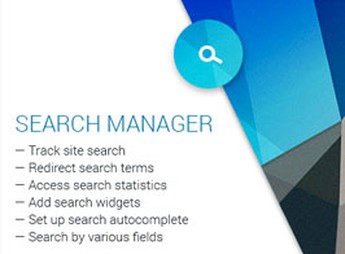
Primary Features of Search Manager
- Tracking of searched terms
Records recent and most popular terms in dashboard widgets to monitor what visitors are searching for. - Expanded search fields
Includes SKUs, summaries, short descriptions, categories, tags, and comments in the native search engine. - Query-based redirects
Routes specific terms to products, categories, posts, custom post types, taxonomies, or external URLs. - Autocomplete in forms
Suggests terms as the visitor types, speeding up product and content location. - Ready-made widgets and shortcodes
Provides widgets for recent searches, popular searches, and term clouds, plus shortcodes to insert the blocks on any page.
Benefits of Search Manager
- Data-driven decisions
Collected terms reveal purchase intent and highlight gaps in the catalog or navigation. - Direct search conversion
Redirects turn frequent queries into direct jumps to the right page, without intermediate listings. - Context-specific configuration
Independent settings for WooCommerce and WordPress editorial content allow fine-tuning each scenario. - Social proof of trends
A popular term cloud shows visitors what others are looking for, encouraging new searches.
Who Should Use Search Manager?
- Those selling on WooCommerce who want to discover which products visitors try to find but can’t locate.
- Content sites that need to map the most searched topics by the audience to guide editorial planning.
- Catalogs with many products where searching by SKU, attribute, or tag speeds internal navigation.
- Those who wish to redirect strategic terms directly to landing pages or specific offers.
How to Download Search Manager
The Search Manager is available for download here at Ultrapack. After downloading the .zip file, install it via Plugins > Add New > Upload Plugin, select the file, and activate. Once activated, the search options, widgets, and statistics appear in the WordPress admin panel, ready for immediate use.
Focused on internal searches, the Search Manager closes a gap that the default WordPress engine does not cover: measuring, expanding, and directing queries within the site itself. The outcome is a more navigable catalog, merchandising decisions backed by real visitor terms, and conversion opportunities recovered from queries that previously lacked an appropriate response.
Frequently asked questions
Is Search Manager – Plugin for WooCommerce and WordPress GPL-licensed?
Yes. Search Manager – Plugin for WooCommerce and WordPress is distributed under the GPL (GNU General Public License). You may legally use, modify and redistribute it on as many sites as you want.
Can I use Search Manager – Plugin for WooCommerce and WordPress on multiple sites?
Yes. You can install Search Manager – Plugin for WooCommerce and WordPress on as many sites as you want. Only automatic updates through Ultrapack Auto Updater have a limit: from 3 to 80 sites, depending on the plan.
How much does Search Manager – Plugin for WooCommerce and WordPress cost at Ultrapack?
Search Manager – Plugin for WooCommerce and WordPress costs US$2.99 as a single purchase, and it is also included in the subscription plans starting at US$12/mo (VIP I).
Does Search Manager – Plugin for WooCommerce and WordPress include updates?
Yes. The current version of Search Manager – Plugin for WooCommerce and WordPress is 4.0.1, published at Ultrapack on Aug 13, 2018. Subscribers update straight from the WordPress dashboard with UAU (Ultrapack Auto Updater).
Is Search Manager – Plugin for WooCommerce and WordPress scanned before publication?
Yes. Every version of Search Manager – Plugin for WooCommerce and WordPress goes through a malware scan (ClamAV and YARA rules, at UltraHub) before it is published.
How to install
Automatic updates: this item is updated by the Ultrapack Auto Updater. With it installed, the new version shows up in your dashboard like any other WordPress update (how to set it up).
The file on this page is the developer’s full package, documentation included. Do not upload that file through the dashboard: WordPress answers that the package does not contain a valid plugin. The plugin comes ready inside it, as a ZIP of its own, and that is the one you upload.
- Download the file
codecanyon-15589890-search-manager-plugin-for-woocommerce-and-wordpress.zipand extract it on your computer. - Look inside the extracted files for the file
search-manager-main-4.0.1/Plugin Files/search-manager.zip. - In the WordPress dashboard, go to Plugins > Add New > Upload Plugin.
- Select that file, click Install Now and then Activate.
- There is nothing to zip. The ZIP inside the package is already in the format WordPress accepts.
- The rest of the package belongs to the author: documentation, license and sometimes sample files. None of that is installed through the dashboard.
Stuck on a step? Open a ticket telling us which one you stopped at.