

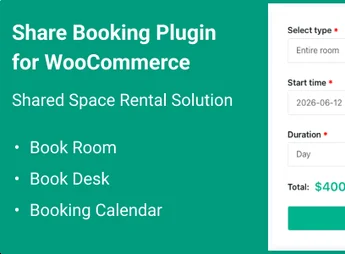
Description
Share Booking for WooCommerce is a plugin developed for online stores that work with bookings, reservations, and scheduled services. It allows customers to share their reservation details easily, boosting the reach of your business and turning each booking into a marketing opportunity. Ideal for those seeking to integrate the robustness of WooCommerce with a shareable and intuitive reservation system.
Main Features
- Reservation Sharing
Enables customers to share their bookings via direct links, social media, or email, enhancing the visibility of your services. - Native Integration with WooCommerce
Seamlessly connects to WooCommerce, leveraging existing products, payments, and checkout flows in your store. - Scheduling and Availability Management
Configure service windows, breaks, and available dates to avoid conflicts and duplicate bookings. - Automated Notifications
Send automatic confirmations and reminders to customers, reducing no-shows and improving communication. - Intuitive Control Panel
Easily monitor and manage all reservations through an organized dashboard with quick edits and real-time tracking. - Customizable Booking Forms
Tailor the booking fields to your service needs, collecting exactly the information you require.
Benefits of the Share Booking for WooCommerce Plugin
- More Organic Exposure
Each shared reservation works as a recommendation, attracting new customers without additional marketing costs. - Reduced No-Show Rates
With automated reminders and confirmations, the number of missed bookings significantly decreases. - Time Savings
Automation of reservation management frees up your team from repetitive and manual tasks. - Enhanced Customer Experience
A simple and shareable booking process increases customer satisfaction and loyalty.
Who is This Plugin For?
- Service providers that work with booked appointments, such as salons, clinics, and consultancies.
- Tourism, accommodation, and rental businesses that rely on online bookings.
- WooCommerce store owners who wish to add a shareable booking system to their shop.
With the Share Booking for WooCommerce plugin, you transform each booking into a growth tool, uniting convenience, automation, and marketing in one solution. Offer your customers a modern and sharable booking experience while your store gains efficiency and new customers naturally.
Frequently asked questions
Is Share Booking for WooCommerce GPL-licensed?
Yes. Share Booking for WooCommerce is distributed under the GPL (GNU General Public License). You may legally use, modify and redistribute it on as many sites as you want.
Can I use Share Booking for WooCommerce on multiple sites?
Yes. You can install Share Booking for WooCommerce on as many sites as you want. Only automatic updates through Ultrapack Auto Updater have a limit: from 3 to 80 sites, depending on the plan.
How much does Share Booking for WooCommerce cost at Ultrapack?
Share Booking for WooCommerce costs US$2.99 as a single purchase, and it is also included in the subscription plans starting at US$12/mo (VIP I).
Does Share Booking for WooCommerce include updates?
Yes. The current version of Share Booking for WooCommerce is 1.0.1, published at Ultrapack on Jul 13, 2026. Subscribers update straight from the WordPress dashboard with UAU (Ultrapack Auto Updater).
Is Share Booking for WooCommerce scanned before publication?
Yes. Every version of Share Booking for WooCommerce goes through a malware scan (ClamAV and YARA rules, at UltraHub) before it is published.
What are the requirements for the plugin Share Booking for WooCommerce?
Requires WordPress 6.4 or higher and PHP 7.4 or higher. Tested up to WordPress 6.9.
What changed in this version
Version 1.0.1 2026-06-18
- New - Add date format "d.m.Y"
- New - Add filter Desk for Booking Calendar
- New - Add "Rental Time" global setting
- New - Add "Maximum advance booking days" setting
- New - Add "Allowed Booking Types" setting
- Fix - Fix reCAPTCHA
- Fix - Fix "Minimum advance booking time" setting
- Fix - Fix style
Version 1.0.0 2026-06-10
- New - Initial release.
Release notes published by the developer.
How to install
Updates: manual. When a new version comes out, download it on this same page and upload it over the old one; WordPress asks whether you want to replace the current version.
The file on this page is the developer’s full package, documentation included. Do not upload that file through the dashboard: WordPress answers that the package does not contain a valid plugin. The plugin comes ready inside it, as a ZIP of its own, and that is the one you upload.
- Download the file
elements-share-booking-space-reservation-for-woocommerce-plugin.zipand extract it on your computer. - Look inside the extracted files for the file
ovass-wp-plugin/ovass.zip. - In the WordPress dashboard, go to Plugins > Add New > Upload Plugin.
- Select that file, click Install Now and then Activate.
Requirements: Requires WordPress 6.4 or higher and PHP 7.4 or higher. Tested up to WordPress 6.9.
- There is nothing to zip. The ZIP inside the package is already in the format WordPress accepts.
- The rest of the package belongs to the author: documentation, license and sometimes sample files. None of that is installed through the dashboard.
Stuck on a step? Open a ticket telling us which one you stopped at.


