UAU Ready
Description
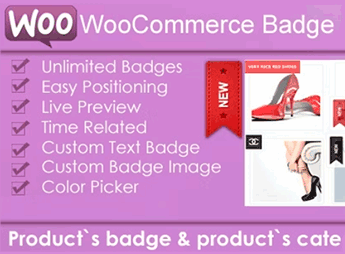
The Woo Badge Designer creates custom visual badges for WooCommerce products through a graphic editor that controls shape, color, text, icon, and position over the product image in the storefront. It is designed for anyone selling online and needing to highlight promotions, new releases, items that are selling out, or featured products with visual labels without manually editing each image in external programs.
Key Features of the Woo Badge Designer
- Visual badge editor
Builds each label by dragging elements, adjusting text, background color, and borders in real time. - Shapes and icon library
Gathers ready-made formats like circle, ribbon, star, and tag to match the store’s identity. - Application rules by product and category
Sets which products, categories, or tags in WooCommerce the badge should automatically appear on. - Positioning control
Places the badge in the corners or in the center of the product thumbnail, with fine-tuning by coordinates. - Dynamic text
Lets you include variables such as discount percentage, amount saved, and stock status in the label.
Benefits of the Woo Badge Designer
- Visual impact without graphic rework
Eliminates the need to generate image variations in Photoshop for every promotional campaign. - Storefront standardization
Keeps badge communication consistent across the entire store, reinforcing visual identity. - Speed for flash actions
Enables you to trigger deals, stock clearances, and new releases in minutes, without editing product by product. - More guidance for the shopper
Reinforces decision triggers like discount, novelty, and scarcity directly in the product listing.
Who Is the Woo Badge Designer For?
- Anyone running a WooCommerce store with frequent promotional campaigns and needing to signal offers without touching the original image file.
- Anyone working with launches and limited edits and wants to visually mark new, exclusive items or products with only a few units in stock.
- Anyone selling in large catalogs and looking for a centralized way to apply badges by category, brand, or price range.
How to Download the Woo Badge Designer
The Woo Badge Designer is available for download here on Ultrapack. After getting the .zip file, go to Plugins, Add New, Upload plugin in the WordPress admin panel, select the file, and click activate. Once activated, a new dedicated menu will appear in the admin to create, edit, and apply badges to store products.
Designed for people who run constant campaigns, the Woo Badge Designer reduces the bottleneck of producing a different artwork for each offer. The editor centralizes the badge appearance in one place, lets you review application rules in seconds, and keeps a consistent visual identity across the storefront, from the Black Friday highlight to the low-stock notice on the product page.
Frequently asked questions
Is Woo Badge Designer – WooCommerce Product Badge Designer WordPress Plugin GPL-licensed?
Yes. Woo Badge Designer – WooCommerce Product Badge Designer WordPress Plugin is distributed under the GPL (GNU General Public License). You may legally use, modify and redistribute it on as many sites as you want.
Can I use Woo Badge Designer – WooCommerce Product Badge Designer WordPress Plugin on multiple sites?
Yes. You can install Woo Badge Designer – WooCommerce Product Badge Designer WordPress Plugin on as many sites as you want. Only automatic updates through Ultrapack Auto Updater have a limit: from 3 to 80 sites, depending on the plan.
How much does Woo Badge Designer – WooCommerce Product Badge Designer WordPress Plugin cost at Ultrapack?
Woo Badge Designer – WooCommerce Product Badge Designer WordPress Plugin costs US$2.99 as a single purchase, and it is also included in the subscription plans starting at US$12/mo (VIP I).
Does Woo Badge Designer – WooCommerce Product Badge Designer WordPress Plugin include updates?
Yes. The current version of Woo Badge Designer – WooCommerce Product Badge Designer WordPress Plugin is 4.0.1, published at Ultrapack on Feb 16, 2022. Subscribers update straight from the WordPress dashboard with UAU (Ultrapack Auto Updater).
Is Woo Badge Designer – WooCommerce Product Badge Designer WordPress Plugin scanned before publication?
Yes. Every version of Woo Badge Designer – WooCommerce Product Badge Designer WordPress Plugin goes through a malware scan (ClamAV and YARA rules, at UltraHub) before it is published.
How to install
Automatic updates: this item is updated by the Ultrapack Auto Updater. With it installed, the new version shows up in your dashboard like any other WordPress update (how to set it up).
- Download the file
codecanyon-23995345-woo-badge-designer-woocommerce-product-badge-designer-wordpress-plugin.zip. - In the WordPress dashboard, go to Plugins > Add New > Upload Plugin.
- Select the file
codecanyon-23995345-woo-badge-designer-woocommerce-product-badge-designer-wordpress-plugin.zipand click Install Now. - Click Activate.
Stuck on a step? Open a ticket telling us which one you stopped at.