

 UAU Ready
Description
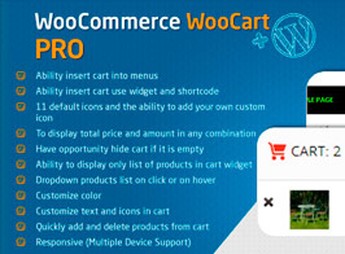
The WooCart Pro – WooCommerce organizes the WooCommerce cart into a configurable interface for items, quantities, subtotals and advancing to checkout, replacing the default display with a more direct flow for order review. It serves those who sell physical, digital, or combined products and need to reduce friction between product selection and checkout completion.
Key Features of WooCart Pro – WooCommerce
- Custom cart
Restructures cart screen with focus on order data. - Quantity control
Facilitates item adjustments before customer proceeds to checkout. - Order summary
Displays subtotals and purchase information in a more direct format. - Checkout flow
Highlights purchase continuity after cart review. - WooCommerce integration
Operates on native cart without replacing the order system.
Benefits of WooCart Pro – WooCommerce
- Lower abandonment
Reduces doubts during product and price review. - Fluent purchase
Helps customer progress with fewer distractions in cart. - Clearer visuals
Organizes key information before final payment step. - No rework
Avoids deep manual tweaks to WooCommerce’s default template.
Who Should Use WooCart Pro – WooCommerce?
- Those selling products on WooCommerce wanting to improve the order review step.
- You who notice abandonments between cart and checkout page.
- Those needing to make quantities, totals and checkout continuation more visible.
How to Download The WooCart Pro – WooCommerce
The WooCart Pro – WooCommerce is available for download here on Ultrapack. After downloading the .zip file, go to Plugins > Add New > Upload Plugin, select the package and activate it in the WordPress dashboard.
The WooCart Pro – WooCommerce is useful for stores relying on a clear, concise cart aligned with WooCommerce flow. By focusing item review, quantity adjustments, and checkout progression into a more organized experience, the plugin helps remove noise before finalizing the order.
Frequently asked questions
Is WooCart Pro – WooCommerce GPL-licensed?
Yes. WooCart Pro – WooCommerce is distributed under the GPL (GNU General Public License). You may legally use, modify and redistribute it on as many sites as you want.
Can I use WooCart Pro – WooCommerce on multiple sites?
Yes. You can install WooCart Pro – WooCommerce on as many sites as you want. Only automatic updates through Ultrapack Auto Updater have a limit: from 3 to 80 sites, depending on the plan.
How much does WooCart Pro – WooCommerce cost at Ultrapack?
WooCart Pro – WooCommerce costs US$2.99 as a single purchase, and it is also included in the subscription plans starting at US$12/mo (VIP I).
Does WooCart Pro – WooCommerce include updates?
Yes. The current version of WooCart Pro – WooCommerce is 2.5.3, published at Ultrapack on Nov 27, 2019. Subscribers update straight from the WordPress dashboard with UAU (Ultrapack Auto Updater).
Is WooCart Pro – WooCommerce scanned before publication?
Yes. Every version of WooCart Pro – WooCommerce goes through a malware scan (ClamAV and YARA rules, at UltraHub) before it is published.
How to install
Automatic updates: this item is updated by the Ultrapack Auto Updater. With it installed, the new version shows up in your dashboard like any other WordPress update (how to set it up).
- Download the file
codecanyon-7992078-woocommerce-cart-woocart-pro.zip. - In the WordPress dashboard, go to Plugins > Add New > Upload Plugin.
- Select the file
codecanyon-7992078-woocommerce-cart-woocart-pro.zipand click Install Now. - Click Activate.
Stuck on a step? Open a ticket telling us which one you stopped at.


