

 UAU Ready
Description
The WooCommerce File Approval adds a file approval workflow between the customer and the store directly on WooCommerce order pages, allowing the merchant to attach documents to the order and require approval or rejection from the buyer before moving forward with delivery. Ideal for sales that involve reviewing artwork, contracts, briefs, or custom layouts, the plugin turns the order into a validation channel without relying on external email.
Key Features
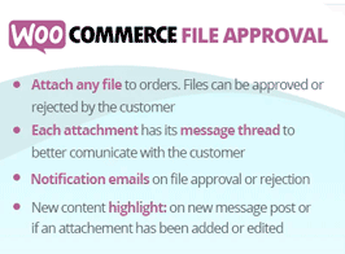
- Attachments on the order: file uploads by the administrator directly on the WooCommerce order edit screen, linked to the status of the purchased product.
- Approval and rejection buttons: the customer receives the attachments in the “My Orders” area and responds with a decision recorded in the order history.
- Rejection notes: a field for the buyer to justify the refusal, returning the reason to the merchant’s dashboard.
- Email notifications: automatic messages triggered for each new upload, file approval, or file rejection.
- Support for multiple files: successive uploads of revisions and versions within the same order until the customer approves the final delivery.
Benefits of WooCommerce File Approval
- Centralized review workflow: keeps all file exchanges within WooCommerce, without losing history in parallel conversations.
- Reduced rework: the customer’s formal approval prevents later complaints about the delivered layout or scope.
- Status control: the merchant can see which validation stage each order is in before finalizing production.
- Asynchronous communication: customers and teams exchange versions at different times without depending on a meeting or call.
Who Is It For?
- Stores of custom products that need to validate final artwork before printing or production.
- Design studios, agencies, and freelancers that sell services via WooCommerce and deliver files for approval.
- Businesses that sell contracts, proposals, or digital documents that require formal acceptance from the buyer.
By bringing the approval cycle into the order itself, the WooCommerce File Approval serves stores where delivery depends on the customer’s visual or contractual validation. The result is an auditable history of versions, decisions, and justifications, with direct benefits for the operational organization of those who sell services or on-demand products on the WooCommerce platform.
Frequently asked questions
Is WooCommerce File Approval GPL-licensed?
Yes. WooCommerce File Approval is distributed under the GPL (GNU General Public License). You may legally use, modify and redistribute it on as many sites as you want.
Can I use WooCommerce File Approval on multiple sites?
Yes. You can install WooCommerce File Approval on as many sites as you want. Only automatic updates through Ultrapack Auto Updater have a limit: from 3 to 80 sites, depending on the plan.
How much does WooCommerce File Approval cost at Ultrapack?
WooCommerce File Approval costs US$2.99 as a single purchase, and it is also included in the subscription plans starting at US$12/mo (VIP I).
Does WooCommerce File Approval include updates?
Yes. The current version of WooCommerce File Approval is 10.4, published at Ultrapack on Jul 18, 2024. Subscribers update straight from the WordPress dashboard with UAU (Ultrapack Auto Updater).
Is WooCommerce File Approval scanned before publication?
Yes. Every version of WooCommerce File Approval goes through a malware scan (ClamAV and YARA rules, at UltraHub) before it is published.
How to install
Automatic updates: this item is updated by the Ultrapack Auto Updater. With it installed, the new version shows up in your dashboard like any other WordPress update (how to set it up).
- Download the file
elements-woocommerce-file-approval.zip. - In the WordPress dashboard, go to Plugins > Add New > Upload Plugin.
- Select the file
elements-woocommerce-file-approval.zipand click Install Now. - Click Activate.
Stuck on a step? Open a ticket telling us which one you stopped at.


