

 UAU Ready
Description
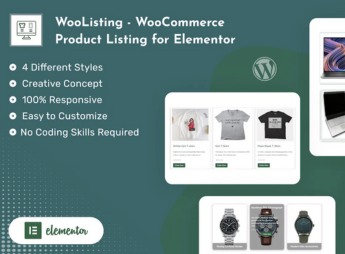
WooListing – WooCommerce Product Listing for Elementor adds a set of widgets to Elementor that render the WooCommerce product showcase in fully customizable grid and list layouts, with category filters, sorting and dynamic pagination. Ideal for merchants building catalogs in the visual builder who need to control typography, spacing and hover states without resorting to extra CSS code.
Key Features
- Native Elementor widgets: drag and drop product listing components directly into the visual editor.
- Grid and list layouts: switch between column, row or card display with the ability to set items per row.
- Category filters: view products from specific WooCommerce collections with include and exclude options.
- Full typographic controls: adjust fonts, colors, spacing and borders on each product card element.
- Pagination and sorting: set sorting by price, date, popularity and enable numbered paging or infinite scroll.
Benefits of WooListing – WooCommerce Product Listing for Elementor
- No-code construction: build sophisticated catalog pages using only the Elementor visual editor.
- Visual consistency: align WooCommerce storefront with the rest of the site using the same design controls as the builder.
- Implementation speed: reduce hours of coding on shop templates with ready-to-use components.
- Display flexibility: adapt product presentation to home pages, promotional landing pages or specific sections.
Who is it for?
- Merchants using WooCommerce and Elementor who want customized storefronts without coding.
- Agencies and freelancers delivering virtual stores on tight deadlines and requiring unique design.
- WordPress designers who need to extend Elementor with specific e-commerce components.
Those who already work with Elementor and need to showcase the WooCommerce catalog in line with the site’s design, WooListing – WooCommerce Product Listing for Elementor delivers listing components with the same visual configuration logic that the builder has already familiarized users with. The result is consistent product pages, configured within the same creation flow as the store’s other sections.
Frequently asked questions
Is WooListing – WooCommerce Product Listing for Elementor GPL-licensed?
Yes. WooListing – WooCommerce Product Listing for Elementor is distributed under the GPL (GNU General Public License). You may legally use, modify and redistribute it on as many sites as you want.
Can I use WooListing – WooCommerce Product Listing for Elementor on multiple sites?
Yes. You can install WooListing – WooCommerce Product Listing for Elementor on as many sites as you want. Only automatic updates through Ultrapack Auto Updater have a limit: from 3 to 80 sites, depending on the plan.
How much does WooListing – WooCommerce Product Listing for Elementor cost at Ultrapack?
WooListing – WooCommerce Product Listing for Elementor costs US$2.99 as a single purchase, and it is also included in the subscription plans starting at US$12/mo (VIP I).
Does WooListing – WooCommerce Product Listing for Elementor include updates?
Yes. The current version of WooListing – WooCommerce Product Listing for Elementor is 2.0, published at Ultrapack on Sep 29, 2026. Subscribers update straight from the WordPress dashboard with UAU (Ultrapack Auto Updater).
Is WooListing – WooCommerce Product Listing for Elementor scanned before publication?
Yes. Every version of WooListing – WooCommerce Product Listing for Elementor goes through a malware scan (ClamAV and YARA rules, at UltraHub) before it is published.
What are the requirements for the plugin WooListing – WooCommerce Product Listing for Elementor?
Requires WordPress 4.4 or higher and PHP 8.0 or higher. Tested up to WordPress 7.1.
What changed in this version
Version 2.0
- Release Date: September 29th, 2026
- Updated: Latest WordPress 7.1.2 compatibility check
- Updated: Latest Elementor 4.3.2 compatibility check
Version 1.0.8
- Release Date: August 29th, 2026
- Updated: Latest WordPress 7.1 compatibility check
Version 1.0.7
- Release Date: July 23rd, 2026
- Updated: Latest WordPress 7.0.2 compatibility check
Version 1.0.6
- Release Date: February 20th, 2026
- Updated: Latest WordPress 6.9.1 compatibility Check
- Updated: Latest Elementor 3.35.4 compatibility Check
- Fixed: UI/IX issue
Version 1.0.5
- Release Date: April 16th, 2025
- Updated: Latest WordPress 6.8 compatibility Check
Release notes published by the developer.
How to install
Automatic updates: this item is updated by the Ultrapack Auto Updater. With it installed, the new version shows up in your dashboard like any other WordPress update (how to set it up).
- Download the file
elements-woocommerce-product-listing-for-elementor.zip. - In the WordPress dashboard, go to Plugins > Add New > Upload Plugin.
- Select the file
elements-woocommerce-product-listing-for-elementor.zipand click Install Now. - Click Activate.
Requirements: Requires WordPress 4.4 or higher and PHP 8.0 or higher. Tested up to WordPress 7.1.
Stuck on a step? Open a ticket telling us which one you stopped at.


