

 UAU Ready
Description
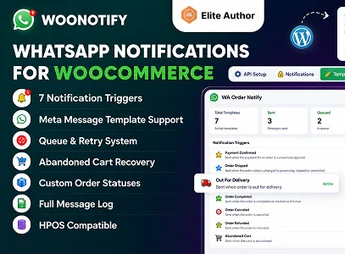
WooNotify connects the WooCommerce store to WhatsApp via an AI agent that answers customer questions, confirms orders and sends status updates automatically in the chat. For those who sell online and need to scale post-purchase support without adding to the team, the plugin reduces the volume of manual interactions by covering everything from order confirmation to delivery notice.
Principal Features of WooNotify
- AI Agent on WhatsApp
Processes frequent questions about orders, deadlines, and products in the chat, without human intervention. - Automatic Order Notifications
Sends messages to WhatsApp on every status change in WooCommerce, from payment to delivery. - Native Integration with WooCommerce
Reads order, customer, and product data to personalize each message sent to the buyer. - Configurable Support Workflows
Allows setting automatic responses and routing criteria for handing over to human support when needed. - Control Panel in WordPress
Centralizes WhatsApp number configuration, message templates, and agent preferences in the WP admin.
Benefits of WooNotify
- Less Manual Support
Reduces the number of messages that require human responses during the purchase cycle. - Real-time Customer Updates
Every order update arrives automatically on WhatsApp, without the customer needing to visit the site. - Scales without expanding the team
The AI agent answers multiple customers simultaneously, regardless of business hours. - Reduced Post-Purchase Abandonment
Proactive communication via WhatsApp lowers unresolved questions and late complaints.
Who Should Use WooNotify?
- Those managing a WooCommerce store with high volume of repetitive WhatsApp questions about order status.
- Those selling physical or digital products who want to keep the buyer automatically updated at each step of the process.
- Those already using WhatsApp Business as the primary support channel and wanting to integrate order notifications without configuring external tools.
How to Download WooNotify
WooNotify is available for download on this Ultrapack page. After downloading the .zip file, install by going to Plugins > Add New > Upload Plugin, select the file and activate. After activation, the WooNotify configuration menu appears in the WordPress dashboard.
WooNotify positions WhatsApp as the central channel of post-sale communication in WooCommerce, replacing part of human support with an AI agent trained to answer recurring questions. For those who sell online in volume and want to keep the quality of customer contact without increasing operational load, the plugin automatically covers the most common interactions of the purchase cycle.
Frequently asked questions
Is WooNotify – WhatsApp AI Agent for WooCommerce GPL-licensed?
Yes. WooNotify – WhatsApp AI Agent for WooCommerce is distributed under the GPL (GNU General Public License). You may legally use, modify and redistribute it on as many sites as you want.
Can I use WooNotify – WhatsApp AI Agent for WooCommerce on multiple sites?
Yes. You can install WooNotify – WhatsApp AI Agent for WooCommerce on as many sites as you want. Only automatic updates through Ultrapack Auto Updater have a limit: from 3 to 80 sites, depending on the plan.
How much does WooNotify – WhatsApp AI Agent for WooCommerce cost at Ultrapack?
WooNotify – WhatsApp AI Agent for WooCommerce costs US$2.99 as a single purchase, and it is also included in the subscription plans starting at US$12/mo (VIP I).
Does WooNotify – WhatsApp AI Agent for WooCommerce include updates?
Yes. The current version of WooNotify – WhatsApp AI Agent for WooCommerce is 1.0.1, published at Ultrapack on Jul 3, 2026. Subscribers update straight from the WordPress dashboard with UAU (Ultrapack Auto Updater).
Is WooNotify – WhatsApp AI Agent for WooCommerce scanned before publication?
Yes. Every version of WooNotify – WhatsApp AI Agent for WooCommerce goes through a malware scan (ClamAV and YARA rules, at UltraHub) before it is published.
How to install
Automatic updates: this item is updated by the Ultrapack Auto Updater. With it installed, the new version shows up in your dashboard like any other WordPress update (how to set it up).
The file on this page is the developer’s full package, documentation included. Do not upload that file through the dashboard: WordPress answers that the package does not contain a valid plugin. The plugin comes ready inside it, as a ZIP of its own, and that is the one you upload.
- Download the file
elements-woonotify-whatsapp-ai-agent-for-woocommerce.zipand extract it on your computer. - Look inside the extracted files for the file
MainFiles/Upload/Plugin/order-notify-for-woocommerce.zip. - In the WordPress dashboard, go to Plugins > Add New > Upload Plugin.
- Select that file, click Install Now and then Activate.
- There is nothing to zip. The ZIP inside the package is already in the format WordPress accepts.
- The rest of the package belongs to the author: documentation, license and sometimes sample files. None of that is installed through the dashboard.
Stuck on a step? Open a ticket telling us which one you stopped at.


