Description
The XforWooCommerce gathers multiple modules into a single plugin for WooCommerce, adding visual badges to products, advanced catalog filters by attributes, item-specific warranty control, custom tabs on product pages, and SEO-specific adjustments for product and category pages. It is designed for online sellers of varied catalogs who want to expand their store from a central module activation dashboard without adding dozens of loose extensions.
Key Features of XforWooCommerce
- Modular architecture
Each feature is an independent module toggled on or off in the plugin dashboard. - Product badges
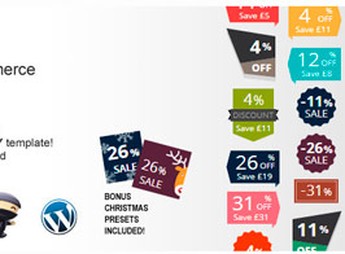
Inserts visual labels like new, promotion, and low stock in product thumbnails. - Catalog filter
Adds widgets for filtering by category, price, attributes, and brand in the store. - Warranty management
Includes a warranty field in the product and displays the duration on the checkout. - SEO optimizations
Adjusts titles, meta descriptions, and structured data for product and category pages.
XforWooCommerce Benefits
- Lighter store
Reduces the number of installed plugins by consolidating common functions into one place. - Navigable catalog
Filters and badges help visitors find and decide on the product faster. - Buyer confidence
The visible warranty block reduces doubts about the return policy and coverage. - Better organic visibility
Optimized product pages tend to rank better in catalog searches.
Who is XforWooCommerce for?
- Online sellers of varied catalogs who want to highlight promotions, new arrivals, and low stock items.
- Those who need granular product filters without installing a dedicated filtering plugin.
- Sellers working with products that involve warranty or warranty claims and want to display that information directly on the sales page.
How to Download XforWooCommerce
XforWooCommerce is available for download here at Ultrapack. After saving the .zip file, go to Plugins > Add New > Upload Plugin in the WordPress dashboard, select the package, and activate it. The modules will appear in an XforWooCommerce own menu, where each feature is enabled individually as needed for the store.
By concentrating badges, filters, warranties, extra tabs, and SEO in a single codebase, XforWooCommerce simplifies store maintenance and keeps the admin panel organized. Module-based activation avoids unnecessary load on unused features, preserving front-end performance even with large catalogs and many attributes and variations.
Frequently asked questions
Is XforWooCommerce GPL-licensed?
Yes. XforWooCommerce is distributed under the GPL (GNU General Public License). You may legally use, modify and redistribute it on as many sites as you want.
Can I use XforWooCommerce on multiple sites?
Yes. You can install XforWooCommerce on as many sites as you want. Only automatic updates through Ultrapack Auto Updater have a limit: from 3 to 80 sites, depending on the plan.
How much does XforWooCommerce cost at Ultrapack?
XforWooCommerce costs US$2.99 as a single purchase, and it is also included in the subscription plans starting at US$12/mo (VIP I).
Does XforWooCommerce include updates?
Yes. The current version of XforWooCommerce is 2.2.4, published at Ultrapack on May 25, 2026. Subscribers update straight from the WordPress dashboard with UAU (Ultrapack Auto Updater).
Is XforWooCommerce scanned before publication?
Yes. Every version of XforWooCommerce goes through a malware scan (ClamAV and YARA rules, at UltraHub) before it is published.
What are the requirements for the plugin XforWooCommerce?
Requires WordPress 4.5 or higher. Tested up to WordPress 7.9.9.
How to install
Updates: manual. When a new version comes out, download it on this same page and upload it over the old one; WordPress asks whether you want to replace the current version.
The file on this page is the developer’s full package, documentation included. Do not upload that file through the dashboard: WordPress answers that the package does not contain a valid plugin. The plugin comes ready inside it, as a ZIP of its own, and that is the one you upload.
- Download the file
codecanyon-23673114-xforwoocommerce.zipand extract it on your computer. - Look inside the extracted files for the file
xforwoocommerce.zip. - In the WordPress dashboard, go to Plugins > Add New > Upload Plugin.
- Select that file, click Install Now and then Activate.
Requirements: Requires WordPress 4.5 or higher. Tested up to WordPress 7.9.9.
- There is nothing to zip. The ZIP inside the package is already in the format WordPress accepts.
- The rest of the package belongs to the author: documentation, license and sometimes sample files. None of that is installed through the dashboard.
Stuck on a step? Open a ticket telling us which one you stopped at.