Description
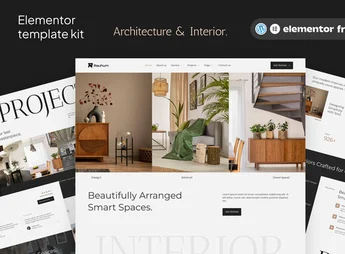
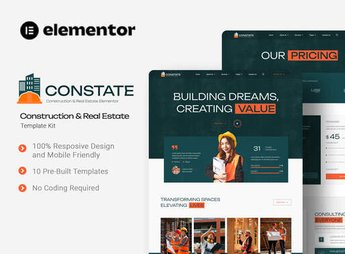
Arial gathers complete pages and importable visual blocks for Elementor, allowing you to build websites for architecture, construction, and real estate companies with sections dedicated to project portfolios, property details, and budget forms. This visual structure accelerates the development of corporate presences in the real estate and construction sectors, organizing floor plans, high-resolution photo galleries, and service tables without requiring manual programming.
Key Features of Arial
- Pre-configured layouts for projects
Organizes photo galleries and technical specifications of completed or ongoing works. - Compatibility with Elementor
Allows you to edit typography, colors, and spacing visually through drag and drop. - Complete contact pages
Integrates direct forms for budget requests and scheduling visits to properties. - Sections for team and services
Displays engineering staff, areas of expertise, and work stages. - Fully responsive design
Adjusts the display of sections for navigation on mobile and tablet screens.
Benefits of Arial
- Agility in website delivery
Reduces the time to assemble corporate pages by importing ready-made templates with just a few clicks. - Qualified visual presentation
Highlights real estate developments and architecture projects with clean and modern layout. - Ease of customization
Dispenses prior knowledge of programming to adjust graphic elements and institutional texts. - Structure focused on budgets
Directs visitors to action buttons and quick contact fields.
Who is Arial for?
- Architects and urban planning offices who need to expose portfolios of renovations and original projects.
- Construction and development companies seeking to present building launches and structural details of developments.
- Those working in the real estate market and want to display listings of residential and commercial properties.
How to Download Arial
Arial is available for download here at Ultrapack. After downloading the .zip file, import the kit using the template import plugin or through Templates > Elementor Tools in your WordPress dashboard. The package contains all the layouts needed for immediate publication.
With a layout developed specifically for the construction and interior design sector, Arial organizes the visual identity of companies that need to convey technical soundness and aesthetic refinement. The flexibility of the visual constructor combined with client-focused templates makes this kit a practical solution to launch websites with fluid navigation and impactful portfolios.
Frequently asked questions
Is Arial – Architecture, Construction & Real Estate Elementor Template Kit GPL?
Yes. Arial – Architecture, Construction & Real Estate Elementor Template Kit is distributed under the GPL (GNU General Public License). You may legally use, modify and redistribute it on as many sites as you want.
Can I use Arial – Architecture, Construction & Real Estate Elementor Template Kit on more than one site?
Yes. You can use Arial – Architecture, Construction & Real Estate Elementor Template Kit on as many sites as you want.
How much does Arial – Architecture, Construction & Real Estate Elementor Template Kit cost at Ultrapack?
Arial – Architecture, Construction & Real Estate Elementor Template Kit costs US$2.99 as a single purchase, and it is also included in the subscription plans starting at US$17/mo (Desenvolvedor I).
Does Arial – Architecture, Construction & Real Estate Elementor Template Kit include updates?
When a new version of Arial – Architecture, Construction & Real Estate Elementor Template Kit becomes available in the catalog, you can download the file during the access period of your purchase or subscription. To update, follow the installation or import procedure described in the documentation for the item and its platform.
Is Arial – Architecture, Construction & Real Estate Elementor Template Kit checked before it is made available for download?
Files for Arial – Architecture, Construction & Real Estate Elementor Template Kit are scanned before publication by UltraHub using ClamAV and YARA rules to detect known threats. This check does not guarantee the absence of risks. Check the item requirements, make a backup, and follow the installation or import instructions for its platform.
How to install
Updates: manual. When a new version comes out, download it on this same page and import it again with Template Kit Import. Template Kits are not updated from the WordPress Themes or Plugins screen.
A template kit is neither a theme nor a plugin. It is imported, and it needs Elementor installed on the site.
- Install and activate the Template Kit Import plugin, which is also here in the catalog.
- Download the file
arial-architecture-construction-real-estate-elemen.zip. - In the WordPress dashboard, go to Template Kits > Import Kit and upload the file
arial-architecture-construction-real-estate-elemen.zip. - Pick the templates you want to import and confirm.
- The imported templates end up under Templates > Saved Templates, ready to open in Elementor.
- Some kits use Elementor Pro features. Without it the templates still import, but some blocks have no effect.
Stuck on a step? Open a ticket telling us which one you stopped at.