Description
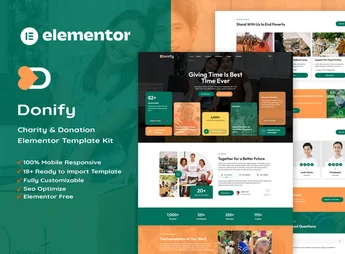
Charie organizes an NGO or charity organization’s website into ready-made Elementor blocks, with pages for cause presentation, ongoing fundraising campaigns, a gallery of completed projects, volunteer testimonials and an online donation form. It serves those who coordinate a nonprofit organization, social project, church or charitable campaign and need to show impact, financial transparency and attract recurring donors without hiring a developer.
Charie’s Main Features
- Cause presentation
Describes the organization’s social projects and areas of activity. - Fundraising campaigns
Shows the progress of each campaign with goal and amount already raised. - Project gallery
Displays photos and results of actions already carried out by the institution. - Volunteer testimonials
Gathers accounts from those who have already taken part in the NGO’s activities. - Donation form
Receives one-time or recurring contributions directly through the site page.
Charie’s Benefits
- More transparency
Campaigns show the amount raised, reinforcing donors’ trust. - Donation in a few clicks
The form reduces the steps between the intention to help and the donation. - Ready institutional look
The pages already follow the visual standard used by NGOs and social projects. - Code-free editing
Text, photos and colors are changed directly in the Elementor editor.
Who Is Charie For?
- Those who coordinate an NGO or nonprofit association.
- Those who manage a church or community social project.
- Those who organize a one-time fundraising campaign for a cause.
- Those who run a shelter, daycare center or assistance institution.
How to Download Charie
Charie is available for download here on Ultrapack. After downloading the file, import the kit through the Elementor panel at Elementor > Tools > Import Kit, and the sample pages, text and images are automatically applied to the site.
Charie helps get a site that explains the cause and makes donating easier up and running in a few hours, without depending on an agency or technical knowledge. Just replace the text, photos and campaign goals with the organization’s real data.
Frequently asked questions
Is Charie – Charity NonProfit Elementor Template Kit GPL?
Yes. Charie – Charity NonProfit Elementor Template Kit is distributed under the GPL (GNU General Public License). You may legally use, modify and redistribute it on as many sites as you want.
Can I use Charie – Charity NonProfit Elementor Template Kit on more than one site?
Yes. You can use Charie – Charity NonProfit Elementor Template Kit on as many sites as you want.
How much does Charie – Charity NonProfit Elementor Template Kit cost at Ultrapack?
Charie – Charity NonProfit Elementor Template Kit costs US$2.99 as a single purchase, and it is also included in the subscription plans starting at US$17/mo (Desenvolvedor I).
Does Charie – Charity NonProfit Elementor Template Kit include updates?
When a new version of Charie – Charity NonProfit Elementor Template Kit becomes available in the catalog, you can download the file during the access period of your purchase or subscription. To update, follow the installation or import procedure described in the documentation for the item and its platform.
Is Charie – Charity NonProfit Elementor Template Kit checked before it is made available for download?
Files for Charie – Charity NonProfit Elementor Template Kit are scanned before publication by UltraHub using ClamAV and YARA rules to detect known threats. This check does not guarantee the absence of risks. Check the item requirements, make a backup, and follow the installation or import instructions for its platform.
How to install
Updates: manual. When a new version comes out, download it on this same page and import it again with Template Kit Import. Template Kits are not updated from the WordPress Themes or Plugins screen.
A template kit is neither a theme nor a plugin. It is imported, and it needs Elementor installed on the site.
- Install and activate the Template Kit Import plugin, which is also here in the catalog.
- Download the file
charie-charity-nonprofit-elementor-template-kit.zip. - In the WordPress dashboard, go to Template Kits > Import Kit and upload the file
charie-charity-nonprofit-elementor-template-kit.zip. - Pick the templates you want to import and confirm.
- The imported templates end up under Templates > Saved Templates, ready to open in Elementor.
- Some kits use Elementor Pro features. Without it the templates still import, but some blocks have no effect.
Stuck on a step? Open a ticket telling us which one you stopped at.