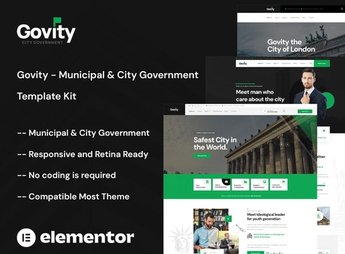
Description
Citizen organizes a set of pages for Elementor aimed at city halls and municipal public bodies, with sections for citizen services, updated institutional news, transparency of public data, direct contact from secretariats, and a gallery of public events. It serves those who manage the digital communication of a city hall, municipal chamber, or municipal public secretariat and want to organize services, news, and institutional information into a clear and accessible website for the citizen.
Main Features of Citizen
- Service portal
Gathers citizen services into cards with description and access channel. - News section
Displays announcements and institutional news in an updatable list format. - Transparency page
Organizes links to public data, bids, and accountability. - Secretariat directory
Lists secretariats and bodies with contact and service hours. - Events gallery
Shows photos of actions and public events held by the city hall.
Benefits of Citizen
- Centralized communication
Gathers services, news, and contacts in a single official portal. - More transparency
Facilitates access to public data and management information. - Clearer service
Reduces doubts about where to find each secretariat or service. - No-code editing
Allows updating texts and information directly through the Elementor editor.
Who is Citizen for?
- Those who manage the digital communication of a city hall.
- Those who work in a municipal chamber or local legislative body.
- Those who manage the website of a public secretariat.
- Those who take care of the communication of an autonomous body or municipal body.
How to Download Citizen
Citizen is available for download here on Ultrapack. The import is done through Elementor, in Elementor > Tools > Import Kit, sending the file directly through the WordPress panel. After that, the portal pages are ready for editing and publication.
A portal like this helps organize information that often gets scattered between official documents, social networks, and loose pages, bringing everything together in a single address for the citizen. This also facilitates content updates by different communication teams over time.
Frequently asked questions
Is Citizen – City Government & Municipal Elementor Kit GPL?
Yes. Citizen – City Government & Municipal Elementor Kit is distributed under the GPL (GNU General Public License). You may legally use, modify and redistribute it on as many sites as you want.
Can I use Citizen – City Government & Municipal Elementor Kit on more than one site?
Yes. You can use Citizen – City Government & Municipal Elementor Kit on as many sites as you want.
How much does Citizen – City Government & Municipal Elementor Kit cost at Ultrapack?
Citizen – City Government & Municipal Elementor Kit costs US$2.99 as a single purchase, and it is also included in the subscription plans starting at US$17/mo (Desenvolvedor I).
Does Citizen – City Government & Municipal Elementor Kit include updates?
When a new version of Citizen – City Government & Municipal Elementor Kit becomes available in the catalog, you can download the file during the access period of your purchase or subscription. To update, follow the installation or import procedure described in the documentation for the item and its platform.
Is Citizen – City Government & Municipal Elementor Kit checked before it is made available for download?
Files for Citizen – City Government & Municipal Elementor Kit are scanned before publication by UltraHub using ClamAV and YARA rules to detect known threats. This check does not guarantee the absence of risks. Check the item requirements, make a backup, and follow the installation or import instructions for its platform.
How to install
Updates: manual. When a new version comes out, download it on this same page and import it again with Template Kit Import. Template Kits are not updated from the WordPress Themes or Plugins screen.
A template kit is neither a theme nor a plugin. It is imported, and it needs Elementor installed on the site.
- Install and activate the Template Kit Import plugin, which is also here in the catalog.
- Download the file
citizen-city-government-municipal-elementor-kit.zip. - In the WordPress dashboard, go to Template Kits > Import Kit and upload the file
citizen-city-government-municipal-elementor-kit.zip. - Pick the templates you want to import and confirm.
- The imported templates end up under Templates > Saved Templates, ready to open in Elementor.
- Some kits use Elementor Pro features. Without it the templates still import, but some blocks have no effect.
Stuck on a step? Open a ticket telling us which one you stopped at.