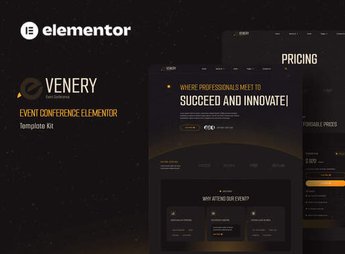
Description
Confence brings together ready-to-import Elementor templates for building the site of a congress, seminar, or corporate event, with program, speaker, and registration blocks already laid out. The visual identity comes defined through consistent typography, colors, and spacing across every page, so editing in the builder **comes down to swapping text and images** instead of rebuilding the layout from scratch.
Key Features of Confence
- Direct import into Elementor
The templates land in the builder’s library and open ready for visual editing. - Event-focused blocks
Schedule, speaker, venue, and registration call-to-action sections are already structured. - Unified visual identity
Standardized typography, palette, and spacing across every page in the kit. - Responsive layout
Sections rearrange on desktop, tablet, and mobile without heavy manual tweaking. - No-code editing
Text, images, colors, and buttons all change through Elementor’s own controls.
Benefits of Confence
- Site live in less time
The page structure is already there, so all that’s left is the event’s real content. - Less reliance on a developer
Content and visual adjustments happen right in the builder, with no files to touch. - Consistency across pages
The visual standard holds up even when several people edit the site. - Reuse for every edition
The same kit serves the event’s next edition with a simple content swap.
Who Is Confence For?
- Anyone who organizes congresses, summits, and seminars and needs a site for each edition.
- You, if you already work with Elementor and want to start from finished pages instead of a blank canvas.
- Anyone producing corporate events, workshops, and technical meetups who needs to promote the schedule and speakers.
How to Download Confence
Confence is available for download here at Ultrapack. Step-by-step instructions for installing this file are in the How to install tab, next to the description. Once imported, the templates are accessible through the Elementor library, ready to be applied to your site’s pages.
Events have a set date, and the site has to keep up with that deadline. Confence shortens the layout stage by delivering pages already built to the visual standard of a professional event, keeping production time focused on what actually changes each edition: the schedule, speaker names, venue, and registration form. It’s a solid starting point when you need to publish fast without giving up polish.
Frequently asked questions
Is Confence – Event & Conference Elementor Template Kit GPL?
Yes. Confence – Event & Conference Elementor Template Kit is distributed under the GPL (GNU General Public License). You may legally use, modify and redistribute it on as many sites as you want.
Can I use Confence – Event & Conference Elementor Template Kit on more than one site?
Yes. You can use Confence – Event & Conference Elementor Template Kit on as many sites as you want.
How much does Confence – Event & Conference Elementor Template Kit cost at Ultrapack?
Confence – Event & Conference Elementor Template Kit costs US$2.99 as a single purchase, and it is also included in the subscription plans starting at US$17/mo (Desenvolvedor I).
Does Confence – Event & Conference Elementor Template Kit include updates?
When a new version of Confence – Event & Conference Elementor Template Kit becomes available in the catalog, you can download the file during the access period of your purchase or subscription. To update, follow the installation or import procedure described in the documentation for the item and its platform.
Is Confence – Event & Conference Elementor Template Kit checked before it is made available for download?
Files for Confence – Event & Conference Elementor Template Kit are scanned before publication by UltraHub using ClamAV and YARA rules to detect known threats. This check does not guarantee the absence of risks. Check the item requirements, make a backup, and follow the installation or import instructions for its platform.
How to install
Updates: manual. When a new version comes out, download it on this same page and import it again with Template Kit Import. Template Kits are not updated from the WordPress Themes or Plugins screen.
A template kit is neither a theme nor a plugin. It is imported, and it needs Elementor installed on the site.
- Install and activate the Template Kit Import plugin, which is also here in the catalog.
- Download the file
confence-event-conference-elementor-template-kit.zip. - In the WordPress dashboard, go to Template Kits > Import Kit and upload the file
confence-event-conference-elementor-template-kit.zip. - Pick the templates you want to import and confirm.
- The imported templates end up under Templates > Saved Templates, ready to open in Elementor.
- Some kits use Elementor Pro features. Without it the templates still import, but some blocks have no effect.
Stuck on a step? Open a ticket telling us which one you stopped at.