

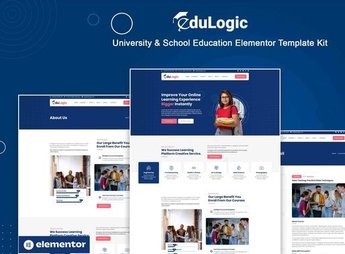
Description
Edulogic organizes the website of a school, college, technical course, or open course inside Elementor, with sections for courses offered, faculty, academic calendar, scholarship programs, student testimonials, and an enrollment form. It serves private schools, colleges, universities, technical courses, and language academies that need to publish a complete institutional page, with enrollment information always up to date, without depending on a developer for every calendar change.
Main Features of Edulogic
- Course catalog
Lists each course with hour load, format, and short description. - Faculty profile
Displays photo, background, and subject of each teacher at the institution. - Academic calendar
Shows enrollment dates, exams, and school term highlighted. - Enrollment form
Collects the prospective student’s details and chosen course right on the page. - Student testimonials
Gathers accounts from former students about their experience with the institution.
Benefits of Edulogic
- Complete institutional presence
Brings together on a single website the information a prospective student looks for before enrolling. - Fewer questions by phone
Reduces repeated questions about course, schedule, and enrollment fee. - No-code editing
Lets you update courses, calendar, and faculty directly in the Elementor editor. - New student acquisition
Directs the visitor to the enrollment form at key points on the page.
Who Is Edulogic For?
- Private schools that need an up-to-date institutional website.
- Colleges and universities with several active courses and classes.
- Technical and vocational courses that recruit students online.
- Language academies that promote classes and enrollment dates.
How to Download Edulogic
Edulogic is available for download here at Ultrapack. After importing the kit under Elementor > Tools > Import Kit, the sections for courses, faculty, and calendar come ready, leaving only the institution’s text and images to adjust.
A well-organized institutional website helps the prospective student decide on enrollment without needing to call to clear up basic questions about courses and calendar. It serves both those launching the website of a new institution and those wanting to replace an outdated page before the next enrollment period.
Frequently asked questions
Is Edulogic – University & School Education Elementor Template Kit GPL?
Yes. Edulogic – University & School Education Elementor Template Kit is distributed under the GPL (GNU General Public License). You may legally use, modify and redistribute it on as many sites as you want.
Can I use Edulogic – University & School Education Elementor Template Kit on more than one site?
Yes. You can use Edulogic – University & School Education Elementor Template Kit on as many sites as you want.
How much does Edulogic – University & School Education Elementor Template Kit cost at Ultrapack?
Edulogic – University & School Education Elementor Template Kit costs US$2.99 as a single purchase, and it is also included in the subscription plans starting at US$17/mo (Desenvolvedor I).
Does Edulogic – University & School Education Elementor Template Kit include updates?
When a new version of Edulogic – University & School Education Elementor Template Kit becomes available in the catalog, you can download the file during the access period of your purchase or subscription. To update, follow the installation or import procedure described in the documentation for the item and its platform.
Is Edulogic – University & School Education Elementor Template Kit checked before it is made available for download?
Files for Edulogic – University & School Education Elementor Template Kit are scanned before publication by UltraHub using ClamAV and YARA rules to detect known threats. This check does not guarantee the absence of risks. Check the item requirements, make a backup, and follow the installation or import instructions for its platform.
How to install
Updates: manual. When a new version comes out, download it on this same page and import it again with Template Kit Import. Template Kits are not updated from the WordPress Themes or Plugins screen.
A template kit is neither a theme nor a plugin. It is imported, and it needs Elementor installed on the site.
- Install and activate the Template Kit Import plugin, which is also here in the catalog.
- Download the file
elements-edulogic-university-school-education-elementor.zip. - In the WordPress dashboard, go to Template Kits > Import Kit and upload the file
elements-edulogic-university-school-education-elementor.zip. - Pick the templates you want to import and confirm.
- The imported templates end up under Templates > Saved Templates, ready to open in Elementor.
- Some kits use Elementor Pro features. Without it the templates still import, but some blocks have no effect.
Stuck on a step? Open a ticket telling us which one you stopped at.


