Description
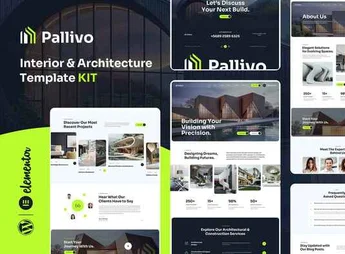
Gontli assembles, within Elementor, a complete set of pages for decoration and interior design studios, with portfolio sections of environments, services offered, testimonials, a before and after gallery, and a contact form ready to publish. It serves those who design residential or commercial environments and want to present the portfolio on a website with featured photos, without building each section from scratch or hiring a separate designer.
Main Features of Gontli
- Environment portfolio
Organizes completed projects in a grid with photos and description of each space. - Before and after gallery
Compares the original environment with the final result of the project. - List of services
Describes each stage offered, from consultancy to delivery of the finished project. - Testimonials section
Shows customer reviews with photo and rating in a dedicated block. - Contact form
Captures budget requests with name, email, and message fields.
Benefits of Gontli
- More attractive portfolio
Highlights completed projects with large photos and organization by category. - Faster assembly
Reduces the time between deciding to have a website and publishing it online. - More budget requests
Facilitates contact from potential clients directly through the page form. - Clearer comparison
Evidences the result of the work with before and after images side by side.
Who is Gontli for?
- Those who design residential environments as a decorator or interior designer.
- Those who assemble a portfolio of renovations and completed commercial projects.
- Those who provide decoration consultancy for apartments and offices.
- Those who build websites for design studios and workshops.
How to Download Gontli
Gontli is available for download here on Ultrapack. After importing the file, access Elementor > Tools > Import Kit to install the portfolio and contact pages all at once. Then just replace photos, texts, and project data.
Having a portfolio, testimonials, and a form already organized avoids starting each new project from scratch and helps to present the work with the same visual quality as the photos of the environments. The before and after gallery, in particular, tends to weigh heavily in the decision of those who still compare budgets.
Frequently asked questions
Is Gontli – Interior Multipurpose Template Kit GPL?
Yes. Gontli – Interior Multipurpose Template Kit is distributed under the GPL (GNU General Public License). You may legally use, modify and redistribute it on as many sites as you want.
Can I use Gontli – Interior Multipurpose Template Kit on more than one site?
Yes. You can use Gontli – Interior Multipurpose Template Kit on as many sites as you want.
How much does Gontli – Interior Multipurpose Template Kit cost at Ultrapack?
Gontli – Interior Multipurpose Template Kit costs US$2.99 as a single purchase, and it is also included in the subscription plans starting at US$17/mo (Desenvolvedor I).
Does Gontli – Interior Multipurpose Template Kit include updates?
When a new version of Gontli – Interior Multipurpose Template Kit becomes available in the catalog, you can download the file during the access period of your purchase or subscription. To update, follow the installation or import procedure described in the documentation for the item and its platform.
Is Gontli – Interior Multipurpose Template Kit checked before it is made available for download?
Files for Gontli – Interior Multipurpose Template Kit are scanned before publication by UltraHub using ClamAV and YARA rules to detect known threats. This check does not guarantee the absence of risks. Check the item requirements, make a backup, and follow the installation or import instructions for its platform.
How to install
Updates: manual. When a new version comes out, download it on this same page and import it again with Template Kit Import. Template Kits are not updated from the WordPress Themes or Plugins screen.
A template kit is neither a theme nor a plugin. It is imported, and it needs Elementor installed on the site.
- Install and activate the Template Kit Import plugin, which is also here in the catalog.
- Download the file
gontli-interior-multipurpose-template-kit.zip. - In the WordPress dashboard, go to Template Kits > Import Kit and upload the file
gontli-interior-multipurpose-template-kit.zip. - Pick the templates you want to import and confirm.
- The imported templates end up under Templates > Saved Templates, ready to open in Elementor.
- Some kits use Elementor Pro features. Without it the templates still import, but some blocks have no effect.
Stuck on a step? Open a ticket telling us which one you stopped at.