

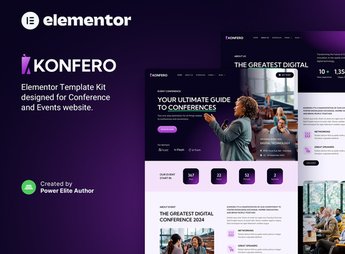
Description
Konfero organizes, inside Elementor, a website for conferences, congresses and corporate events, with sections for a day-by-day schedule, speaker profiles, a workshop list, a registration form and information about venue, lodging and sponsors. It serves whoever is organizing an in-person congress, a live webinar or a hybrid conference and needs to bring together schedule, speakers, registration and sponsors in a single website before ticket sales open.
Konfero’s Main Features
- Event schedule
Displays talk and workshop times organized by day. - Speaker profiles
Presents each speaker with photo, biography and presentation topic. - Registration form
Includes a field for the visitor to secure a spot at the event. - Sponsor block
Displays sponsor logos organized by sponsorship tier. - Venue information
Shows address, map and lodging options near the event.
Konfero’s Benefits
- More confirmed registrations
Makes the visitor’s decision easier by bringing schedule and pricing together in one place. - Less setup time
Avoids building each section from scratch, with blocks already organized for editing. - Visibility for sponsors
Gives featured space to the brands that support the event. - Consistent visual identity
Keeps colors and typography matching between the page and promotional materials.
Who Is Konfero For?
- Organizers of in-person congresses and conferences.
- Producers of corporate events and paid webinars.
- Associations and institutions that hold annual gatherings.
- Companies that sponsor or host industry events.
How to Download Konfero
Konfero is available for download here on Ultrapack. After getting the file, go to Elementor > Tools > Import Kit and upload the package to load the ready-made pages, blocks and styles onto your site.
Events that depend on paid registration often lose conversions when the visitor can’t quickly find the schedule, the ticket price or the confirmed speakers. Bringing this information together on a single website helps close the sale before the interested visitor gives up on the purchase.
Frequently asked questions
Is Konfero – Conference & Event Elementor Template Kit GPL?
Yes. Konfero – Conference & Event Elementor Template Kit is distributed under the GPL (GNU General Public License). You may legally use, modify and redistribute it on as many sites as you want.
Can I use Konfero – Conference & Event Elementor Template Kit on more than one site?
Yes. You can use Konfero – Conference & Event Elementor Template Kit on as many sites as you want.
How much does Konfero – Conference & Event Elementor Template Kit cost at Ultrapack?
Konfero – Conference & Event Elementor Template Kit costs US$2.99 as a single purchase, and it is also included in the subscription plans starting at US$17/mo (Desenvolvedor I).
Does Konfero – Conference & Event Elementor Template Kit include updates?
When a new version of Konfero – Conference & Event Elementor Template Kit becomes available in the catalog, you can download the file during the access period of your purchase or subscription. To update, follow the installation or import procedure described in the documentation for the item and its platform.
Is Konfero – Conference & Event Elementor Template Kit checked before it is made available for download?
Files for Konfero – Conference & Event Elementor Template Kit are scanned before publication by UltraHub using ClamAV and YARA rules to detect known threats. This check does not guarantee the absence of risks. Check the item requirements, make a backup, and follow the installation or import instructions for its platform.
How to install
Updates: manual. When a new version comes out, download it on this same page and import it again with Template Kit Import. Template Kits are not updated from the WordPress Themes or Plugins screen.
A template kit is neither a theme nor a plugin. It is imported, and it needs Elementor installed on the site.
- Install and activate the Template Kit Import plugin, which is also here in the catalog.
- Download the file
elements-konfero-conference-event-elementor-template-ki.zip. - In the WordPress dashboard, go to Template Kits > Import Kit and upload the file
elements-konfero-conference-event-elementor-template-ki.zip. - Pick the templates you want to import and confirm.
- The imported templates end up under Templates > Saved Templates, ready to open in Elementor.
- Some kits use Elementor Pro features. Without it the templates still import, but some blocks have no effect.
Stuck on a step? Open a ticket telling us which one you stopped at.


