

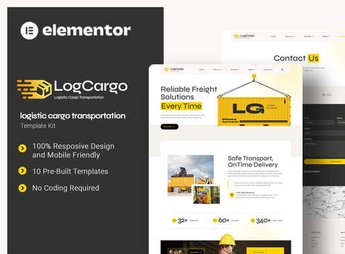
Description
LogCargo sets up pages for transportation and logistics companies within Elementor, with sections for truck fleet, warehousing services, cargo tracking, a map of served routes, and a quotation form calculated by origin and destination. It caters to those who operate a trucking company, warehouse, distribution center, or express delivery service and want a website with the appearance of a large operation, without hiring a programmer to assemble each page of the site.
Main Features of LogCargo
- Vehicle fleet section
Displays trucks and cargo vehicles with photo, capacity, and type of transportation. - Freight quotation form
Collects origin, destination, and type of cargo for online quoting. - Logistics services blocks
Presents warehousing, distribution, and dedicated transportation in separate sections. - Map of served areas
Shows regions and routes covered by the carrier in a visual block. - Operation statistics highlighted
Displays numbers such as fleet, deliveries, and years of operation in counters.
Benefits of LogCargo
- Ready site in less time
Reduces assembly work because the sections are already geared towards logistics. - Faster quotation
Facilitates freight requests without having to exchange emails before the budget. - Image of a consolidated operation
Conveys the perception of a structured carrier instead of an improvised website. - Adjustments without depending on a programmer
Allows you to change the fleet, routes, and texts through the Elementor visual editor.
Who is LogCargo for?
- Trucking companies that need to advertise their fleet and served routes.
- Warehouses and storage centers that offer online quotes.
- Express delivery companies that charge freight by region.
- Freight forwarders who manage multiple modes of transport.
How to Download LogCargo
LogCargo is available for download here on Ultrapack. After downloading the file, import it through the path Elementor > Tools > Import Kit, selecting the kit .zip package. The pages, sections, and example images are ready to be replaced with the carrier’s content.
A logistics company that exposes its fleet, routes, and quotation deadline on its own page avoids losing customers to the competitor who responds faster. Having this set of information already organized helps to convey structure even before the first contact by phone or email.
Frequently asked questions
Is LogCargo – Logistic Cargo Transportation Elementor Template Kit GPL?
Yes. LogCargo – Logistic Cargo Transportation Elementor Template Kit is distributed under the GPL (GNU General Public License). You may legally use, modify and redistribute it on as many sites as you want.
Can I use LogCargo – Logistic Cargo Transportation Elementor Template Kit on more than one site?
Yes. You can use LogCargo – Logistic Cargo Transportation Elementor Template Kit on as many sites as you want.
How much does LogCargo – Logistic Cargo Transportation Elementor Template Kit cost at Ultrapack?
LogCargo – Logistic Cargo Transportation Elementor Template Kit costs US$2.99 as a single purchase, and it is also included in the subscription plans starting at US$17/mo (Desenvolvedor I).
Does LogCargo – Logistic Cargo Transportation Elementor Template Kit include updates?
When a new version of LogCargo – Logistic Cargo Transportation Elementor Template Kit becomes available in the catalog, you can download the file during the access period of your purchase or subscription. To update, follow the installation or import procedure described in the documentation for the item and its platform.
Is LogCargo – Logistic Cargo Transportation Elementor Template Kit checked before it is made available for download?
Files for LogCargo – Logistic Cargo Transportation Elementor Template Kit are scanned before publication by UltraHub using ClamAV and YARA rules to detect known threats. This check does not guarantee the absence of risks. Check the item requirements, make a backup, and follow the installation or import instructions for its platform.
How to install
Updates: manual. When a new version comes out, download it on this same page and import it again with Template Kit Import. Template Kits are not updated from the WordPress Themes or Plugins screen.
A template kit is neither a theme nor a plugin. It is imported, and it needs Elementor installed on the site.
- Install and activate the Template Kit Import plugin, which is also here in the catalog.
- Download the file
elements-logcargo-logistic-cargo-transportation-elementor.zip. - In the WordPress dashboard, go to Template Kits > Import Kit and upload the file
elements-logcargo-logistic-cargo-transportation-elementor.zip. - Pick the templates you want to import and confirm.
- The imported templates end up under Templates > Saved Templates, ready to open in Elementor.
- Some kits use Elementor Pro features. Without it the templates still import, but some blocks have no effect.
Stuck on a step? Open a ticket telling us which one you stopped at.


