Description
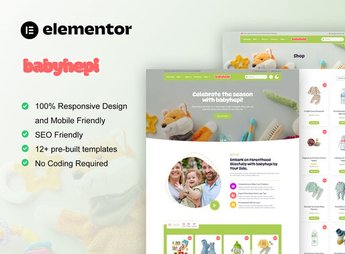
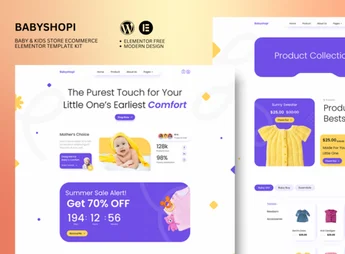
Lollipop brings together pre-formatted page and section templates to build kids’ and baby stores in WooCommerce directly through the Elementor builder. The kit includes complete structures for baby product showcases, customized headers, footers, and institutional pages with quick import, perfectly serving those who sell newborn clothes, educational toys, and children’s accessories without having to code anything from scratch.
Key Features of Lollipop
- Complete catalog pages
Structures infant product showcases with organized grids and configurable visual filters. - Customizable headers and footers
Allows you to quickly personalize navigation menus, cart icons, and institutional links. - Compatibility with WooCommerce
Integrates dedicated layouts for displaying prices, detailed descriptions, and purchase buttons. - Direct import into the builder
Loads pre-built blocks into the Elementor library without requiring coding knowledge. - Fully responsive layout
Automatically adjusts the alignment of banners and products on mobile phones and tablets.
Benefits of Lollipop
- Agile store launch
Reduces development time by using ready-made structures for selling children’s items. - Playful visual identity
Creates a welcoming and visually appealing environment for parents who shop online. - Ease of customization
Guarantees freedom to change colors, fonts, and images through the drag-and-drop editor. - Development savings
Eliminates the need to hire programmers to structure complete e-commerce pages.
Who is Lollipop for?
- Those who sell baby clothes, children’s shoes, or maternity items in WooCommerce.
- Website creators who need to deliver online stores in the children’s segment quickly in Elementor.
- Those who manage catalogs of educational toys and want clean and easy-to-navigate showcases.
How to Download Lollipop
Lollipop is available for download here on Ultrapack. After downloading the .zip file, access the WordPress dashboard and send it in Elementor > Tools > Import Kit to load the pages. The file contains all templates ready for immediate customization.
With a color palette and typography designed for the childcare and children’s fashion segment, Lollipop simplifies the structuring of e-commerces by combining the flexibility of Elementor with the WooCommerce ecosystem. The library of pre-formatted sections ensures intuitive navigation for customers, allowing you to focus on product registration and sales operations.
Frequently asked questions
Is Lollipop – Kids & Baby Store WooCommerce Elementor Template Kit GPL?
Yes. Lollipop – Kids & Baby Store WooCommerce Elementor Template Kit is distributed under the GPL (GNU General Public License). You may legally use, modify and redistribute it on as many sites as you want.
Can I use Lollipop – Kids & Baby Store WooCommerce Elementor Template Kit on more than one site?
Yes. You can use Lollipop – Kids & Baby Store WooCommerce Elementor Template Kit on as many sites as you want.
How much does Lollipop – Kids & Baby Store WooCommerce Elementor Template Kit cost at Ultrapack?
Lollipop – Kids & Baby Store WooCommerce Elementor Template Kit costs US$2.99 as a single purchase, and it is also included in the subscription plans starting at US$17/mo (Desenvolvedor I).
Does Lollipop – Kids & Baby Store WooCommerce Elementor Template Kit include updates?
When a new version of Lollipop – Kids & Baby Store WooCommerce Elementor Template Kit becomes available in the catalog, you can download the file during the access period of your purchase or subscription. To update, follow the installation or import procedure described in the documentation for the item and its platform.
Is Lollipop – Kids & Baby Store WooCommerce Elementor Template Kit checked before it is made available for download?
Files for Lollipop – Kids & Baby Store WooCommerce Elementor Template Kit are scanned before publication by UltraHub using ClamAV and YARA rules to detect known threats. This check does not guarantee the absence of risks. Check the item requirements, make a backup, and follow the installation or import instructions for its platform.
How to install
Updates: manual. When a new version comes out, download it on this same page and import it again with Template Kit Import. Template Kits are not updated from the WordPress Themes or Plugins screen.
A template kit is neither a theme nor a plugin. It is imported, and it needs Elementor installed on the site.
- Install and activate the Template Kit Import plugin, which is also here in the catalog.
- Download the file
lollipop-kids-baby-store-woocommerce-elementor-tem.zip. - In the WordPress dashboard, go to Template Kits > Import Kit and upload the file
lollipop-kids-baby-store-woocommerce-elementor-tem.zip. - Pick the templates you want to import and confirm.
- The imported templates end up under Templates > Saved Templates, ready to open in Elementor.
- Some kits use Elementor Pro features. Without it the templates still import, but some blocks have no effect.
Stuck on a step? Open a ticket telling us which one you stopped at.