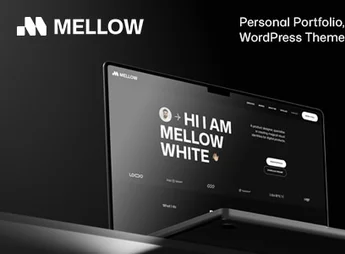
Description
Makaryo builds, within Elementor, a personal resume and portfolio page, with a presentation section, professional experience timeline, skills list, projects and contact form already organized in ready-made blocks. It serves those seeking career repositioning, working as a freelancer or independent consultant, and who want to present themselves online with a complete visual resume instead of a static PDF, without depending on a designer to build the page.
Makaryo’s Main Features
- Presentation section
Brings a photo, name and professional summary right at the top of the page. - Experience timeline
Organizes previous positions and companies in chronological order. - Skills list
Displays technical competencies with a level bar or icon. - Project gallery
Shows previous work in a grid with image and short description. - Contact form
Allows recruiters or clients to get in touch directly through the page.
Benefits of Makaryo
- More attractive resume
Replaces the traditional PDF with a visual and interactive presentation. - Higher chance of contact
Makes it easier for recruiters to find the form and send a proposal. - Faster assembly
Reduces page creation time by reusing ready-made blocks. - No-code editing
Allows you to change text, photo and color directly through the Elementor editor.
Who Is Makaryo Recommended For?
- Those seeking career repositioning who want to stand out in a selection process.
- Freelancers who need to showcase experience and projects to close a contract.
- Independent consultants who serve clients without a fixed employment relationship.
- Recent graduates building their first online resume to look for a job.
How to Download Makaryo
Makaryo is available for download here at Ultrapack. After downloading the compressed file, import the full kit through the Elementor > Tools > Import Kit path, directly in the WordPress dashboard. The process applies the kit’s pages, blocks and style settings to the site.
A PDF resume tells the same story to any recruiter who opens the file. Makaryo transforms this information into a navigable page, with experience, skills and projects organized by section, which makes it easier for those evaluating multiple candidates at the same time to read.
Frequently asked questions
Is Makaryo – CV & Portofolio Elementor Kit GPL?
Yes. Makaryo – CV & Portofolio Elementor Kit is distributed under the GPL (GNU General Public License). You may legally use, modify and redistribute it on as many sites as you want.
Can I use Makaryo – CV & Portofolio Elementor Kit on more than one site?
Yes. You can use Makaryo – CV & Portofolio Elementor Kit on as many sites as you want.
How much does Makaryo – CV & Portofolio Elementor Kit cost at Ultrapack?
Makaryo – CV & Portofolio Elementor Kit costs US$2.99 as a single purchase, and it is also included in the subscription plans starting at US$17/mo (Desenvolvedor I).
Does Makaryo – CV & Portofolio Elementor Kit include updates?
When a new version of Makaryo – CV & Portofolio Elementor Kit becomes available in the catalog, you can download the file during the access period of your purchase or subscription. To update, follow the installation or import procedure described in the documentation for the item and its platform.
Is Makaryo – CV & Portofolio Elementor Kit checked before it is made available for download?
Files for Makaryo – CV & Portofolio Elementor Kit are scanned before publication by UltraHub using ClamAV and YARA rules to detect known threats. This check does not guarantee the absence of risks. Check the item requirements, make a backup, and follow the installation or import instructions for its platform.
How to install
Updates: manual. When a new version comes out, download it on this same page and import it again with Template Kit Import. Template Kits are not updated from the WordPress Themes or Plugins screen.
A template kit is neither a theme nor a plugin. It is imported, and it needs Elementor installed on the site.
- Install and activate the Template Kit Import plugin, which is also here in the catalog.
- Download the file
makaryo-cv-portofolio-elementor-kit.zip. - In the WordPress dashboard, go to Template Kits > Import Kit and upload the file
makaryo-cv-portofolio-elementor-kit.zip. - Pick the templates you want to import and confirm.
- The imported templates end up under Templates > Saved Templates, ready to open in Elementor.
- Some kits use Elementor Pro features. Without it the templates still import, but some blocks have no effect.
Stuck on a step? Open a ticket telling us which one you stopped at.