

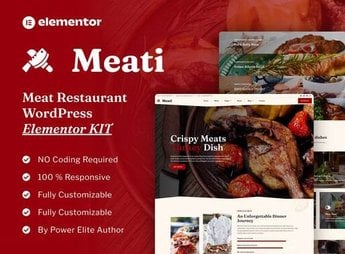
Description
Meati builds the digital menu and pages for barbecue restaurants, gourmet butcher shops, burger joints, and modern restaurants specialized in meat, with Elementor blocks for an illustrated menu, dish gallery, table reservation, testimonials, and location. Whoever manages a barbecue restaurant, an artisanal butcher shop, a burger joint, or a meat restaurant gets ready-made pages to showcase cuts, prices, and ambiance without hiring a professional photographer for every new menu update.
Meati’s Main Features
- Menu with photos
Displays each dish with photo, price, and description of the main ingredients. - Cuts section
Details types of meat, weight, and suggested preparation point. - Table reservation
Captures date, time, and number of people directly on the page. - Ambiance gallery
Shows photos of the dining room, the barbecue grill, and the outdoor area. - Customer testimonials
Gathers reviews and comments right below the main menu.
Meati’s Benefits
- Always up-to-date menu
Makes it easy to change dishes and prices without depending on an outside designer. - Appetizing visuals
Uses large photos and typography that showcase each dish displayed. - Responsive layout
Adapts the menu and gallery for mobile without losing quality. - More online reservations
Reduces the distance between whoever views the menu and whoever books a table.
Who Is Meati For?
- Whoever manages a barbecue restaurant or steakhouse.
- Whoever sells cuts at a gourmet butcher shop.
- Whoever operates an artisanal burger joint or steakhouse.
- Whoever organizes events and buffets focused on meat.
How to Download Meati
Meati is available for download here on Ultrapack. After downloading the file, import it via Elementor > Tools > Import Kit, which applies pages, colors, and fonts to the active site in just a few minutes, with no code editing required.
A beautiful menu and easy reservations weigh heavily on the decision of whoever is looking for where to eat meat. With ready-made sections for dishes, cuts, and testimonials, the kit helps convey trust even before the customer sets foot in the restaurant, which reduces doubts and repeated messages about price and business hours.
Frequently asked questions
Is Meati – Meat Restaurant Elementor Template Kit GPL?
Yes. Meati – Meat Restaurant Elementor Template Kit is distributed under the GPL (GNU General Public License). You may legally use, modify and redistribute it on as many sites as you want.
Can I use Meati – Meat Restaurant Elementor Template Kit on more than one site?
Yes. You can use Meati – Meat Restaurant Elementor Template Kit on as many sites as you want.
How much does Meati – Meat Restaurant Elementor Template Kit cost at Ultrapack?
Meati – Meat Restaurant Elementor Template Kit costs US$2.99 as a single purchase, and it is also included in the subscription plans starting at US$17/mo (Desenvolvedor I).
Does Meati – Meat Restaurant Elementor Template Kit include updates?
When a new version of Meati – Meat Restaurant Elementor Template Kit becomes available in the catalog, you can download the file during the access period of your purchase or subscription. To update, follow the installation or import procedure described in the documentation for the item and its platform.
Is Meati – Meat Restaurant Elementor Template Kit checked before it is made available for download?
Files for Meati – Meat Restaurant Elementor Template Kit are scanned before publication by UltraHub using ClamAV and YARA rules to detect known threats. This check does not guarantee the absence of risks. Check the item requirements, make a backup, and follow the installation or import instructions for its platform.
How to install
Updates: manual. When a new version comes out, download it on this same page and import it again with Template Kit Import. Template Kits are not updated from the WordPress Themes or Plugins screen.
A template kit is neither a theme nor a plugin. It is imported, and it needs Elementor installed on the site.
- Install and activate the Template Kit Import plugin, which is also here in the catalog.
- Download the file
elements-meati-meat-restaurant-elementor-template-kit.zip. - In the WordPress dashboard, go to Template Kits > Import Kit and upload the file
elements-meati-meat-restaurant-elementor-template-kit.zip. - Pick the templates you want to import and confirm.
- The imported templates end up under Templates > Saved Templates, ready to open in Elementor.
- Some kits use Elementor Pro features. Without it the templates still import, but some blocks have no effect.
Stuck on a step? Open a ticket telling us which one you stopped at.


