

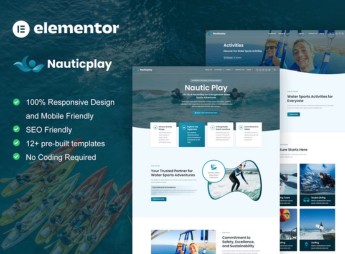
Description
NauticPlay builds a water sports school or shop website inside Elementor, with ready-made sections for a class schedule, equipment rental, photo gallery, student reviews, blog and time-slot booking. It’s for anyone who teaches surfing, stand up paddle, kitesurfing or diving and needs to show class times, package price, required skill level, included equipment and meeting spot for the student.
Main Features of NauticPlay
- Class Schedule
Table with time, level and available spots for each class of the week. - Equipment Rental
List of boards, wetsuits and accessories available for rental. - Photo Gallery
Grid of images from classes and tours organized by activity. - Time-Slot Booking
Contact block to book a class or tour on a specific date. - Student Reviews
Testimonials from people who have already taken a class or rented equipment at the school.
Benefits of NauticPlay
- Class Promotion
Shows schedule and available spots without relying on messages exchanged over WhatsApp. - Organized Rental
Brings the catalog of equipment available for rental together in one place. - Beach Look
Uses colors and images that evoke the sea and sun setting. - Trust Through Testimonials
Gathers student reviews to attract people who don’t yet know the school.
Who Is NauticPlay For?
- Anyone who teaches surfing or stand up paddle at a beach or lake.
- Anyone who rents out boards, wetsuits or life vests.
- Anyone who organizes diving trips or guided water tours.
- Sports schools that serve both tourists and local residents.
How to Download NauticPlay
NauticPlay is available for download here on Ultrapack. After downloading the file, import it through the path Elementor > Tools > Import Kit and replace photos, text and schedules with the school’s real data.
The kit separates classes, rentals and gallery into distinct blocks, so each school can activate only what it offers and hide the rest without touching any code. This shortens the path between building the page and starting to receive bookings from people who already practice the sport or want to try it for the first time.
Frequently asked questions
Is NauticPlay – Water Sports & Surfing Elementor Pro Template Kit GPL?
Yes. NauticPlay – Water Sports & Surfing Elementor Pro Template Kit is distributed under the GPL (GNU General Public License). You may legally use, modify and redistribute it on as many sites as you want.
Can I use NauticPlay – Water Sports & Surfing Elementor Pro Template Kit on more than one site?
Yes. You can use NauticPlay – Water Sports & Surfing Elementor Pro Template Kit on as many sites as you want.
How much does NauticPlay – Water Sports & Surfing Elementor Pro Template Kit cost at Ultrapack?
NauticPlay – Water Sports & Surfing Elementor Pro Template Kit costs US$2.99 as a single purchase, and it is also included in the subscription plans starting at US$17/mo (Desenvolvedor I).
Does NauticPlay – Water Sports & Surfing Elementor Pro Template Kit include updates?
When a new version of NauticPlay – Water Sports & Surfing Elementor Pro Template Kit becomes available in the catalog, you can download the file during the access period of your purchase or subscription. To update, follow the installation or import procedure described in the documentation for the item and its platform.
Is NauticPlay – Water Sports & Surfing Elementor Pro Template Kit checked before it is made available for download?
Files for NauticPlay – Water Sports & Surfing Elementor Pro Template Kit are scanned before publication by UltraHub using ClamAV and YARA rules to detect known threats. This check does not guarantee the absence of risks. Check the item requirements, make a backup, and follow the installation or import instructions for its platform.
How to install
Updates: manual. When a new version comes out, download it on this same page and import it again with Template Kit Import. Template Kits are not updated from the WordPress Themes or Plugins screen.
A template kit is neither a theme nor a plugin. It is imported, and it needs Elementor installed on the site.
- Install and activate the Template Kit Import plugin, which is also here in the catalog.
- Download the file
elements-nauticplay-water-sports-surfing-elementor-pro-tk.zip. - In the WordPress dashboard, go to Template Kits > Import Kit and upload the file
elements-nauticplay-water-sports-surfing-elementor-pro-tk.zip. - Pick the templates you want to import and confirm.
- The imported templates end up under Templates > Saved Templates, ready to open in Elementor.
- Some kits use Elementor Pro features. Without it the templates still import, but some blocks have no effect.
Stuck on a step? Open a ticket telling us which one you stopped at.



