

Description
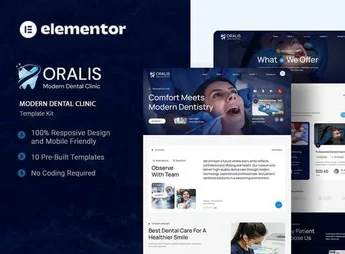
Oralis is an Elementor Template Kit specifically designed for modern dental clinics, dental offices, and dental health professionals. It brings together ready-to-use pages with a clean, welcoming, and professional look, allowing dentists and agencies to create complete websites rapidly, showcasing treatments, the team, testimonials, and booking channels without writing a single line of code.
Main Features
- Complete Elementor Kit
A set of importable templates directly from the Template Kits feature, with all essential pages for a dental clinic ready for use. - Dedicated Dental Specialized Pages
Layouts tailored to services, treatments, about the clinic, dental team, blog, contact, and appointment booking. - Responsive and Optimized Design
All sections are adjusted for desktop, tablet, and smartphone, ensuring comfortable reading and smooth navigation on any screen. - Visual Editing Without Code
Colors, typography, images, and texts are changed via the drag-and-drop Elementor editor, with results visible in real-time. - Ready-to-Convert Sections
Call-to-action blocks, contact forms, pricing lists, FAQ, and patient testimonials already structured. - Global Element Library
Headers, footers, buttons, and icons standardized to maintain visual identity consistency throughout the site.
Benefits of Oralis
- Much Faster Launch
The ready structure eliminates weeks of development, allowing the clinic to go live in just a few hours of customization. - Instant Professional Credibility
The clean and modern aesthetic conveys confidence and care, crucial factors in choosing a healthcare professional. - More Appointments
Well-positioned calls-to-action and accessible forms facilitate patient contact at any point during navigation. - Resource Savings
It dispenses with hiring designers and programmers to create from scratch, reducing costs without sacrificing visual quality.
Who is It for?
- Dental clinics, dental offices, and dental esthetic centers that want a professional digital presence.
- Independent dentists, orthodontists, implantologists, and other specialists that need to promote their treatments.
- Agen cies, freelancers, and web designers serving the health segment and seeking project delivery speed.
With Oralis, transforming the online presence of a dental clinic no longer becomes a long project and turns into a straightforward task. The kit delivers structure, aesthetics, and functionality in a single package, ready to receive your clinic’s identity and start attracting new patients from the first day online.
Frequently asked questions
Is Oralis – Modern Dental Clinic Elementor Template Kit GPL?
Yes. Oralis – Modern Dental Clinic Elementor Template Kit is distributed under the GPL (GNU General Public License). You may legally use, modify and redistribute it on as many sites as you want.
Can I use Oralis – Modern Dental Clinic Elementor Template Kit on more than one site?
Yes. You can use Oralis – Modern Dental Clinic Elementor Template Kit on as many sites as you want.
How much does Oralis – Modern Dental Clinic Elementor Template Kit cost at Ultrapack?
Oralis – Modern Dental Clinic Elementor Template Kit costs US$2.99 as a single purchase, and it is also included in the subscription plans starting at US$17/mo (Desenvolvedor I).
Does Oralis – Modern Dental Clinic Elementor Template Kit include updates?
When a new version of Oralis – Modern Dental Clinic Elementor Template Kit becomes available in the catalog, you can download the file during the access period of your purchase or subscription. To update, follow the installation or import procedure described in the documentation for the item and its platform.
Is Oralis – Modern Dental Clinic Elementor Template Kit checked before it is made available for download?
Files for Oralis – Modern Dental Clinic Elementor Template Kit are scanned before publication by UltraHub using ClamAV and YARA rules to detect known threats. This check does not guarantee the absence of risks. Check the item requirements, make a backup, and follow the installation or import instructions for its platform.
How to install
Updates: manual. When a new version comes out, download it on this same page and import it again with Template Kit Import. Template Kits are not updated from the WordPress Themes or Plugins screen.
A template kit is neither a theme nor a plugin. It is imported, and it needs Elementor installed on the site.
- Install and activate the Template Kit Import plugin, which is also here in the catalog.
- Download the file
elements-oralis-modern-dental-clinic-elementor-template-k.zip. - In the WordPress dashboard, go to Template Kits > Import Kit and upload the file
elements-oralis-modern-dental-clinic-elementor-template-k.zip. - Pick the templates you want to import and confirm.
- The imported templates end up under Templates > Saved Templates, ready to open in Elementor.
- Some kits use Elementor Pro features. Without it the templates still import, but some blocks have no effect.
Stuck on a step? Open a ticket telling us which one you stopped at.


