Description
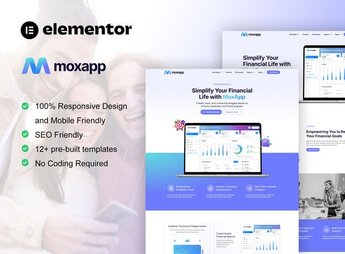
Payplus builds an institutional website for a payment app and fintech startup within Elementor, with presentation sections for the app, example product screens, subscription plans, testimonials, and a contact area already structured for quick publishing. It serves those launching a digital wallet, payment app, or financial service and need a professional page to attract users, partners, and investors before app store release.
Key Features of Payplus
- App screen showcase
Shows phone prints and mockups explaining each app function. - Plans and pricing section
Compares subscription tiers or fees in a ready-to-edit table. - Testimonial and trust blocks
Gathers user reviews and security badges to reinforce credibility. - App store buttons
Brings a ready area for download links in the App Store and Play Store. - Contact and registration form
Captures leads from those who want to test the app or speak with the sales team.
Benefits of Payplus
- Faster launch
Shortens the path between the app idea and a published page. - Fintech-aligned visual
Uses a clean and modern style, familiar to those dealing with digital money. - Less design work
Avoids designing from scratch sections that are already structured and ready to edit. - Compatibility with Elementor
Works within the normal editing flow of Elementor, without requiring an additional plugin.
Who is Payplus for?
- Those launching a payment app or digital wallet.
- Fintech startups that need a page to attract investors.
- Product teams who want to test app acceptance before launch.
- Financial consultants who offer a proprietary app to clients.
How to Download Payplus
Payplus is available for download here on Ultrapack. After obtaining the file, import the kit in Elementor > Tools > Import Kit, which applies the site pages, styles, and sections directly to your environment, ready to receive the app texts and screens.
Those who currently only promote the app on social media gain here a page that explains how it works, shows the real screens, and concentrates the registration of interested parties in one place. The modular layout facilitates adapting the sections as the product evolves, without depending on a new graphic project with each change.
Frequently asked questions
Is Payplus | Mobile App & Fintech Startup Elementor Template Kit GPL?
Yes. Payplus | Mobile App & Fintech Startup Elementor Template Kit is distributed under the GPL (GNU General Public License). You may legally use, modify and redistribute it on as many sites as you want.
Can I use Payplus | Mobile App & Fintech Startup Elementor Template Kit on more than one site?
Yes. You can use Payplus | Mobile App & Fintech Startup Elementor Template Kit on as many sites as you want.
How much does Payplus | Mobile App & Fintech Startup Elementor Template Kit cost at Ultrapack?
Payplus | Mobile App & Fintech Startup Elementor Template Kit costs US$2.99 as a single purchase, and it is also included in the subscription plans starting at US$17/mo (Desenvolvedor I).
Does Payplus | Mobile App & Fintech Startup Elementor Template Kit include updates?
When a new version of Payplus | Mobile App & Fintech Startup Elementor Template Kit becomes available in the catalog, you can download the file during the access period of your purchase or subscription. To update, follow the installation or import procedure described in the documentation for the item and its platform.
Is Payplus | Mobile App & Fintech Startup Elementor Template Kit checked before it is made available for download?
Files for Payplus | Mobile App & Fintech Startup Elementor Template Kit are scanned before publication by UltraHub using ClamAV and YARA rules to detect known threats. This check does not guarantee the absence of risks. Check the item requirements, make a backup, and follow the installation or import instructions for its platform.
How to install
Updates: manual. When a new version comes out, download it on this same page and import it again with Template Kit Import. Template Kits are not updated from the WordPress Themes or Plugins screen.
A template kit is neither a theme nor a plugin. It is imported, and it needs Elementor installed on the site.
- Install and activate the Template Kit Import plugin, which is also here in the catalog.
- Download the file
payplus-mobile-app-fintech-startup-elementor-t.zip. - In the WordPress dashboard, go to Template Kits > Import Kit and upload the file
payplus-mobile-app-fintech-startup-elementor-t.zip. - Pick the templates you want to import and confirm.
- The imported templates end up under Templates > Saved Templates, ready to open in Elementor.
- Some kits use Elementor Pro features. Without it the templates still import, but some blocks have no effect.
Stuck on a step? Open a ticket telling us which one you stopped at.