

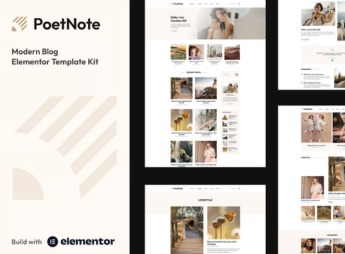
Description
PoetNote assembles, inside Elementor, an author-driven blog with ready-made post pages, category archive, and writer biography, all designed in a modern, clean editorial style. It’s meant for those who write about poetry, fiction, or creative culture and want to publish long-form texts with careful typography, clear hierarchy between headings and quotes, plus a showcase of articles organized by category, without having to build every page from scratch in code.
Main Features of PoetNote
- Article and archive pages
Comes with templates for single post, category listing, and blog archive page. - Author bio section
Includes an introduction block with photo, social networks, and links to other texts. - Elementor Pro widgets
Uses the builder’s native elements to assemble each section without extra plugins. - Editorial typography
Defines a combination of serif and sans-serif fonts designed for long-form reading. - Responsive layout
Automatically adjusts columns, spacing, and images for mobile and tablet.
Benefits of PoetNote
- Faster publishing
Reduces the time it takes to build each new text or review page. - More comfortable reading
Improves the experience for those reading long texts directly on screen. - Cohesive visual identity
Maintains the same visual language across every page of the blog. - Less dependence on a designer
Lets you adjust colors and fonts directly in the editor, without hiring third parties.
Who Is PoetNote For?
- Those who write about poetry, literature, or cultural criticism.
- Independent authors who frequently publish essays and reviews.
- Columnists and chroniclers who want a personal blog with a magazine feel.
- Editors of collective fiction and nonfiction blogs.
How to Download PoetNote
PoetNote is available for download here at Ultrapack. After importing the kit under Elementor > Tools > Import Kit, the pages and block library come ready-made into your site, and all you need to do is swap the texts and images for your own blog’s.
A kit like this saves you the work of defining from scratch how a blog post should behave on different screens, a decision that usually eats up the first weeks of any new editorial project. With the structure ready, the focus stays on the text and on content curation, not on page assembly.
Frequently asked questions
Is PoetNote – Modern Blog Elementor Pro Template Kit GPL?
Yes. PoetNote – Modern Blog Elementor Pro Template Kit is distributed under the GPL (GNU General Public License). You may legally use, modify and redistribute it on as many sites as you want.
Can I use PoetNote – Modern Blog Elementor Pro Template Kit on more than one site?
Yes. You can use PoetNote – Modern Blog Elementor Pro Template Kit on as many sites as you want.
How much does PoetNote – Modern Blog Elementor Pro Template Kit cost at Ultrapack?
PoetNote – Modern Blog Elementor Pro Template Kit costs US$2.99 as a single purchase, and it is also included in the subscription plans starting at US$17/mo (Desenvolvedor I).
Does PoetNote – Modern Blog Elementor Pro Template Kit include updates?
When a new version of PoetNote – Modern Blog Elementor Pro Template Kit becomes available in the catalog, you can download the file during the access period of your purchase or subscription. To update, follow the installation or import procedure described in the documentation for the item and its platform.
Is PoetNote – Modern Blog Elementor Pro Template Kit checked before it is made available for download?
Files for PoetNote – Modern Blog Elementor Pro Template Kit are scanned before publication by UltraHub using ClamAV and YARA rules to detect known threats. This check does not guarantee the absence of risks. Check the item requirements, make a backup, and follow the installation or import instructions for its platform.
How to install
Updates: manual. When a new version comes out, download it on this same page and import it again with Template Kit Import. Template Kits are not updated from the WordPress Themes or Plugins screen.
A template kit is neither a theme nor a plugin. It is imported, and it needs Elementor installed on the site.
- Install and activate the Template Kit Import plugin, which is also here in the catalog.
- Download the file
elements-poetnote-modern-blog-elementor-pro-template-kit.zip. - In the WordPress dashboard, go to Template Kits > Import Kit and upload the file
elements-poetnote-modern-blog-elementor-pro-template-kit.zip. - Pick the templates you want to import and confirm.
- The imported templates end up under Templates > Saved Templates, ready to open in Elementor.
- Some kits use Elementor Pro features. Without it the templates still import, but some blocks have no effect.
Stuck on a step? Open a ticket telling us which one you stopped at.


