

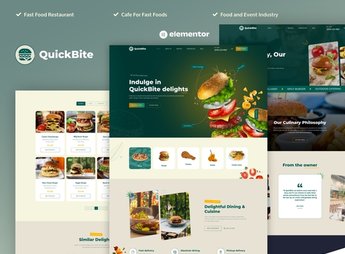
Description
The Quick Bite builds websites for bistros, cafes, and casual restaurants using ready-made Elementor blocks, with menu sections illustrated with photos, daily promotions, takeout ordering, and store location. It serves those who manage a snack bar, bistro, or diner and need a quick page to display the menu, opening hours, and how to place an order, without relying on an agency.
Key Features of Quick Bite
- Menu with photos of dishes
Each menu item appears with photo, ingredients, and price. - Daily promotions block
A highlight on the page showcases the dish or combo on offer. - Takeout ordering
A button directs the customer to place an order for delivery or pickup. - Hours and address section
The visitor quickly checks when the place opens and where it is located. - Gallery of the environment
Photos of the dining room and counter show the atmosphere of the place before visiting.
Benefits of Quick Bite
- Always updated menu
Changing prices and dishes takes minutes directly in the Elementor editor. - More delivery orders
The order button reduces the path between the visit and the purchase. - Ready site without programming
The sections are already assembled, just needing to change photos, texts, and prices. - Good readability on mobile
The menu adjusts for those researching the place by smartphone before going.
Who is Quick Bite Recommended For?
- Those who manage a snack bar, bistro, or diner.
- Those who sell fast food with pickup or delivery options.
- Those who need to frequently advertise daily promotions.
- Those who build websites for small-scale food businesses.
How to Download Quick Bite
The Quick Bite is available for download here on Ultrapack. After downloading the file, import the kit in Elementor > Tools > Import Kit to load the ready-made pages, sections, and styles, and adjust the menu, photos, and promotions according to the food business.
An easy-to-read menu and a short path to the order weigh on the decision of those looking for a quick meal near home or work. As the sections are already ready for this type of business, the adjustment is focused on photos, prices, and promotions, without relying on a developer for each menu change.
Frequently asked questions
Is Quick Bite – Restaurant & Cafe Elementor Pro Template Kit GPL?
Yes. Quick Bite – Restaurant & Cafe Elementor Pro Template Kit is distributed under the GPL (GNU General Public License). You may legally use, modify and redistribute it on as many sites as you want.
Can I use Quick Bite – Restaurant & Cafe Elementor Pro Template Kit on more than one site?
Yes. You can use Quick Bite – Restaurant & Cafe Elementor Pro Template Kit on as many sites as you want.
How much does Quick Bite – Restaurant & Cafe Elementor Pro Template Kit cost at Ultrapack?
Quick Bite – Restaurant & Cafe Elementor Pro Template Kit costs US$2.99 as a single purchase, and it is also included in the subscription plans starting at US$17/mo (Desenvolvedor I).
Does Quick Bite – Restaurant & Cafe Elementor Pro Template Kit include updates?
When a new version of Quick Bite – Restaurant & Cafe Elementor Pro Template Kit becomes available in the catalog, you can download the file during the access period of your purchase or subscription. To update, follow the installation or import procedure described in the documentation for the item and its platform.
Is Quick Bite – Restaurant & Cafe Elementor Pro Template Kit checked before it is made available for download?
Files for Quick Bite – Restaurant & Cafe Elementor Pro Template Kit are scanned before publication by UltraHub using ClamAV and YARA rules to detect known threats. This check does not guarantee the absence of risks. Check the item requirements, make a backup, and follow the installation or import instructions for its platform.
How to install
Updates: manual. When a new version comes out, download it on this same page and import it again with Template Kit Import. Template Kits are not updated from the WordPress Themes or Plugins screen.
A template kit is neither a theme nor a plugin. It is imported, and it needs Elementor installed on the site.
- Install and activate the Template Kit Import plugin, which is also here in the catalog.
- Download the file
elements-quick-bite-restaurant-cafe-elementor-pro-templ.zip. - In the WordPress dashboard, go to Template Kits > Import Kit and upload the file
elements-quick-bite-restaurant-cafe-elementor-pro-templ.zip. - Pick the templates you want to import and confirm.
- The imported templates end up under Templates > Saved Templates, ready to open in Elementor.
- Some kits use Elementor Pro features. Without it the templates still import, but some blocks have no effect.
Stuck on a step? Open a ticket telling us which one you stopped at.


