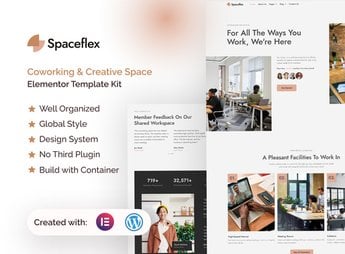
Description
SpaceFlex builds the site for a coworking space or shared creative studio in Elementor, with sections for subscription plans, a tour of the space, a schedule of available rooms, and a showcase of internal events. It’s built for whoever manages a coworking space, creative hub, or shared workspace and needs to present plans, layout, and room availability to attract freelancers, agencies, or remote teams looking for a new office.
Main Features of SpaceFlex
- Subscription plans table
Compares monthly membership, day pass, and private room side by side. - Virtual tour of the space
Shows photos of the meeting room, common area, and workstation. - Available rooms schedule
Displays free meeting room slots for quick booking. - Internal events showcase
Promotes workshops, talks, or meetups held within the space. - Scheduled visit form
Collects the preferred date and time to see the space in person.
Benefits of SpaceFlex
- Fewer calls to answer questions
The plans table makes pricing clear before the first contact. - More room bookings
A visible schedule makes it easy to book a slot without exchanging messages with the front desk. - A more engaged community
The events showcase attracts new people to check out the space. - More scheduled visits
A direct form converts online researchers into real visitors.
Who Is SpaceFlex For?
- Anyone managing a coworking space or shared office.
- Anyone organizing a creative hub for freelancers and small teams.
- Anyone renting out meeting rooms by the hour or by the day.
- Anyone hosting events and workshops within a collaborative space.
How to Download SpaceFlex
SpaceFlex is available for download here at Ultrapack. After downloading the file, go to Elementor > Tools > Import Kit in the WordPress dashboard, upload the package, and import the kit’s pages, templates, and global styles into the site.
The room schedule visible right on the page avoids the back-and-forth of messages just to find out if there’s a free slot that day. For anyone managing more than one location, the visit form helps organize who is already ready to sign a contract from those who are just researching.
Frequently asked questions
Is SpaceFlex – Coworking & Creative Space Elementor Pro Template Kit GPL?
Yes. SpaceFlex – Coworking & Creative Space Elementor Pro Template Kit is distributed under the GPL (GNU General Public License). You may legally use, modify and redistribute it on as many sites as you want.
Can I use SpaceFlex – Coworking & Creative Space Elementor Pro Template Kit on more than one site?
Yes. You can use SpaceFlex – Coworking & Creative Space Elementor Pro Template Kit on as many sites as you want.
How much does SpaceFlex – Coworking & Creative Space Elementor Pro Template Kit cost at Ultrapack?
SpaceFlex – Coworking & Creative Space Elementor Pro Template Kit costs US$2.99 as a single purchase, and it is also included in the subscription plans starting at US$17/mo (Desenvolvedor I).
Does SpaceFlex – Coworking & Creative Space Elementor Pro Template Kit include updates?
When a new version of SpaceFlex – Coworking & Creative Space Elementor Pro Template Kit becomes available in the catalog, you can download the file during the access period of your purchase or subscription. To update, follow the installation or import procedure described in the documentation for the item and its platform.
Is SpaceFlex – Coworking & Creative Space Elementor Pro Template Kit checked before it is made available for download?
Files for SpaceFlex – Coworking & Creative Space Elementor Pro Template Kit are scanned before publication by UltraHub using ClamAV and YARA rules to detect known threats. This check does not guarantee the absence of risks. Check the item requirements, make a backup, and follow the installation or import instructions for its platform.
How to install
Updates: manual. When a new version comes out, download it on this same page and import it again with Template Kit Import. Template Kits are not updated from the WordPress Themes or Plugins screen.
A template kit is neither a theme nor a plugin. It is imported, and it needs Elementor installed on the site.
- Install and activate the Template Kit Import plugin, which is also here in the catalog.
- Download the file
elements-spaceflex-coworking-creative-space-elementor-p.zip. - In the WordPress dashboard, go to Template Kits > Import Kit and upload the file
elements-spaceflex-coworking-creative-space-elementor-p.zip. - Pick the templates you want to import and confirm.
- The imported templates end up under Templates > Saved Templates, ready to open in Elementor.
- Some kits use Elementor Pro features. Without it the templates still import, but some blocks have no effect.
Stuck on a step? Open a ticket telling us which one you stopped at.