

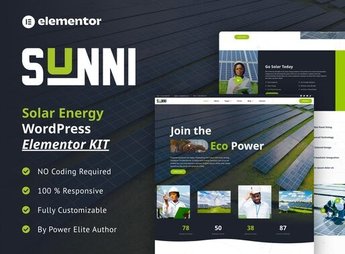
Description
Sunni builds a website for a solar energy company, with pages to present installation types, estimated savings on the electricity bill and steps of the panel installation process, from the quote to the system activation. The kit serves installers and resellers of photovoltaic systems, with blocks for quote simulation, testimonials from customers with an installed system and a technical visit request form, for residential and commercial systems.
Sunni’s Main Features
- Savings simulator
Estimates the reduction in the electricity bill with installed solar energy. - Installation steps
Explains the process from the quote to the activation of the photovoltaic system. - Technical visit form
Collects address and average consumption to schedule an on-site assessment. - Customer testimonials
Shows accounts from those who have already installed the solar system at home. - Installation types
Differentiates residential, commercial and rural systems offered by the company.
Sunni’s Benefits
- More quotes requested
Technical visit form reduces the distance to the first contact. - Decision made easier by savings
The simulator helps the customer visualize the return on investment. - Less insecurity in the purchase
Explained steps and real testimonials reduce doubts about the process. - Online presence without an agency
Publishes a complete website for the installer without hiring an in-house team.
Who Is Sunni Recommended For?
- Installers and resellers of solar energy systems.
- Companies that serve residential, commercial and rural projects.
- Energy consultants who need to show estimated savings to the customer.
- Franchises and representatives of photovoltaic panel brands.
How to Download Sunni
Sunni is available for download here at Ultrapack. Installation is done via Elementor > Tools > Import Kit, which loads pages, simulator and technical visit form all at once. Afterwards, just adjust values, system types and the installer’s service area.
Solar energy still raises doubts about the real value of the savings, and a website that simulates that bill before the contact helps the customer arrive more convinced at the quote stage. For those who install or resell photovoltaic systems, this reduces the time spent explaining the basics over the phone.
Frequently asked questions
Is Sunni – Solar Energy Elementor Template Kit GPL?
Yes. Sunni – Solar Energy Elementor Template Kit is distributed under the GPL (GNU General Public License). You may legally use, modify and redistribute it on as many sites as you want.
Can I use Sunni – Solar Energy Elementor Template Kit on more than one site?
Yes. You can use Sunni – Solar Energy Elementor Template Kit on as many sites as you want.
How much does Sunni – Solar Energy Elementor Template Kit cost at Ultrapack?
Sunni – Solar Energy Elementor Template Kit costs US$2.99 as a single purchase, and it is also included in the subscription plans starting at US$17/mo (Desenvolvedor I).
Does Sunni – Solar Energy Elementor Template Kit include updates?
When a new version of Sunni – Solar Energy Elementor Template Kit becomes available in the catalog, you can download the file during the access period of your purchase or subscription. To update, follow the installation or import procedure described in the documentation for the item and its platform.
Is Sunni – Solar Energy Elementor Template Kit checked before it is made available for download?
Files for Sunni – Solar Energy Elementor Template Kit are scanned before publication by UltraHub using ClamAV and YARA rules to detect known threats. This check does not guarantee the absence of risks. Check the item requirements, make a backup, and follow the installation or import instructions for its platform.
How to install
Updates: manual. When a new version comes out, download it on this same page and import it again with Template Kit Import. Template Kits are not updated from the WordPress Themes or Plugins screen.
A template kit is neither a theme nor a plugin. It is imported, and it needs Elementor installed on the site.
- Install and activate the Template Kit Import plugin, which is also here in the catalog.
- Download the file
elements-sunni-solar-energy-elementor-template-kit.zip. - In the WordPress dashboard, go to Template Kits > Import Kit and upload the file
elements-sunni-solar-energy-elementor-template-kit.zip. - Pick the templates you want to import and confirm.
- The imported templates end up under Templates > Saved Templates, ready to open in Elementor.
- Some kits use Elementor Pro features. Without it the templates still import, but some blocks have no effect.
Stuck on a step? Open a ticket telling us which one you stopped at.


