

Description
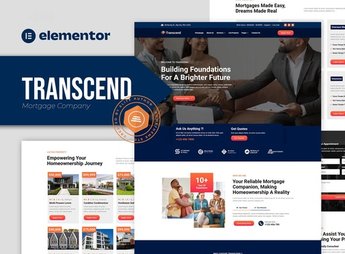
Transcend builds the site for mortgage brokers, loan consultants and insurance agents, with Elementor blocks for a proposal simulator, consultant profile, plan comparison and contact form. Anyone working as a mortgage broker, loan consultant or insurance agent gets ready-made pages to explain products and capture clients without depending on a designer for every campaign or product launch.
Main Features of Transcend
- Proposal simulator
Captures amount, term and purpose of the loan to generate an estimate. - Consultant profile
Shows each consultant’s experience, certifications and area of expertise. - Plan comparison
Compares rates, terms and conditions across different credit lines. - Frequently asked questions
Answers common questions about documentation and approval time. - Contact form
Captures name, phone number and the type of credit or insurance desired.
Benefits of Transcend
- More qualified leads
Filters who reaches the form already with a defined amount and term. - Trustworthy visuals
Uses solid colors and typography that convey financial security. - Responsive layout
Adapts the simulator and forms for mobile without breaking. - No-code editing
Lets you change text, rate and condition directly in the Elementor editor.
Who Is Transcend For?
- Anyone working as a mortgage broker.
- Anyone working as a personal or business loan consultant.
- Anyone selling life, home or auto insurance.
- Anyone managing a small brokerage with several consultants.
How to Download Transcend
Transcend is available for download here on Ultrapack. After downloading the file, import it via Elementor > Tools > Import Kit, which applies pages, colors and fonts to the active site within minutes, with no code editing required.
Credit and insurance are products that require trust before the first contact, because they involve a high amount and a long term. With a ready-made simulator, plan comparison and consultant profile, the kit helps answer the most common questions even before the client sends a message, saving support time.
Frequently asked questions
Is Transcend – Mortgage Lending Elementor Template Kit GPL?
Yes. Transcend – Mortgage Lending Elementor Template Kit is distributed under the GPL (GNU General Public License). You may legally use, modify and redistribute it on as many sites as you want.
Can I use Transcend – Mortgage Lending Elementor Template Kit on more than one site?
Yes. You can use Transcend – Mortgage Lending Elementor Template Kit on as many sites as you want.
How much does Transcend – Mortgage Lending Elementor Template Kit cost at Ultrapack?
Transcend – Mortgage Lending Elementor Template Kit costs US$2.99 as a single purchase, and it is also included in the subscription plans starting at US$17/mo (Desenvolvedor I).
Does Transcend – Mortgage Lending Elementor Template Kit include updates?
When a new version of Transcend – Mortgage Lending Elementor Template Kit becomes available in the catalog, you can download the file during the access period of your purchase or subscription. To update, follow the installation or import procedure described in the documentation for the item and its platform.
Is Transcend – Mortgage Lending Elementor Template Kit checked before it is made available for download?
Files for Transcend – Mortgage Lending Elementor Template Kit are scanned before publication by UltraHub using ClamAV and YARA rules to detect known threats. This check does not guarantee the absence of risks. Check the item requirements, make a backup, and follow the installation or import instructions for its platform.
How to install
Updates: manual. When a new version comes out, download it on this same page and import it again with Template Kit Import. Template Kits are not updated from the WordPress Themes or Plugins screen.
A template kit is neither a theme nor a plugin. It is imported, and it needs Elementor installed on the site.
- Install and activate the Template Kit Import plugin, which is also here in the catalog.
- Download the file
elements-transcend-mortgage-lending-elementor-template-ki.zip. - In the WordPress dashboard, go to Template Kits > Import Kit and upload the file
elements-transcend-mortgage-lending-elementor-template-ki.zip. - Pick the templates you want to import and confirm.
- The imported templates end up under Templates > Saved Templates, ready to open in Elementor.
- Some kits use Elementor Pro features. Without it the templates still import, but some blocks have no effect.
Stuck on a step? Open a ticket telling us which one you stopped at.


