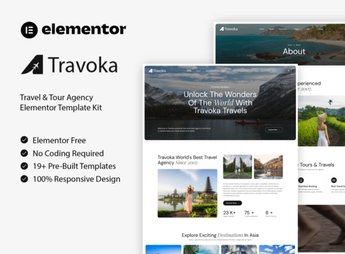
Description
TraveX brings together ready-made page templates for travel agencies and tour operators, importable directly into Elementor with destination, itinerary, and contact layouts already laid out. The visual identity follows the travel industry, with package presentation blocks, highlight sections, and lead capture areas you adjust through the visual editor, without touching code, keeping the same graphic language across every page of the site.
Key Features of TraveX
- Direct import into Elementor
Templates load into the builder and stay editable like any other page on the site. - Pages built for tourism
A structure designed to present destinations, itineraries, and travel agency services. - Unified visual identity
Standardized colors, typography, and spacing across every page in the kit. - Reusable blocks
Inner sections can be copied and recombined to build additional pages. - No-code editing
Text, images, and buttons are changed through the builder’s visual panel.
Benefits of TraveX
- Your site live in less time
The finished layout work cuts weeks of assembly down to a few hours of tweaking. - Less reliance on a designer
The kit’s visual standard keeps things consistent even on pages created later. - Clear itinerary presentation
Packages and destinations get organized sections that make them easy for visitors to read. - Predictable production costs
You start from a defined layout and spend your time on content, not on structure.
Who Is TraveX For?
- Anyone who builds travel packages and needs to display itineraries and destinations on a well-organized page.
- Inbound tour operators promoting local tours and experiences.
- You, if you already work with Elementor and want to start from a ready-made tourism layout instead of building from scratch.
How to Download TraveX
TraveX is available for download here at Ultrapack. After downloading the .zip file, upload it through the WordPress dashboard under Elementor > My Templates > Import Templates and select the package. The layouts then show up in the builder’s library, ready to drop into any page.
Made for anyone selling trips and travel experiences, TraveX shortens the slowest stage of a new site: settling on structure and design. With the pages already laid out inside Elementor, the work shifts to describing itineraries, publishing destination photos, and setting up contact channels, leaving the site ready for visitors after just a few adjustments.
Frequently asked questions
Is TraveX – Travel & Tour Agency Template Kit GPL?
Yes. TraveX – Travel & Tour Agency Template Kit is distributed under the GPL (GNU General Public License). You may legally use, modify and redistribute it on as many sites as you want.
Can I use TraveX – Travel & Tour Agency Template Kit on more than one site?
Yes. You can use TraveX – Travel & Tour Agency Template Kit on as many sites as you want.
How much does TraveX – Travel & Tour Agency Template Kit cost at Ultrapack?
TraveX – Travel & Tour Agency Template Kit costs US$2.99 as a single purchase, and it is also included in the subscription plans starting at US$17/mo (Desenvolvedor I).
Does TraveX – Travel & Tour Agency Template Kit include updates?
When a new version of TraveX – Travel & Tour Agency Template Kit becomes available in the catalog, you can download the file during the access period of your purchase or subscription. To update, follow the installation or import procedure described in the documentation for the item and its platform.
Is TraveX – Travel & Tour Agency Template Kit checked before it is made available for download?
Files for TraveX – Travel & Tour Agency Template Kit are scanned before publication by UltraHub using ClamAV and YARA rules to detect known threats. This check does not guarantee the absence of risks. Check the item requirements, make a backup, and follow the installation or import instructions for its platform.
How to install
Updates: manual. When a new version comes out, download it on this same page and import it again with Template Kit Import. Template Kits are not updated from the WordPress Themes or Plugins screen.
A template kit is neither a theme nor a plugin. It is imported, and it needs Elementor installed on the site.
- Install and activate the Template Kit Import plugin, which is also here in the catalog.
- Download the file
travex-travel-tour-agency-template-kit.zip. - In the WordPress dashboard, go to Template Kits > Import Kit and upload the file
travex-travel-tour-agency-template-kit.zip. - Pick the templates you want to import and confirm.
- The imported templates end up under Templates > Saved Templates, ready to open in Elementor.
- Some kits use Elementor Pro features. Without it the templates still import, but some blocks have no effect.
Stuck on a step? Open a ticket telling us which one you stopped at.