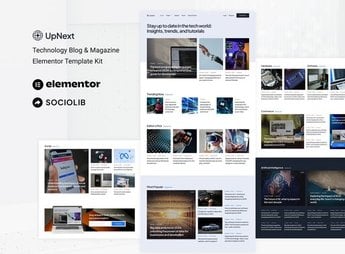
Description
UpNext builds a technology blog or digital magazine within Elementor, with sections for featured articles, categories, author profiles, a sidebar with popular posts, and a clean reading layout. It’s ideal for those who write about technology, gadgets, science, or innovation and need an organized website by category, with space for a newsletter, reader comments, and quick navigation between related articles.
Key Features of UpNext
- Featured Article Page
Displays main articles in a grid with image, title, and summary. - Category Filter
Organizes posts by topic, such as hardware, software, science, or games. - Author Profile
Gathers each columnist’s articles with photo, bio, and social media. - Newsletter Signup
Receives the reader’s email to send the latest articles. - Related Posts
Suggests other articles on the same topic at the end of each article.
Benefits of UpNext
- Distraction-Free Reading
Uses legible typography and ample spacing to facilitate reading on any screen. - Ready-Made Structure
Eliminates layout assembly from scratch, simply connecting to WordPress posts. - Reader Retention
Keeps the visitor on the site with suggestions of related articles on each page. - Compatible with Elementor
Works with Elementor’s native widgets, without requiring additional plugins to assemble.
Who is UpNext for?
- Those who maintain a technology blog or news portal.
- Those who write reviews of gadgets, applications, or releases.
- Those who cover science, innovation, or startups in a column format.
- Those who manage a digital magazine with multiple columnists.
How to Download UpNext
UpNext is available for download here on Ultrapack. After downloading the file, import the kit in Elementor > Tools > Import Kit to load the article, category, and author pages already ready to receive the blog’s content.
The package already comes with the article, category, and author pages assembled, leaving only the connection to existing posts in WordPress. It works for those launching their first technology blog as well as for those who want to change the layout of an old site without rewriting already published content.
Frequently asked questions
Is UpNext – Technology Blog & Magazine Elementor Template Kit GPL?
Yes. UpNext – Technology Blog & Magazine Elementor Template Kit is distributed under the GPL (GNU General Public License). You may legally use, modify and redistribute it on as many sites as you want.
Can I use UpNext – Technology Blog & Magazine Elementor Template Kit on more than one site?
Yes. You can use UpNext – Technology Blog & Magazine Elementor Template Kit on as many sites as you want.
How much does UpNext – Technology Blog & Magazine Elementor Template Kit cost at Ultrapack?
UpNext – Technology Blog & Magazine Elementor Template Kit costs US$2.99 as a single purchase, and it is also included in the subscription plans starting at US$17/mo (Desenvolvedor I).
Does UpNext – Technology Blog & Magazine Elementor Template Kit include updates?
When a new version of UpNext – Technology Blog & Magazine Elementor Template Kit becomes available in the catalog, you can download the file during the access period of your purchase or subscription. To update, follow the installation or import procedure described in the documentation for the item and its platform.
Is UpNext – Technology Blog & Magazine Elementor Template Kit checked before it is made available for download?
Files for UpNext – Technology Blog & Magazine Elementor Template Kit are scanned before publication by UltraHub using ClamAV and YARA rules to detect known threats. This check does not guarantee the absence of risks. Check the item requirements, make a backup, and follow the installation or import instructions for its platform.
How to install
Updates: manual. When a new version comes out, download it on this same page and import it again with Template Kit Import. Template Kits are not updated from the WordPress Themes or Plugins screen.
A template kit is neither a theme nor a plugin. It is imported, and it needs Elementor installed on the site.
- Install and activate the Template Kit Import plugin, which is also here in the catalog.
- Download the file
elements-upnext-technology-blog-magazine-elementor-temp.zip. - In the WordPress dashboard, go to Template Kits > Import Kit and upload the file
elements-upnext-technology-blog-magazine-elementor-temp.zip. - Pick the templates you want to import and confirm.
- The imported templates end up under Templates > Saved Templates, ready to open in Elementor.
- Some kits use Elementor Pro features. Without it the templates still import, but some blocks have no effect.
Stuck on a step? Open a ticket telling us which one you stopped at.