Description
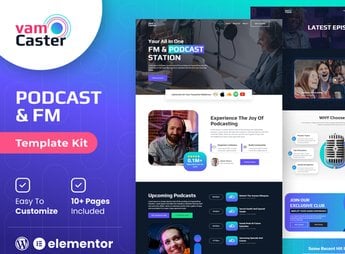
Vamcaster builds the site for podcasts, live streams, and video streaming channels, with ready-made blocks for an episode list with show notes for each edition, embedded player, team bio, and subscription page. It’s for anyone who produces a podcast, live stream, or video series and wants to bring together recent episodes, links to audio platforms, social networks, and a contact form for sponsorship proposals in a single organized place.
Vamcaster’s Main Features
- Episode list
Organizes episodes by date, with title, cover, and summary for each edition. - Embedded player
Plays audio or video right on the page, without redirecting to another platform. - Platform links
Brings together the links to the main audio platforms in one place. - Subscription page
Invites the visitor to follow the channel or support the project through a subscription. - Sponsorship form
Receives proposals from brands interested in advertising within the podcast episodes.
Vamcaster’s Benefits
- More recurring audience
Makes it easier for listeners to come back because the episodes stay organized by date. - More sponsorship proposals
Keeps the commercial contact channel visible for brands interested in advertising. - Distinctive visual identity
Uses colors and typography that reinforce the podcast or channel’s brand. - Editing without coding
Lets you swap episodes, links, and colors directly in Elementor, without touching code.
Who Is Vamcaster For?
- Anyone producing a weekly or biweekly podcast in audio or video.
- Creators who do regular live streams and want to bring together previous recordings.
- Streaming channel teams looking for brand sponsorship.
- Anyone starting a new podcast who needs a ready site for launch.
How to Download Vamcaster
Vamcaster is available for download here on Ultrapack. After downloading the file, import it through the Elementor > Tools > Import Kit path inside the WordPress dashboard. Elementor applies the pages, global styles, and content blocks automatically.
A site like this works best when the episodes are updated right after each recording, keeping the list always current for those following the channel. It’s worth reviewing the audio platform links periodically, to avoid an outdated address leading the listener to a page that’s no longer live.
Frequently asked questions
Is Vamcaster – Podcast & Video Streaming Elementor Template Kit GPL?
Yes. Vamcaster – Podcast & Video Streaming Elementor Template Kit is distributed under the GPL (GNU General Public License). You may legally use, modify and redistribute it on as many sites as you want.
Can I use Vamcaster – Podcast & Video Streaming Elementor Template Kit on more than one site?
Yes. You can use Vamcaster – Podcast & Video Streaming Elementor Template Kit on as many sites as you want.
How much does Vamcaster – Podcast & Video Streaming Elementor Template Kit cost at Ultrapack?
Vamcaster – Podcast & Video Streaming Elementor Template Kit costs US$2.99 as a single purchase, and it is also included in the subscription plans starting at US$17/mo (Desenvolvedor I).
Does Vamcaster – Podcast & Video Streaming Elementor Template Kit include updates?
When a new version of Vamcaster – Podcast & Video Streaming Elementor Template Kit becomes available in the catalog, you can download the file during the access period of your purchase or subscription. To update, follow the installation or import procedure described in the documentation for the item and its platform.
Is Vamcaster – Podcast & Video Streaming Elementor Template Kit checked before it is made available for download?
Files for Vamcaster – Podcast & Video Streaming Elementor Template Kit are scanned before publication by UltraHub using ClamAV and YARA rules to detect known threats. This check does not guarantee the absence of risks. Check the item requirements, make a backup, and follow the installation or import instructions for its platform.
How to install
Updates: manual. When a new version comes out, download it on this same page and import it again with Template Kit Import. Template Kits are not updated from the WordPress Themes or Plugins screen.
A template kit is neither a theme nor a plugin. It is imported, and it needs Elementor installed on the site.
- Install and activate the Template Kit Import plugin, which is also here in the catalog.
- Download the file
elements-vamcaster-podcast-video-streaming-elementor-te.zip. - In the WordPress dashboard, go to Template Kits > Import Kit and upload the file
elements-vamcaster-podcast-video-streaming-elementor-te.zip. - Pick the templates you want to import and confirm.
- The imported templates end up under Templates > Saved Templates, ready to open in Elementor.
- Some kits use Elementor Pro features. Without it the templates still import, but some blocks have no effect.
Stuck on a step? Open a ticket telling us which one you stopped at.