Description
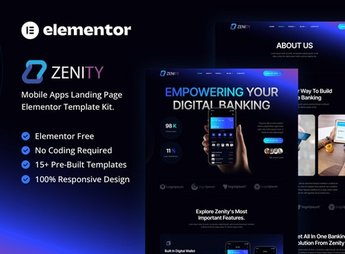
Zenity builds a landing page to promote financial and management apps within Elementor, with ready-made sections for app feature lists, app screenshots, user testimonials, and store download buttons. It serves agencies and product teams launching a financial or management app who need a presentation page ready to convert visitors into users right from the first visit.
Zenity’s Main Features
- App feature showcase
Lists the app’s main functions in illustrated blocks. - App screenshots
Displays real app screens inside phone frames. - Store download buttons
Directs the visitor to the App Store and Play Store. - Testimonials section
Shows reviews from people who already use the app day to day. - Plans and pricing
Compares the app’s subscription tiers side by side.
Zenity’s Benefits
- Faster app launch
Reduces the time between the page idea and its publication. - More app downloads
Smooths the path between discovering the app and installing it. - Clear communication of features
Helps the visitor quickly understand what the app does. - Credibility through testimonials
Builds trust with people who don’t yet know the app.
Who Is Zenity For?
- Product teams launching a financial or management app.
- Agencies building landing pages for technology clients.
- Startups that need a fast page to capture users.
- Independent developers promoting their own app.
How to Download Zenity
Zenity is available for download here on Ultrapack. Installation follows the Elementor > Tools > Import Kit path, where the file is uploaded directly to the site. After that, just import the page and swap the screenshots, text, and app store links for your own project’s.
A good app can go unnoticed if the page presenting it doesn’t explain what it solves in a few seconds. With sections already designed for features, screenshots, and social proof, it becomes easier to guide the visitor to the download button without writing the page from scratch.
Frequently asked questions
Is Zenity – Mobile App Landing Page Elementor Template Kit GPL?
Yes. Zenity – Mobile App Landing Page Elementor Template Kit is distributed under the GPL (GNU General Public License). You may legally use, modify and redistribute it on as many sites as you want.
Can I use Zenity – Mobile App Landing Page Elementor Template Kit on more than one site?
Yes. You can use Zenity – Mobile App Landing Page Elementor Template Kit on as many sites as you want.
How much does Zenity – Mobile App Landing Page Elementor Template Kit cost at Ultrapack?
Zenity – Mobile App Landing Page Elementor Template Kit costs US$2.99 as a single purchase, and it is also included in the subscription plans starting at US$17/mo (Desenvolvedor I).
Does Zenity – Mobile App Landing Page Elementor Template Kit include updates?
When a new version of Zenity – Mobile App Landing Page Elementor Template Kit becomes available in the catalog, you can download the file during the access period of your purchase or subscription. To update, follow the installation or import procedure described in the documentation for the item and its platform.
Is Zenity – Mobile App Landing Page Elementor Template Kit checked before it is made available for download?
Files for Zenity – Mobile App Landing Page Elementor Template Kit are scanned before publication by UltraHub using ClamAV and YARA rules to detect known threats. This check does not guarantee the absence of risks. Check the item requirements, make a backup, and follow the installation or import instructions for its platform.
How to install
Updates: manual. When a new version comes out, download it on this same page and import it again with Template Kit Import. Template Kits are not updated from the WordPress Themes or Plugins screen.
A template kit is neither a theme nor a plugin. It is imported, and it needs Elementor installed on the site.
- Install and activate the Template Kit Import plugin, which is also here in the catalog.
- Download the file
elements-zenity-mobile-app-landing-page-elementor-templat.zip. - In the WordPress dashboard, go to Template Kits > Import Kit and upload the file
elements-zenity-mobile-app-landing-page-elementor-templat.zip. - Pick the templates you want to import and confirm.
- The imported templates end up under Templates > Saved Templates, ready to open in Elementor.
- Some kits use Elementor Pro features. Without it the templates still import, but some blocks have no effect.
Stuck on a step? Open a ticket telling us which one you stopped at.