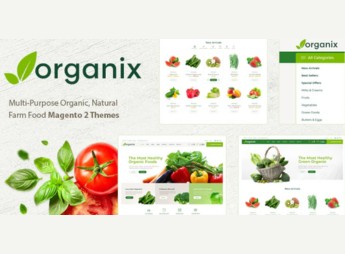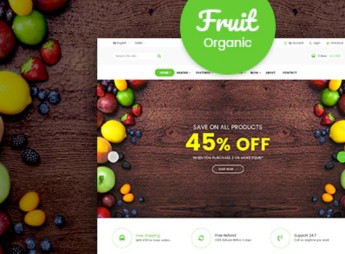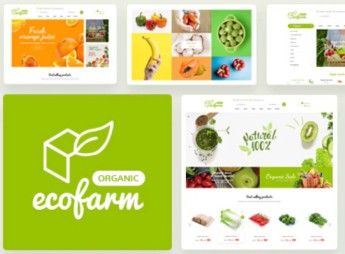
Description
Ecofarm allows setting up Magento 2 stores focused on the sale of organic foods, fruits, vegetables, and natural products, with a clean and minimalist aesthetic layout and emphasis on fresh produce highlights. The theme covers typical healthy food e-commerce blocks: category-organized catalog, product page with nutritional details, and institutional sections for farms, urban gardens, and artisan food brands.
Main Features
- Magento 2-based
Built on the native architecture of Magento 2, taking advantage of the platform’s catalog, checkout, and order management. - Clean and minimalist esthetics
Generous spacing layout, light typography, and organic palette that values product photography. - Organic foods niche
Visual structure designed for fruits, vegetables, produce, and healthy food brands. - Responsive layout
Adapts the catalog, banners, and checkout for desktop, tablet, and smartphone viewing. - Ready internal pages
Includes templates for home, category listing, product detail, about, and contact.
Benefits of Ecofarm
- Marketer-aligned identity
Reinforces the healthy brand positioning without requiring extra design work. - Faster launch
Reduces the time between installing Magento 2 and going live with the operational store. - Conversion-oriented presentation
Lots of space for big images helps sell fresh products by appearance. - Clear navigation
Clean catalog organization makes it easy for customers to browse by category and product type.
Who it’s for?
- Producers and organic farms selling directly to consumers.
- Natural foods stores, produce markets, and healthy product markets.
- Artisanal food brands, vegan, or vegetarian operating on Magento 2.
- Agencies and developers delivering stores for clients in the healthy food segment.
For those setting up an e-commerce operation in the organic niche on Magento 2, Ecofarm shortens the path from installing the platform to having a coherent storefront that aligns with the product. The combination of minimalist layout, photo-focused design, and clear catalog organization supports both small producers and growing brands that need a natural-market-like store without starting from scratch.
Frequently asked questions
Is Ecofarm – Clean, Minimal Magento 2 Theme GPL?
Yes. Ecofarm – Clean, Minimal Magento 2 Theme is distributed under the GPL (GNU General Public License). You may legally use, modify and redistribute it on as many sites as you want.
Can I use Ecofarm – Clean, Minimal Magento 2 Theme on more than one site?
Yes. You can use Ecofarm – Clean, Minimal Magento 2 Theme on as many sites as you want.
How much does Ecofarm – Clean, Minimal Magento 2 Theme cost at Ultrapack?
Ecofarm – Clean, Minimal Magento 2 Theme costs US$2.99 as a single purchase, and it is also included in the subscription plans starting at US$17/mo (Desenvolvedor I).
Does Ecofarm – Clean, Minimal Magento 2 Theme include updates?
When a new version of Ecofarm – Clean, Minimal Magento 2 Theme becomes available in the catalog, you can download the file during the access period of your purchase or subscription. To update, follow the installation or import procedure described in the documentation for the item and its platform.
Is Ecofarm – Clean, Minimal Magento 2 Theme checked before it is made available for download?
Files for Ecofarm – Clean, Minimal Magento 2 Theme are scanned before publication by UltraHub using ClamAV and YARA rules to detect known threats. This check does not guarantee the absence of risks. Check the item requirements, make a backup, and follow the installation or import instructions for its platform.
How to install
Updates: manual. When a new version comes out, download it on this same page and follow the replacement or import process for the platform shown. This item is not updated through WordPress.
Extras gathers what is neither a WordPress theme nor a plugin: templates, scripts, project files and supporting material.
- Download the file
elements-ecofarm-clean-minimal-magento-2-theme.zipand extract it on your computer. - Open the author documentation that came in the package. It tells you where each file goes.
- When there is a
Como Instalar.txtfile in the main folder of the package, read it first.
Stuck on a step? Open a ticket telling us which one you stopped at.