Description
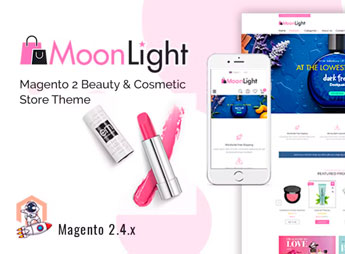
MoonLight is a Magento theme created for cosmetic, fragrance, and female accessory brands, with a sophisticated layout, collection showcases, and product detail pages with an enlarged gallery. Built on Magento 2, it organizes categories by lines (makeup, skincare, spa) and supports search filters by color, brand, and skin type, streamlining the customer journey to the native checkout.
Main Features
- Compatibility with Magento 2
Runs on the core Magento 2, leveraging native cart, checkout, and inventory management. - Segmented collection showcases
Organizes category pages by product line, brand, or treatment type. - Detailed product page
Displays zoomable gallery, tabs for description, ingredients, and customer reviews. - Elegant responsive layout
Adapts collection, banners, and mobile menus to desktop without losing cosmetic style. - Filtered search by attributes
Allows filtering products by color, skin type, brand, price range, and category. - Editable promotional banners
Includes configurable areas for seasonal campaigns, launches, and flash sales.
Benefits of MoonLight
- Sophisticated brand identity
Projects a premium feel fitting the beauty, cosmetics, and personal care markets. - Smooth buying journey
Reduces clicks from product discovery to order completion. - Quick store setup
Allows launching the catalog without developing a custom layout for each category. - Mobile conversion
Best utilizes social media traffic with smartphone-optimized collection pages.
Who It’s For
- Online stores selling cosmetics, makeup, and fragrances running on Magento 2.
- Skincare, natural products, and spa line brands selling directly to consumers.
- Multibrand beauty retailers seeking a premium positioning.
- Magento agencies and integrators delivering projects for the beauty sector.
Tailored for entrepreneurs and e-commerce teams operating in the beauty segment, MoonLight combines premium aesthetics with a ready-to-use commercial structure on Magento 2. The organization by product lines, attribute filters, and editable promotional areas shorten the time from store planning to first sales, without requiring deep visual customizations from the technical team.
Frequently asked questions
Is MoonLight – Elegant Cosmetics & Accessories Magent GPL?
Yes. MoonLight – Elegant Cosmetics & Accessories Magent is distributed under the GPL (GNU General Public License). You may legally use, modify and redistribute it on as many sites as you want.
Can I use MoonLight – Elegant Cosmetics & Accessories Magent on more than one site?
Yes. You can use MoonLight – Elegant Cosmetics & Accessories Magent on as many sites as you want.
How much does MoonLight – Elegant Cosmetics & Accessories Magent cost at Ultrapack?
MoonLight – Elegant Cosmetics & Accessories Magent costs US$2.99 as a single purchase, and it is also included in the subscription plans starting at US$17/mo (Desenvolvedor I).
Does MoonLight – Elegant Cosmetics & Accessories Magent include updates?
When a new version of MoonLight – Elegant Cosmetics & Accessories Magent becomes available in the catalog, you can download the file during the access period of your purchase or subscription. To update, follow the installation or import procedure described in the documentation for the item and its platform.
Is MoonLight – Elegant Cosmetics & Accessories Magent checked before it is made available for download?
Files for MoonLight – Elegant Cosmetics & Accessories Magent are scanned before publication by UltraHub using ClamAV and YARA rules to detect known threats. This check does not guarantee the absence of risks. Check the item requirements, make a backup, and follow the installation or import instructions for its platform.
How to install
Updates: manual. When a new version comes out, download it on this same page and follow the replacement or import process for the platform shown. This item is not updated through WordPress.
Extras gathers what is neither a WordPress theme nor a plugin: templates, scripts, project files and supporting material.
- Download the file
elements-moonlight-elegant-cosmetics-accessories-magento.zipand extract it on your computer. - Open the author documentation that came in the package. It tells you where each file goes.
- When there is a
Como Instalar.txtfile in the main folder of the package, read it first.
Stuck on a step? Open a ticket telling us which one you stopped at.