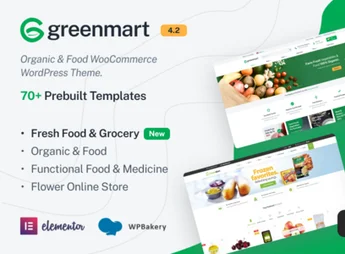
Description
Grano turns your OpenCart store into a showcase for organic products and natural food, with a homepage, categories, product page, and promotional banner already tailored for food photos and fresh ingredients. The theme is designed for anyone who sells organic food, a natural grocery store, tea, or a fresh produce basket online and needs a store with a clean look and a functional shopping cart without hiring a developer.
Key Features of Grano
- Rotating homepage banners
Displays rotating banners on the homepage to highlight promotions and new products. - Category grid
Organizes categories into a grid with a photo and name for each product line. - Gallery with zoom
Shows the product page with an image gallery and zoom on mouse hover. - Filter by price and category
Reserves a search filter by price and category on the side of the listing. - Responsive layout
Reorganizes OpenCart modules into a layout adapted for mobile and tablet.
Benefits of Grano
- A look that showcases the product
Showcases food photos and ingredients with a clean, clear look. - Easy search by category
Makes it easy to find the right product by category in just a few clicks. - Less cart abandonment
Reduces cart abandonment caused by a confusing or slow layout on mobile. - Responsive store
Keeps the store usable on mobile, tablet, and desktop without a broken screen.
Who Is Grano For?
- Anyone who sells organic food online.
- Anyone who runs a natural grocery store with delivery.
- Anyone who puts together a fresh produce subscription basket.
- Anyone who sells tea, grains, and artisanal spices.
How to Download Grano
Grano is available for download here at Ultrapack. After downloading the file, upload the package under Extensions > Installer and then activate the theme in the OpenCart themes section. The package includes sample images ready to be replaced with your store’s photos.
An organic food store depends on well-displayed photos and fast navigation to convey freshness to customers who buy without touching the product. A theme built for this niche avoids manual layout adjustments item by item in the OpenCart store.
Frequently asked questions
Is Grano – Organic & Food Opencart Theme GPL?
Yes. Grano – Organic & Food Opencart Theme is distributed under the GPL (GNU General Public License). You may legally use, modify and redistribute it on as many sites as you want.
Can I use Grano – Organic & Food Opencart Theme on more than one site?
Yes. You can use Grano – Organic & Food Opencart Theme on as many sites as you want.
How much does Grano – Organic & Food Opencart Theme cost at Ultrapack?
Grano – Organic & Food Opencart Theme costs US$2.99 as a single purchase, and it is also included in the subscription plans starting at US$17/mo (Desenvolvedor I).
Does Grano – Organic & Food Opencart Theme include updates?
When a new version of Grano – Organic & Food Opencart Theme becomes available in the catalog, you can download the file during the access period of your purchase or subscription. To update, follow the installation or import procedure described in the documentation for the item and its platform.
Is Grano – Organic & Food Opencart Theme checked before it is made available for download?
Files for Grano – Organic & Food Opencart Theme are scanned before publication by UltraHub using ClamAV and YARA rules to detect known threats. This check does not guarantee the absence of risks. Check the item requirements, make a backup, and follow the installation or import instructions for its platform.
How to install
Updates: manual. When a new version comes out, download it on this same page and follow the replacement or import process for the platform shown. This item is not updated through WordPress.
Extras gathers what is neither a WordPress theme nor a plugin: templates, scripts, project files and supporting material.
- Download the file
elements-grano-organic-food-opencart-theme.zipand extract it on your computer. - Open the author documentation that came in the package. It tells you where each file goes.
- When there is a
Como Instalar.txtfile in the main folder of the package, read it first.
Stuck on a step? Open a ticket telling us which one you stopped at.