 UAU Ready
Description
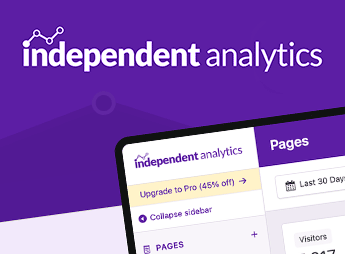
Independent Analytics Pro enables traffic report management within the WordPress dashboard for administrators, WooCommerce stores, and marketing teams, recording page views, traffic sources, and browsing events without relying exclusively on Google Analytics. It centralizes metrics, logs, and reports on the site’s internal screens, helping track content, campaigns, and business performance with direct access in the administrative environment.
Key Features of Independent Analytics Pro
- Dashboard reports
Displays visit and page metrics directly in the WordPress admin area. - Source tracking
Collects referrals, channels, and terms used to reach the site. - WooCommerce tracking
Connects visits and behavior with the store’s sales data. - Browsing logs
Organizes access data for content and campaign analysis. - Alternative to Analytics
Enables traffic tracking without relying solely on external scripts.
Benefits of Independent Analytics Pro
- Faster decisions
Data is accessible without leaving the WordPress dashboard. - Greater business clarity
Store owners understand which visits influence sales and conversions. - Less external dependence
The team can view reports without switching between multiple platforms. - More practical insights
Content, campaigns, and channels are organized into clear reports.
Who Is Independent Analytics Pro Recommended For?
- WordPress site administrators who need to track traffic and internal performance.
- WooCommerce stores that want to connect visits, campaigns, and business results.
- Marketing teams that analyze content, traffic sources, and user behavior.
How to Download Independent Analytics Pro
Independent Analytics Pro is available for download here on Ultrapack. After downloading the .zip file, install it by going to Plugins > Add New > Upload Plugin, select the .zip file, and activate it. After activation, the reports can be accessed through the WordPress dashboard.
Independent Analytics Pro is suitable for sites that need to turn traffic data into operational insights, especially when content, campaigns, and sales depend on frequent monitoring. By keeping reports within WordPress and connecting browsing metrics to the site’s context, the plugin reduces analysis steps and helps the team interpret results without relying on external dashboards for every query.
Frequently asked questions
Is Independent Analytics Pro – Google Analytics Alternative for WP GPL-licensed?
Yes. Independent Analytics Pro – Google Analytics Alternative for WP is distributed under the GPL (GNU General Public License). You may legally use, modify and redistribute it on as many sites as you want.
Can I use Independent Analytics Pro – Google Analytics Alternative for WP on multiple sites?
Yes. You can use Independent Analytics Pro – Google Analytics Alternative for WP on multiple sites. The number of sites connected to Ultrapack Auto Updater is limited by your plan.
How much does Independent Analytics Pro – Google Analytics Alternative for WP cost at Ultrapack?
Independent Analytics Pro – Google Analytics Alternative for WP costs US$2.99 as a single purchase, and it is also included in the subscription plans starting at US$12/mo (VIP I).
Does Independent Analytics Pro – Google Analytics Alternative for WP include updates?
Yes. The current version of Independent Analytics Pro – Google Analytics Alternative for WP is 2.15.5, published at Ultrapack on Aug 24, 2026. Subscribers update straight from the WordPress dashboard with UAU (Ultrapack Auto Updater).
Is Independent Analytics Pro – Google Analytics Alternative for WP scanned before publication?
Yes. Every version of Independent Analytics Pro – Google Analytics Alternative for WP goes through a malware scan (ClamAV and YARA rules, at UltraHub) before it is published.
What are the requirements for the plugin Independent Analytics Pro – Google Analytics Alternative for WP?
Requires WordPress 5.9 or higher and PHP 8.0.30 or higher. Tested up to WordPress 7.1.
How to install
Automatic updates: this item is updated by the Ultrapack Auto Updater. With it installed, the new version shows up in your dashboard like any other WordPress update (how to set it up).
- Download the file
independent-analytics-pro.zip. - In the WordPress dashboard, go to Plugins > Add New > Upload Plugin.
- Select the file
independent-analytics-pro.zipand click Install Now. - Click Activate.
Requirements: Requires WordPress 5.9 or higher and PHP 8.0.30 or higher. Tested up to WordPress 7.1.
Stuck on a step? Open a ticket telling us which one you stopped at.