

 UAU Ready
Description
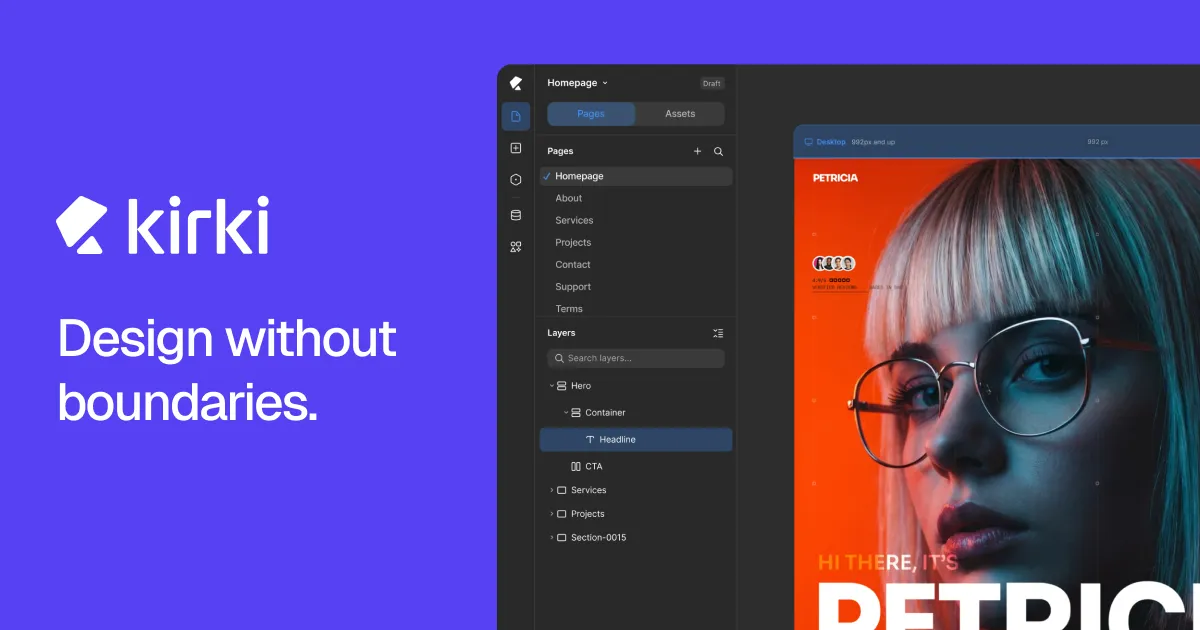
Kirki Pro builds complete WordPress sites on a free visual canvas, with no grids or fixed columns, with drag-and-drop editing and real-time responsive adjustment for desktop, tablet, and mobile. It works with any installed theme and brings forms, popups, and dynamic content together in its own panel, which suits anyone who builds landing pages, business sites, and blogs without relying on code.
Key Features of Kirki Pro
- Free, infinite canvas
Position elements without grid, column, or predefined layout structure restrictions. - Real-time responsive editing
Adjust each element separately in desktop, tablet, and mobile views. - Dynamic content with collections
Build pages from collections and templates, with rule-based conditional visibility. - Global styles and version history
Centralize colors, fonts, and spacing, with rollback to earlier project states. - Native forms and popups
Create forms and modal windows without installing extra plugins for each function.
Benefits of Kirki Pro
- Freedom of visual composition
Out-of-the-ordinary layouts come to life without CSS workarounds. - Fewer plugins on the site
Built-in tools reduce conflicts and bloat in the WordPress install. - Reusable projects
Import and export speed up delivering multiple sites from the same base. - Safety to experiment
Version history lets you test variations without risking lost work.
Who Is Kirki Pro For?
- Anyone who builds landing pages and business sites and wants precise visual control over every element.
- Agencies that deliver projects in series and need to reuse components and design systems.
- You, if you already use WordPress and want to escape the grid limitations of traditional builders.
- Anyone building data-driven sites, with listings generated from collections and templates.
How to Download Kirki Pro
Kirki Pro is available for download here on Ultrapack. The step-by-step guide for installing this file is in the How to install tab, next to the description. Once activated, the visual editor becomes accessible from the WordPress dashboard, within the page editing flow.
For anyone designing WordPress sites who feels the rigidity of conventional builders’ grids, Kirki Pro trades column-based snapping for free positioning while keeping per-device responsive control. The combination of global styles, reusable components, and dynamic content supports everything from a single landing page to a site with dozens of standardized sections.
Frequently asked questions
Is Kirki Pro GPL-licensed?
Yes. Kirki Pro is distributed under the GPL (GNU General Public License). You may legally use, modify and redistribute it on as many sites as you want.
Can I use Kirki Pro on multiple sites?
Yes. You can install Kirki Pro on as many sites as you want. Only automatic updates through Ultrapack Auto Updater have a limit: from 3 to 80 sites, depending on the plan.
How much does Kirki Pro cost at Ultrapack?
Kirki Pro costs US$4.99 as a single purchase, and it is also included in the subscription plans starting at US$12/mo (VIP I).
Does Kirki Pro include updates?
Yes. The current version of Kirki Pro is 6.3.2, published at Ultrapack on Sep 29, 2026. Subscribers update straight from the WordPress dashboard with UAU (Ultrapack Auto Updater).
Is Kirki Pro scanned before publication?
Yes. Every version of Kirki Pro goes through a malware scan (ClamAV and YARA rules, at UltraHub) before it is published.
What are the requirements for the plugin Kirki Pro?
Requires WordPress 5.9 or higher and PHP 7.4 or higher. Tested up to WordPress 7.1.
What changed in this version
Version 6.3.2
- New: Added an accessibility contrast ratio option to the color picker.
- New: Added multiselect interaction support.
- Update: Remember the last selected font family and use it as the default font for newly dropped text elements on the canvas.
- Update: Reset width and height to auto when changing position with ratio lock enabled.
- Update: Implemented symbol root transition handling for wrapping and unwrapping elements.
- Update: Adjusted range input thumb styles for improved consistency.
- Update: Removed the Role Manager from the Settings panel and updated the API so that Role Manager functionality now depends on WordPress capabilities.
- Update: Remove the Street View option from the OpenStreetMap map element and remove the deprecated styles from the map settings.
- Fix: Fixed an issue where form data input values of 0 were not rendered.
- Fix: Fixed nested symbol export/import issues.
- Fix: Fixed preview scripts not running for cloned elements when infinite slider mode is enabled.
- Fix: Resolved multiselect context menu open issue from canvas.
- Fix: Addressed security issues related to comments and Lookback IP handling.
- Fix: Resolved collaboration mouse tracker hide issue while dragging an element.
- Fix: Fixed flex-reverse drag-and-drop line issues on the canvas.
- Fix: Addressed security issues related to shortcodes and sensitive metadata.
Version 6.3.1
- New: Added dynamic content support to ComponentInstanceFields.
- New: Added SVG selection color preview for updating SVG fill and stroke colors.
- New: Pusher broadcasting configuration for faster, real-time updates.
- Update: Variable search now supports searching by value.
- Update: Pasting copied strings or elements is now supported across multiple selected elements.
- Update: Improved drag-and-drop snapping by adjusting coordinates when the closest vertical and horizontal snap points are detected.
- Update: Resizing elements while holding Shift now maintains the aspect ratio in all drag directions.
- Update: Added blend mode support for multiple selected elements.
- Update: Preserved the component edit canvas size across create and save actions.
- Update: The component editing canvas now automatically adapts to the content size.
- Fix: Fixed a viewport-wise CSS inheritance issue affecting text styles.
- Fix: Resolved an issue with form data export.
- Fix: Fixed an issue where transparent or PNG images could get a black background when pasted.
Version 6.3.0
- New: Master Components, nested component support, and Custom Component Fields.
- New: Freeform Positioning across breakpoints for absolutely and fixed-positioned elements.
- Update: Copy/paste interactions now understand the element structure and hierarchy, enabling more accurate operations.
- Update: Media selection experience improved for background image, cms, and other media fields.
- Update: Optimizing canvas drag and drop element outline indicators.
- Fix: Fixed the bulk update functionality to change the post_status of Content Manager items to Draft.
- Fix: Keyboard shortcuts now work seamlessly with French and other international keyboard layouts.
- Fix: Resolved collection rendering issue with view-only tokens.
- Fix: Addressed all known security vulnerabilities.
Version 6.2.5
- Update: Redesigned the Island toolbar with updated icons, layout, and functionality.
- Update: Moved the editor's dark/light mode controls to the Island.
- Update: Updated SVG element settings.
- Update: Improved responsive device resizing based on minimum and maximum device width ranges.
- Update: Updated Form reCAPTCHA element settings and functionality.
- Update: Refreshed the empty placeholder design for Image, Video, Lottie, and Lightbox elements.
- Fix: Resolved an issue causing DynamicTextBox to glitch when focused.
Version 6.2.4
- Update: Verify font files before parsing OpenType features.
- Update: Show the text clamp value when a font-size clamp is configured.
- Fix: Resolve an issue with the Dashboard page list API when deleting a page.
- Fix: Address security vulnerabilities related to XSS through attacker-injected object keys.
- Fix: Fully disable unauthorized POST API calls.
Release notes published by the developer.
How to install
Automatic updates: this item is updated by the Ultrapack Auto Updater. With it installed, the new version shows up in your dashboard like any other WordPress update (how to set it up).
- Download the file
kirki-pro.zip. - In the WordPress dashboard, go to Plugins > Add New > Upload Plugin.
- Select the file
kirki-pro.zipand click Install Now. - Click Activate.
Requirements: Requires WordPress 5.9 or higher and PHP 7.4 or higher. Tested up to WordPress 7.1.
Stuck on a step? Open a ticket telling us which one you stopped at.


