 UAU Ready
Description
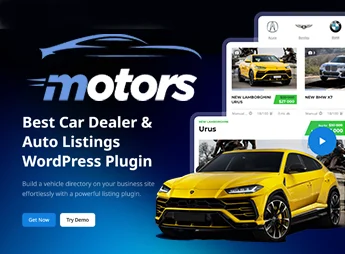
Motors is a WordPress plugin that creates an automotive classifieds system with an inventory manager, a frontend submission form, Ajax filters by model, location, distance, and keywords, as well as custom fields for vehicle specifications. It serves dealerships, vehicle marketplaces, and automotive directories that need to post listings, receive inquiries, compare options, and organize sales within the WordPress admin panel.
Motors Key Features
- Inventory manager
Creates, edits, removes, and marks vehicle listings as sold. - Search filters
Filters listings by features, location, distance, keywords, and custom fields. - Frontend submission
Lets sellers list vehicles without accessing the administrative panel. - Widgets for Elementor
Includes grids, tabs, search, a calculator, contacts, and seller cards. - Listing monetization
Integrates featured listings, payment per submission, WooCommerce, and PayPal.
Benefits of Motors
- More organized inventory
Centralizes listings, technical data, and sales status in a single flow. - More accurate search
Helps visitors find vehicles compatible with their criteria. - More autonomy for sellers
Reduces manual tasks by enabling direct listing through the site. - Revenue from classifieds
Allows charging for submissions, highlights, and participation from resellers.
Who Motors Is Recommended For?
- Dealerships that want to publish and manage vehicle stock in WordPress.
- Automotive marketplaces with car, motorcycle, boat, truck, or aircraft listings.
- Agencies and developers that build vehicle directories for clients.
How to Download Motors
Motors is available for download here on Ultrapack. After downloading the .zip file, install it in Plugins > Add New > Upload plugin, select the .zip, and activate it. After activation, listing features start being configured in the WordPress panel.
Motors brings together vehicle listing, filtered search, seller profiles, forms, maps, comparison, a financing calculator, and monetization features in a structure designed for automotive classifieds. For sites that rely on well-organized listings and qualified contacts, the plugin reduces fragmentation across separate tools and keeps operational control within WordPress.
Frequently asked questions
Is Motors – Car Dealer, Classifieds & Listing Pro GPL-licensed?
Yes. Motors – Car Dealer, Classifieds & Listing Pro is distributed under the GPL (GNU General Public License). You may legally use, modify and redistribute it on as many sites as you want.
Can I use Motors – Car Dealer, Classifieds & Listing Pro on multiple sites?
Yes. You can install Motors – Car Dealer, Classifieds & Listing Pro on as many sites as you want. Only automatic updates through Ultrapack Auto Updater have a limit: from 3 to 80 sites, depending on the plan.
How much does Motors – Car Dealer, Classifieds & Listing Pro cost at Ultrapack?
Motors – Car Dealer, Classifieds & Listing Pro costs US$2.99 as a single purchase, and it is also included in the subscription plans starting at US$12/mo (VIP I).
Does Motors – Car Dealer, Classifieds & Listing Pro include updates?
Yes. The current version of Motors – Car Dealer, Classifieds & Listing Pro is 1.3.4, published at Ultrapack on Sep 29, 2026. Subscribers update straight from the WordPress dashboard with UAU (Ultrapack Auto Updater).
Is Motors – Car Dealer, Classifieds & Listing Pro scanned before publication?
Yes. Every version of Motors – Car Dealer, Classifieds & Listing Pro goes through a malware scan (ClamAV and YARA rules, at UltraHub) before it is published.
What are the requirements for the plugin Motors – Car Dealer, Classifieds & Listing Pro?
Requires WordPress 4.6 or higher. Tested up to WordPress 7.0.
What changed in this version
Version 1.3.4
- Fix: Minor bugfixes.
Version 1.3.3
- New: Added Added Motorcycles Dealers Skin (PRO)
Version 1.3.2
- New: Added Electric Vehicle Dealership Skin (PRO)
Version 1.3.1
- New: Added Classified Two Skin (PRO)
- Fix: Fixed an issue with the layout display of the Posts Grid widget.
Version 1.3.0
- New: Added Rental as a new Business Type alongside Dealership and Classified, with dedicated functionality and settings in the plugin
Release notes published by the developer.
How to install
Automatic updates: this item is updated by the Ultrapack Auto Updater. With it installed, the new version shows up in your dashboard like any other WordPress update (how to set it up).
- Download the file
motors-car-dealership-classified-listings-pro.zip. - In the WordPress dashboard, go to Plugins > Add New > Upload Plugin.
- Select the file
motors-car-dealership-classified-listings-pro.zipand click Install Now. - Click Activate.
Requirements: Requires WordPress 4.6 or higher. Tested up to WordPress 7.0.
Stuck on a step? Open a ticket telling us which one you stopped at.