UAU Ready
Description
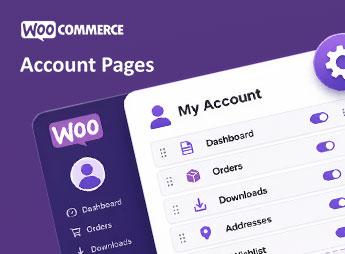
With the Divi My Account Page, you customize the WooCommerce My Account page using Divi’s visual features, arranging the presentation of areas accessed by customers after login. The plugin helps those who maintain stores built with Divi align this space with the rest of the site, making account information, orders, and customer data clearer without relying on manual changes to theme files.
Main Features of the Divi My Account Page
- Account Customization
Allows visual adjustment of the WooCommerce My Account area. - Integration with Divi
Utilizes the visual environment of Divi in page composition. - Content Organization
Structures account information into a more coherent presentation. - WooCommerce Compatibility
Works with standard customer account data and sections. - No-Code Setup
Reduces the need to edit theme PHP files.
Benefits of the Divi My Account Page
- Consistent Visual Identity
Keeps the customer area aligned with the store design. - Clearer Navigation
Makes it easier to access orders, personal data, and account information. - Fewer Manual Adjustments
Saves time by avoiding direct edits to WooCommerce templates. - Better Post-Purchase Experience
Organizes the space used by the customer after completing orders.
Who is the Divi My Account Page Recommended For?
- Those who sell products via WooCommerce and build pages with Divi.
- You who want to align the My Account area with the site’s visual identity.
- Those who need to organize customer access to orders and personal data.
How to Download the Divi My Account Page
The Divi My Account Page is available for download here on Ultrapack. After downloading the .zip file, go to Plugins > Add New > Upload Plugin, select the package, and complete activation via the WordPress dashboard.
The Divi My Account Page focuses customer area customization within the visual flow adopted by the store, reducing interventions in WooCommerce templates. For sites that use Divi and depend on the My Account page in the post-purchase relationship, the plugin facilitates maintaining a coherent interface, with organized information and more comprehensible access to data associated with the customer.
Frequently asked questions
Is Powdi | Divi My Account Page GPL-licensed?
Yes. Powdi | Divi My Account Page is distributed under the GPL (GNU General Public License). You may legally use, modify and redistribute it on as many sites as you want.
Can I use Powdi | Divi My Account Page on multiple sites?
Yes. You can install Powdi | Divi My Account Page on as many sites as you want. Only automatic updates through Ultrapack Auto Updater have a limit: from 3 to 80 sites, depending on the plan.
How much does Powdi | Divi My Account Page cost at Ultrapack?
Powdi | Divi My Account Page costs US$2.99 as a single purchase, and it is also included in the subscription plans starting at US$12/mo (VIP I).
Does Powdi | Divi My Account Page include updates?
Yes. The current version of Powdi | Divi My Account Page is 1.1.6, published at Ultrapack on Jun 22, 2026. Subscribers update straight from the WordPress dashboard with UAU (Ultrapack Auto Updater).
Is Powdi | Divi My Account Page scanned before publication?
Yes. Every version of Powdi | Divi My Account Page goes through a malware scan (ClamAV and YARA rules, at UltraHub) before it is published.
What are the requirements for the plugin Powdi | Divi My Account Page?
Requires WordPress 5.2 or higher and PHP 7.4 or higher.
What changed in this version
Version 1.1.6 2026-05-22
- 🛠 Improvements
- Some PHPCS:ussues fixed
Version 1.1.5 2026-05-21
- 🐛 Bug Fixes
- Hot fix: login form template not encounering is reqister allowed in Woocommerce settings
Version 1.1.4 2026-05-20
- 🛠 Improvements
- Added new module My Account Login helping to style login page. Module is vissible only for non users
- Added option 'Disable Login Page' in My Account Classic module to disable it for non users.
Version 1.1.3 2026-05-07
- 🛠 Improvements
- Nonce sanitization before verify for visual builder
- Fix phpcs esc do_block
Version 1.1.2 2026-04-16
- 🐛 Bug Fixes
- Adjusted css selectors for login page to apply if registration is off
- Added guest screen hash for Divi generated CSS conflicting with dynamic content in default My Account view
Release notes published by the developer.
How to install
Automatic updates: this item is updated by the Ultrapack Auto Updater. With it installed, the new version shows up in your dashboard like any other WordPress update (how to set it up).
- Download the file
divi-myaccount-page.zip. - In the WordPress dashboard, go to Plugins > Add New > Upload Plugin.
- Select the file
divi-myaccount-page.zipand click Install Now. - Click Activate.
Requirements: Requires WordPress 5.2 or higher and PHP 7.4 or higher.
Stuck on a step? Open a ticket telling us which one you stopped at.