UAU Ready
Description
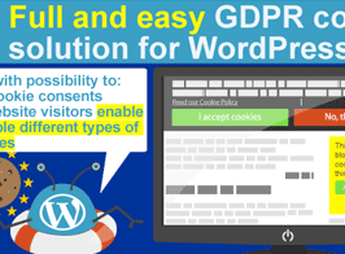
Privacy WP is a plugin that manages privacy notices in WordPress, creating areas for privacy policies, cookie banners, and consent records linked to visitor browsing. It helps those who need to adapt institutional pages, forms, and data collection flows to transparency practices, keeping controls centralized in the dashboard and reducing manual adjustments scattered throughout the theme.
Key Features of Privacy WP
- Cookie banner
Displays a consent notice to visitors before recurring browsing. - Privacy policy
Organizes legal texts and information on dedicated site pages. - Consent record
Stores preferences related to cookie acceptance and privacy. - Dashboard control
Centralizes privacy settings within the WordPress administration. - Transparency flows
Helps inform visitors about how data is collected and processed.
Benefits of Privacy WP
- Greater legal clarity
Makes it easier to communicate privacy practices to visitors. - Fewer manual adjustments
Reduces reliance on direct edits to the site theme. - Centralized control
Keeps sensitive settings together in a single dashboard. - A more transparent experience
Helps visitors better understand how their data is used.
Who Is Privacy WP For?
- Those who maintain institutional websites and need to display clear privacy notices.
- You, if you collect data through forms and want to organize consent information.
- Teams that publish policies, terms, and legal notices within WordPress.
How to Download Privacy WP
Privacy WP is available for download here at Ultrapack. After downloading the .zip file, go to Plugins > Add New > Upload Plugin, select the package, and activate it in the WordPress dashboard. After activation, configure the notices according to the site’s needs.
Privacy WP brings privacy controls together in a more predictable workflow for those who need to communicate cookie usage, policies, and consent without scattering scripts or text throughout the layout. On sites with forms, institutional pages, and browsing data collection, the plugin helps keep communication more organized and aligned with transparency requirements.
Frequently asked questions
Is Privacy WP GPL-licensed?
Yes. Privacy WP is distributed under the GPL (GNU General Public License). You may legally use, modify and redistribute it on as many sites as you want.
Can I use Privacy WP on multiple sites?
Yes. You can install Privacy WP on as many sites as you want. Only automatic updates through Ultrapack Auto Updater have a limit: from 3 to 80 sites, depending on the plan.
How much does Privacy WP cost at Ultrapack?
Privacy WP costs US$2.99 as a single purchase, and it is also included in the subscription plans starting at US$12/mo (VIP I).
Does Privacy WP include updates?
Yes. The current version of Privacy WP is 1.6.1, published at Ultrapack on Feb 25, 2019. Subscribers update straight from the WordPress dashboard with UAU (Ultrapack Auto Updater).
Is Privacy WP scanned before publication?
Yes. Every version of Privacy WP goes through a malware scan (ClamAV and YARA rules, at UltraHub) before it is published.
What are the requirements for the plugin Privacy WP?
Tested up to WordPress 5.0.3.
What changed in this version
Version 1.6.1
- Fixed ActiveCampaign delete contact processing.
Version 1.6.0
- Added ActiveCampaign integration.
- Improved potential handling of usernames input into the export/erase form.
Version 1.5.0
- Added MailerLite integration.
- Improved sanitization of data from database.
Version 1.4.1
- Corrected MailChimp merge field exports when the field is stored as an array such as an Address.
Version 1.4.0
- Added SendGrid integration.
Release notes published by the developer.
How to install
Automatic updates: this item is updated by the Ultrapack Auto Updater. With it installed, the new version shows up in your dashboard like any other WordPress update (how to set it up).
- Download the file
privacy-wp.zip. - In the WordPress dashboard, go to Plugins > Add New > Upload Plugin.
- Select the file
privacy-wp.zipand click Install Now. - Click Activate.
Requirements: Tested up to WordPress 5.0.3.
Stuck on a step? Open a ticket telling us which one you stopped at.