 UAU Ready
Description
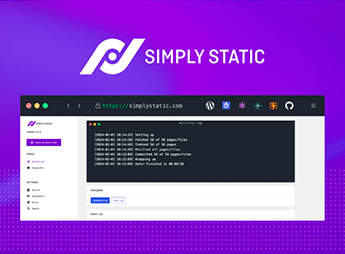
Simply Static converts a WordPress site into static HTML, CSS, JavaScript, and image files, also generating metadata and sitemaps ready for publishing. The export comes as a ZIP file or local folder and can be sent to destinations such as Netlify, Vercel, Cloudflare Pages, BunnyCDN, AWS S3, or your own server via SFTP, which eliminates the database and PHP from the public-facing environment.
Key Features of Simply Static
- Static site generation
Transforms pages, posts, and public assets into HTML, CSS, JS, and images. - Export to ZIP or a local folder
Saves the output as a compressed archive or directly to a directory on your computer. - Deployment to multiple destinations
Publishes to Netlify, Vercel, Cloudflare Pages, BunnyCDN, AWS S3, or SFTP. - Theme and SEO compatibility
Works with any WordPress theme and preserves the output of SEO plugins. - Sitemap and metadata generation
Includes indexing files and meta tags in the exported static package.
Benefits of Simply Static
- Faster loading
Pages served as ready-made files require no server-side processing. - Reduced attack surface
With no exposed PHP or database, common attack vectors no longer exist. - Lower hosting costs
Static files run on a CDN or basic hosting, without a dedicated server. - Hassle-free migration
The exported package can be moved between providers without reconfiguring the environment.
Who Is Simply Static For?
- Anyone publishing corporate websites, portfolios, or blogs that change infrequently and need speed.
- Anyone who edits content in WordPress but prefers to serve the results through a CDN or static hosting.
- Agencies and developers who need to reduce maintenance and server exposure for the sites they deliver.
How to Download Simply Static
Simply Static is available for download here on Ultrapack. After downloading the .zip file, go to Plugins > Add New > Upload Plugin, select the file and activate it. After activation, a new menu appears in the dashboard to configure the export and publishing destination.
Keeping WordPress as the editing environment and serving only static files to visitors cuts much of the infrastructure cost and routine security update workload. If you already work with a CDN deployment workflow or want to take the database off the front lines without giving up the editor you know, Simply Static bridges that gap with a few clicks in the dashboard.
Frequently asked questions
Is Simply Static GPL-licensed?
Yes. Simply Static is distributed under the GPL (GNU General Public License). You may legally use, modify and redistribute it on as many sites as you want.
Can I use Simply Static on multiple sites?
Yes. You can use Simply Static on multiple sites. The number of sites connected to Ultrapack Auto Updater is limited by your plan.
How much does Simply Static cost at Ultrapack?
Simply Static costs US$2.99 as a single purchase, and it is also included in the subscription plans starting at US$12/mo (VIP I).
Does Simply Static include updates?
Yes. The current version of Simply Static is 3.8.13, published at Ultrapack on Sep 21, 2026. Subscribers update straight from the WordPress dashboard with UAU (Ultrapack Auto Updater).
Is Simply Static scanned before publication?
Yes. Every version of Simply Static goes through a malware scan (ClamAV and YARA rules, at UltraHub) before it is published.
What changed in this version
Version 3.8.13
- Added static snapshots for QuadLayers TikTok feeds, including reliable background export handling
- Added FTP deployment settings for Simply Static Pro, including passive mode, connection timeouts, availability guidance, and an unencrypted-transport warning
- Added SFTP connection timeout and optional SSH host key fingerprint controls
- Added password-protected operations mode controls for Simply Static Pro while keeping publishing and diagnostics available
Version 3.8.12
- Added compatibility with Safe Redirect Manager and Page Links To redirects
- Fixed redirect view rendering for non-standard plugin directory layouts
- Fixed diagnostics for additional files configured with regular expressions
- Removed embedded video tooltips from the settings interface
- Confirmed compatibility with WordPress 7.1
Version 3.8.11
- Improved large-site exports by resuming uploads and crawler discovery across background requests
- Preserved extensionless additional file paths during exports
- Added export discovery for custom post type archive URLs
Version 3.8.10
- Fixed Rank Math redirect exports without relying on origin HTTP requests
- Fixed AIOSEO sitemap stylesheet exports and destination URL replacements
- Restored ZIP download URLs in plain-text debug logs
Version 3.8.9
- Fixed bare origin host replacement in inline scripts, including Google Site Kit linker domains
- Fixed script and comment restoration for filtered or fragment HTML
- Improved Static Studio deployment notice visibility and refreshed the Studio promo
- Updated Simply Static Pro and Static Studio pricing and trial information
Release notes published by the developer.
How to install
Automatic updates: this item is updated by the Ultrapack Auto Updater. With it installed, the new version shows up in your dashboard like any other WordPress update (how to set it up).
- Download the file
simply-static.zip. - In the WordPress dashboard, go to Plugins > Add New > Upload Plugin.
- Select the file
simply-static.zipand click Install Now. - Click Activate.
Stuck on a step? Open a ticket telling us which one you stopped at.