

 UAU Ready
Description
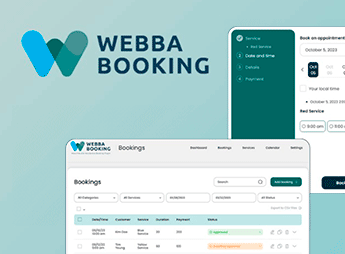
Webba Booking automates service and appointment scheduling online directly on WordPress pages, rendering interactive forms with date selection, available time slots, employees, and multiple services in real time. The tool synchronizes confirmed appointments with Google Calendar, sends automatic reminders by email or SMS, and processes advance payments, aimed at those who manage clinics, beauty salons, studios, or consultancies without relying on manual assistance.
Key Features of Webba Booking
- Synchronization with Google Calendar
Mirrors appointments scheduled in the panel directly to the external calendar in real time. - Customizable forms in stages
Creates responsive booking flows with custom fields and visual time selection. - Management of multiple employees
Links specific services to team members with individual work schedules. - Automatic notification triggering
Sends confirmations and reminder notices by email and SMS messages to clients. - Integration with payment gateways
Charges the full value or deposit of the reservation during the scheduling completion.
Benefits of Webba Booking
- Reduction of missed appointments
Automatic reminders sent before the scheduled time reduce client no-shows. - Elimination of duplicate bookings
Automatic blocking of occupied times prevents scheduling conflicts between professionals. - Advance payment reception on the website
Guarantees revenue before service delivery through integrated online payments. - Time saving in service
Eliminates manual checking of messages and calls to fill vacant times.
Who is Webba Booking for?
- Those who manage clinics, medical or dental offices and want to make online appointments available 24 hours a day.
- Those who manage beauty salons, barber shops, and aesthetic studios with multiple professionals serving simultaneously.
- Therapists, consultants, and private teachers who need to charge in advance for individual sessions or classes.
- Those who offer residential maintenance or repair services with technical visits scheduled through their own website.
How to Download Webba Booking
Webba Booking is available for download here on Ultrapack. After downloading the .zip file, install in Plugins > Add New > Upload plugin, select the downloaded file and complete activation in the WordPress panel. The plugin creates a dedicated administrative menu to register services, times, and manage reservations immediately.
By centralizing the scheduling flow in the WordPress panel, the tool removes the endless exchange of messages with clients to confirm vacant times. The system organizes the service routine, automatically blocks scheduling conflicts, and receives payments at the time of booking, providing operational autonomy for businesses based on time-marked service delivery.
Frequently asked questions
Is Webba Booking – WordPress Appointment & Reservation GPL-licensed?
Yes. Webba Booking – WordPress Appointment & Reservation is distributed under the GPL (GNU General Public License). You may legally use, modify and redistribute it on as many sites as you want.
Can I use Webba Booking – WordPress Appointment & Reservation on multiple sites?
Yes. You can install Webba Booking – WordPress Appointment & Reservation on as many sites as you want. Only automatic updates through Ultrapack Auto Updater have a limit: from 3 to 80 sites, depending on the plan.
How much does Webba Booking – WordPress Appointment & Reservation cost at Ultrapack?
Webba Booking – WordPress Appointment & Reservation costs US$2.99 as a single purchase, and it is also included in the subscription plans starting at US$12/mo (VIP I).
Does Webba Booking – WordPress Appointment & Reservation include updates?
Yes. The current version of Webba Booking – WordPress Appointment & Reservation is 5.0.59, published at Ultrapack on Feb 25, 2025. Subscribers update straight from the WordPress dashboard with UAU (Ultrapack Auto Updater).
Is Webba Booking – WordPress Appointment & Reservation scanned before publication?
Yes. Every version of Webba Booking – WordPress Appointment & Reservation goes through a malware scan (ClamAV and YARA rules, at UltraHub) before it is published.
How to install
Automatic updates: this item is updated by the Ultrapack Auto Updater. With it installed, the new version shows up in your dashboard like any other WordPress update (how to set it up).
- Download the file
webba-booking.zip. - In the WordPress dashboard, go to Plugins > Add New > Upload Plugin.
- Select the file
webba-booking.zipand click Install Now. - Click Activate.
Stuck on a step? Open a ticket telling us which one you stopped at.


