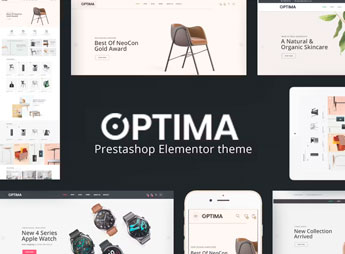
Description
Cendo organizes a PrestaShop store for furniture sales, with decorated setting blocks, high-resolution image gallery, product page with dimensions and a menu by room, from bedroom to living room. It’s for those who resell living room, bedroom or office furniture and need to present the piece within a set environment, not just isolated on a white background, to help the customer imagine the furniture in their own home.
Main Features of Cendo
- Decorated setting blocks
Shows the furniture within a complete living room composition. - Menu by room
Separates the catalog between living room, bedroom, kitchen and office. - High-resolution gallery
Allows zooming into the image to show the texture and finish of the furniture. - Page with dimensions
Displays height, width and depth alongside the product description. - Homepage by collection
Brings together related furniture lines in a single section.
Benefits of Cendo
- Visualization in a real setting
Helps the customer imagine the piece inside their home before buying. - Navigation by room
Makes it easier to find furniture for a specific space in the home. - Less doubt about size
Reduces support questions about measurements before delivery. - Catalog by collection
Makes it easier to sell complete furniture lines instead of individual pieces.
Who Is Cendo Recommended For?
- Those who sell furniture for living room, bedroom or office.
- Those who work with complete lines of room decor.
- Those who want to show furniture within a set scene.
- Those who serve customers who decide on a purchase based on the setting’s composition.
How to Download Cendo
Cendo is available for download here at Ultrapack. After downloading the file, install it via the Design > Theme and Logo path in the PrestaShop dashboard and import the package to apply the furniture layout, with menu by room and high-resolution gallery.
Furniture sells better within a set environment than isolated on a white background, because the customer can see how the piece looks in their own home. Separating the catalog by room also shortens the search in stores with many different product lines.
Frequently asked questions
Is Cendo – Responsive Prestashop Furniture Theme GPL?
Yes. Cendo – Responsive Prestashop Furniture Theme is distributed under the GPL (GNU General Public License). You may legally use, modify and redistribute it on as many sites as you want.
Can I use Cendo – Responsive Prestashop Furniture Theme on more than one site?
Yes. You can use Cendo – Responsive Prestashop Furniture Theme on as many sites as you want.
How much does Cendo – Responsive Prestashop Furniture Theme cost at Ultrapack?
Cendo – Responsive Prestashop Furniture Theme costs US$2.99 as a single purchase, and it is also included in the subscription plans starting at US$17/mo (Desenvolvedor I).
Does Cendo – Responsive Prestashop Furniture Theme include updates?
When a new version of Cendo – Responsive Prestashop Furniture Theme becomes available in the catalog, you can download the file during the access period of your purchase or subscription. To update, follow the installation or import procedure described in the documentation for the item and its platform.
Is Cendo – Responsive Prestashop Furniture Theme checked before it is made available for download?
Files for Cendo – Responsive Prestashop Furniture Theme are scanned before publication by UltraHub using ClamAV and YARA rules to detect known threats. This check does not guarantee the absence of risks. Check the item requirements, make a backup, and follow the installation or import instructions for its platform.
How to install
Updates: manual. When a new version comes out, download it on this same page and follow the replacement or import process for the platform shown. This item is not updated through WordPress.
Extras gathers what is neither a WordPress theme nor a plugin: templates, scripts, project files and supporting material.
- Download the file
cendo-responsive-prestashop-furniture-theme.zipand extract it on your computer. - Open the author documentation that came in the package. It tells you where each file goes.
- When there is a
Como Instalar.txtfile in the main folder of the package, read it first.
Stuck on a step? Open a ticket telling us which one you stopped at.