

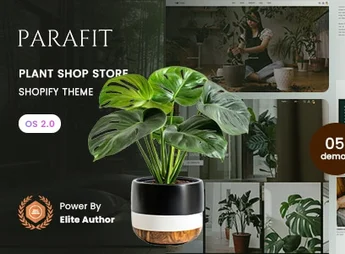
Description
Botani is a Shopify 2.0 theme specifically designed for online plant shops, gardening, and botanical products. With a clean aesthetic, natural tones, and a focus on product photography, it is thoughtfully crafted for florists, nurseries, garden centers, and ornamental plant sellers who wish to convey freshness and sophistication while converting visitors into customers.
Key Features
- Online Store 2.0 Architecture
Built on dynamic sections of Shopify 2.0, allowing for assembling and reorganizing any page with drag-and-drop blocks, without touching code. - Multiple Home Layouts
Various ready-to-import home page variations, ranging from minimal showcases to rich image presentations and extensive catalogs. - Quick View and Sliding Cart
Fast product preview and side cart that opens without page reload, shortening the path to the checkout. - Advanced Collection Filters
Navigation by plant type, pot size, light level, price, and availability with real-time result updates. - Total Responsive Design
Fluid layout that adapts to desktops, tablets, and mobiles, maintaining image readability and proportions on any screen. - Mega Menu and Predictive Search
Expandable menu with promotional images and search field that suggest products and collections as the customer types.
Benefits of Botani
- Snap Implementation
Demo data is imported with a few clicks, allowing the shop to go live within hours. - Higher Conversion Rate
Features like side cart, social proofs, and well-placed calls to action reduce cart abandonment during the buying journey. - Optimized Loading
lean code, modern image formats, and lazy loading ensure good performance metrics and better search engine positioning. - Codeless Customization
Colors, typography, spacings, and sections are adjusted directly through Shopify’s visual editor, requiring no technical knowledge.
Who is It For?
- Florists, nurseries, and garden centers looking to sell online
- Ornamental plant shops, succulents, vases, and gardening accessory stores
- Natural, organic brands, seed suppliers, and cultivation supply companies
Botani brings an organic visual identity and a modern technical foundation in one theme, offering everything an online plant store needs to showcase its catalog with beauty and sell effectively. It is the natural choice for those wanting a beautiful, fast-to-configure e-commerce site that can grow alongside the business.
Frequently asked questions
Is Botani – Plant Shop Store Shopify 2.0 Theme GPL?
Yes. Botani – Plant Shop Store Shopify 2.0 Theme is distributed under the GPL (GNU General Public License). You may legally use, modify and redistribute it on as many sites as you want.
Can I use Botani – Plant Shop Store Shopify 2.0 Theme on more than one site?
Yes. You can use Botani – Plant Shop Store Shopify 2.0 Theme on as many sites as you want.
How much does Botani – Plant Shop Store Shopify 2.0 Theme cost at Ultrapack?
Botani – Plant Shop Store Shopify 2.0 Theme costs US$2.99 as a single purchase, and it is also included in the subscription plans starting at US$17/mo (Desenvolvedor I).
Does Botani – Plant Shop Store Shopify 2.0 Theme include updates?
When a new version of Botani – Plant Shop Store Shopify 2.0 Theme becomes available in the catalog, you can download the file during the access period of your purchase or subscription. To update, follow the installation or import procedure described in the documentation for the item and its platform.
Is Botani – Plant Shop Store Shopify 2.0 Theme checked before it is made available for download?
Files for Botani – Plant Shop Store Shopify 2.0 Theme are scanned before publication by UltraHub using ClamAV and YARA rules to detect known threats. This check does not guarantee the absence of risks. Check the item requirements, make a backup, and follow the installation or import instructions for its platform.
How to install
Updates: manual. When a new version comes out, download it on this same page and upload the new file from the Shopify admin. This item is not installed through WordPress.
A Shopify theme is not installed on WordPress. It is uploaded in your store dashboard.
- Download the file
elements-botani-plant-shop-store-shopify-2-0-theme.zipand extract it on your computer. - Inside the package, look for the theme ZIP, which is the file Shopify accepts. It is usually in a folder named after the theme, and it has the
assets,layout,sectionsandtemplatesfolders inside. - In the Shopify dashboard, go to Online Store > Themes.
- Under Theme library, click Add theme > Upload zip file and upload the theme ZIP.
- Use Preview to check it, and Publish when you want it live.
- Shopify rejects packages that are too large. If the upload fails because of size, take the documentation and demo files out of the folder before zipping it.
Stuck on a step? Open a ticket telling us which one you stopped at.


