

Description
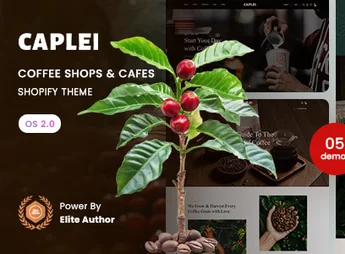
Caplei is an elegant and modern Shopify 2.0 theme, specifically designed for coffee shops, cafés, roasters, and specialty beverage stores. Its clean and inviting aesthetic creates an immersive online experience, focused on showcasing the quality of your products and telling the story of your brand. With flexible sections and a fully responsive design, Caplei helps turn visitors into loyal customers.
Key Features
- Shopify Online Store 2.0
Enjoy the freedom of customization with dynamic sections and blocks across all pages, not just the homepage, for full layout control. - Modern and Responsive Design
Provides a flawless and visually appealing shopping experience on any device, from desktops to smartphones. - Visual Menus and Featured Collections
Showcase your coffees, pastries, and related products in an organized and appetizing way, making navigation and discovery effortless. - Integrated Blog with Style
Share stories about your beans, brewing methods, or store news with an elegant blog layout that engages readers. - Optimized for Performance and SEO
Guarantee fast loading and a search-engine-friendly structure to attract more organic traffic to your store. - Brand Customization Options
Easily change colors, typography, and layouts so the theme perfectly aligns with the visual identity of your café.
Benefits of Caplei
- Increase Your Sales
A conversion-focused design, intuitive navigation, and clear calls to action encourage customers to complete purchases. - Build a Strong Online Presence
Create an e-store that reflects the welcoming atmosphere of your physical space, strengthening brand recognition. - Easy and Intuitive Management
Thanks to Shopify 2.0, you can update and modify your store effortlessly, without technical knowledge. - Enhance Customer Engagement
Use the blog and image galleries to connect with your audience, fostering a loyal community around your café.
Who Is It For?
- Café and coffee shop owners.
- Artisanal coffee roasters selling online.
- Specialty shops for teas, pastries, and gourmet products.
With Caplei, you have the perfect tool to create a sophisticated and functional digital showcase. Turn your passion for coffee into a memorable online experience that captivates your customers and drives growth for your business, reflecting the quality and care you pour into every cup served in your store.
Frequently asked questions
Is Caplei – Coffee Shops & Cafes Shopify 2.0 Theme GPL?
Yes. Caplei – Coffee Shops & Cafes Shopify 2.0 Theme is distributed under the GPL (GNU General Public License). You may legally use, modify and redistribute it on as many sites as you want.
Can I use Caplei – Coffee Shops & Cafes Shopify 2.0 Theme on more than one site?
Yes. You can use Caplei – Coffee Shops & Cafes Shopify 2.0 Theme on as many sites as you want.
How much does Caplei – Coffee Shops & Cafes Shopify 2.0 Theme cost at Ultrapack?
Caplei – Coffee Shops & Cafes Shopify 2.0 Theme costs US$2.99 as a single purchase, and it is also included in the subscription plans starting at US$17/mo (Desenvolvedor I).
Does Caplei – Coffee Shops & Cafes Shopify 2.0 Theme include updates?
When a new version of Caplei – Coffee Shops & Cafes Shopify 2.0 Theme becomes available in the catalog, you can download the file during the access period of your purchase or subscription. To update, follow the installation or import procedure described in the documentation for the item and its platform.
Is Caplei – Coffee Shops & Cafes Shopify 2.0 Theme checked before it is made available for download?
Files for Caplei – Coffee Shops & Cafes Shopify 2.0 Theme are scanned before publication by UltraHub using ClamAV and YARA rules to detect known threats. This check does not guarantee the absence of risks. Check the item requirements, make a backup, and follow the installation or import instructions for its platform.
How to install
Updates: manual. When a new version comes out, download it on this same page and upload the new file from the Shopify admin. This item is not installed through WordPress.
A Shopify theme is not installed on WordPress. It is uploaded in your store dashboard.
- Download the file
elements-caplei-coffee-shops-cafes-shopify-2-0-theme.zipand extract it on your computer. - Inside the package, look for the theme ZIP, which is the file Shopify accepts. It is usually in a folder named after the theme, and it has the
assets,layout,sectionsandtemplatesfolders inside. - In the Shopify dashboard, go to Online Store > Themes.
- Under Theme library, click Add theme > Upload zip file and upload the theme ZIP.
- Use Preview to check it, and Publish when you want it live.
- Shopify rejects packages that are too large. If the upload fails because of size, take the documentation and demo files out of the folder before zipping it.
Stuck on a step? Open a ticket telling us which one you stopped at.


