

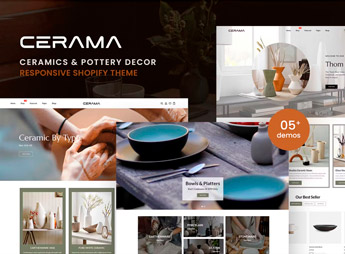
Description
Cerama builds a Shopify store focused on ceramic pieces, handmade pots, and hand-crafted decor items, with product showcases, an image gallery, and internal pages already set up in the theme. It’s for anyone who makes ceramic pieces or works with clay craftsmanship and wants a ready-to-publish storefront on Shopify, with a warm look and a focus on product photos, without having to build each section manually.
Key Features of Cerama
- Expanded image gallery
Displays high-resolution product photos with zoom on hover. - Collection showcases
Separates pieces by line or collection into their own blocks on the homepage. - About-the-studio section
Reserves a space to tell the story behind each handmade piece. - Detailed product page
Shows dimensions, material, and care instructions alongside the item’s photos. - Neutral-tone layout
Uses light colors and generous spacing to highlight the texture of each piece.
Benefits of Cerama
- Featured photos
Puts the piece’s texture and finish at the center of the shopping experience. - Handmade identity
Communicates the manual care behind each piece through the store’s visuals alone. - Collection-based organization
Makes it easier for customers to navigate between different product lines. - Purchase confidence
Brings together size and material information that reduces doubt before ordering.
Who Is Cerama For?
- Anyone who makes ceramic pieces and sells directly to the end consumer.
- Anyone who works with clay craftsmanship and wants to showcase their work online.
- Anyone who sells small-batch handmade decor items.
- Anyone who builds Shopify stores for ceramics studios and brands.
How to Download Cerama
Cerama is available for download here on Ultrapack. Installation follows the path Online Store > Themes > Add theme, uploading the theme file directly in the Shopify dashboard. Once activated, just replace the images and adjust the text to match the studio’s catalog.
A ceramic piece sells through its texture and finish, something generic photography doesn’t convey, and Cerama’s layout reserves ample space for each image instead of squeezing the product between blocks of text. This helps keep the visitor’s attention on the object, which is the real reason for the purchase.
Frequently asked questions
Is Cerama – Ceramics & Pottery Decor Shopify Theme GPL?
Yes. Cerama – Ceramics & Pottery Decor Shopify Theme is distributed under the GPL (GNU General Public License). You may legally use, modify and redistribute it on as many sites as you want.
Can I use Cerama – Ceramics & Pottery Decor Shopify Theme on more than one site?
Yes. You can use Cerama – Ceramics & Pottery Decor Shopify Theme on as many sites as you want.
How much does Cerama – Ceramics & Pottery Decor Shopify Theme cost at Ultrapack?
Cerama – Ceramics & Pottery Decor Shopify Theme costs US$2.99 as a single purchase, and it is also included in the subscription plans starting at US$17/mo (Desenvolvedor I).
Does Cerama – Ceramics & Pottery Decor Shopify Theme include updates?
When a new version of Cerama – Ceramics & Pottery Decor Shopify Theme becomes available in the catalog, you can download the file during the access period of your purchase or subscription. To update, follow the installation or import procedure described in the documentation for the item and its platform.
Is Cerama – Ceramics & Pottery Decor Shopify Theme checked before it is made available for download?
Files for Cerama – Ceramics & Pottery Decor Shopify Theme are scanned before publication by UltraHub using ClamAV and YARA rules to detect known threats. This check does not guarantee the absence of risks. Check the item requirements, make a backup, and follow the installation or import instructions for its platform.
How to install
Updates: manual. When a new version comes out, download it on this same page and upload the new file from the Shopify admin. This item is not installed through WordPress.
A Shopify theme is not installed on WordPress. It is uploaded in your store dashboard.
- Download the file
elements-cerama-ceramics-pottery-decor-shopify-theme.zipand extract it on your computer. - Inside the package, look for the theme ZIP, which is the file Shopify accepts. It is usually in a folder named after the theme, and it has the
assets,layout,sectionsandtemplatesfolders inside. - In the Shopify dashboard, go to Online Store > Themes.
- Under Theme library, click Add theme > Upload zip file and upload the theme ZIP.
- Use Preview to check it, and Publish when you want it live.
- Shopify rejects packages that are too large. If the upload fails because of size, take the documentation and demo files out of the folder before zipping it.
Stuck on a step? Open a ticket telling us which one you stopped at.


