

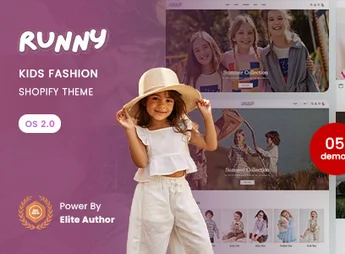
Description
Runny is a Shopify 2.0 theme developed especially for children’s fashion stores, baby clothes, footwear and accessories for children. With a cheerful look, vibrant colors and intuitive navigation, the theme was created to convey lightness and trust to parents shopping online, offering a modern, responsive digital showcase fully prepared to convert visitors into loyal customers.
Key Features
- Shopify OS 2.0 Architecture
Built on dynamic sections that can be added, reordered and configured on any page of the store, with no code required. - Multiple Home Layouts
Several ready-to-use home page variations, letting you choose the presentation that best matches your children’s brand identity. - Mobile-First Responsive Design
Automatic adaptation for smartphones, tablets and desktops, ensuring a fluid shopping experience on any screen size. - Quick View and Side Cart
Quick product preview and a cart drawer that speed up the buying journey without reloading the page. - Advanced Product Filters
Navigation by size, age, color, category and price range, ideal for children’s catalogs with a wide variety of options. - Mega Menu and Smart Search
A navigation structure organized by category with instant product suggestions as the visitor types.
Benefits of Runny
- Customization Without Code
All settings for colors, fonts, banners and sections are made visually through Shopify’s native editor. - Fast Loading
Optimized code and lazy-loaded images reduce waiting time and improve search engine placement. - Higher Conversion Rate
Features such as promotional badges, stock counters and a simplified checkout encourage buyers to complete the purchase. - Compatible with Shopify Apps
Natural integration with review, email marketing, loyalty program and stock management apps.
Who Is It For?
- Online stores selling children’s clothing, baby layettes and baby fashion
- Brands of footwear, toys and accessories for children
- Agencies and developers who build Shopify e-commerce sites for the children’s segment
With Runny, your children’s fashion store gains a professional, charming look from the very first visit. The combination of playful design, technical performance and ease of customization makes this theme a safe choice for anyone who wants to grow in e-commerce and offer parents a simple, pleasant and trustworthy shopping experience.
Frequently asked questions
Is Runny – Kids Fashion Shopify 2.0 Theme GPL?
Yes. Runny – Kids Fashion Shopify 2.0 Theme is distributed under the GPL (GNU General Public License). You may legally use, modify and redistribute it on as many sites as you want.
Can I use Runny – Kids Fashion Shopify 2.0 Theme on more than one site?
Yes. You can use Runny – Kids Fashion Shopify 2.0 Theme on as many sites as you want.
How much does Runny – Kids Fashion Shopify 2.0 Theme cost at Ultrapack?
Runny – Kids Fashion Shopify 2.0 Theme costs US$2.99 as a single purchase, and it is also included in the subscription plans starting at US$17/mo (Desenvolvedor I).
Does Runny – Kids Fashion Shopify 2.0 Theme include updates?
When a new version of Runny – Kids Fashion Shopify 2.0 Theme becomes available in the catalog, you can download the file during the access period of your purchase or subscription. To update, follow the installation or import procedure described in the documentation for the item and its platform.
Is Runny – Kids Fashion Shopify 2.0 Theme checked before it is made available for download?
Files for Runny – Kids Fashion Shopify 2.0 Theme are scanned before publication by UltraHub using ClamAV and YARA rules to detect known threats. This check does not guarantee the absence of risks. Check the item requirements, make a backup, and follow the installation or import instructions for its platform.
How to install
Updates: manual. When a new version comes out, download it on this same page and upload the new file from the Shopify admin. This item is not installed through WordPress.
A Shopify theme is not installed on WordPress. It is uploaded in your store dashboard.
- Download the file
elements-runny-kids-fashion-shopify-2-0-theme.zipand extract it on your computer. - Inside the package, look for the theme ZIP, which is the file Shopify accepts. It is usually in a folder named after the theme, and it has the
assets,layout,sectionsandtemplatesfolders inside. - In the Shopify dashboard, go to Online Store > Themes.
- Under Theme library, click Add theme > Upload zip file and upload the theme ZIP.
- Use Preview to check it, and Publish when you want it live.
- Shopify rejects packages that are too large. If the upload fails because of size, take the documentation and demo files out of the folder before zipping it.
Stuck on a step? Open a ticket telling us which one you stopped at.


