

Description
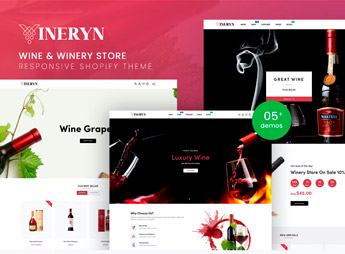
Wineryn builds a Shopify store made for wineries and wine importers, with product pages that show vintage, grape variety, region of origin, alcohol content, and pairing suggestions right alongside the price. It’s for anyone who represents their own label, imports wine from small producers, or runs a family winery and needs to sell direct to consumers without relying solely on distributors and brick-and-mortar liquor stores — something that matters when provenance and small-batch production are part of the story.
Key Features of Wineryn
- Wine spec sheet
Displays vintage, grape variety, region of origin, and alcohol content on every page. - Pairing suggestions
Recommends dishes and cheeses that go well with each label sold in the store. - Age verification badge
Confirms the visitor’s minimum age before allowing them to browse the store. - Collections by wine region
Groups labels by country, winery, or region of origin in the main navigation. - Wine kits and cases
Creates bundles with assorted bottles for gifting or group tastings.
Benefits of Wineryn
- Technical credibility for your label
Conveys authority to shoppers buying wine they can’t taste before placing an order. - Direct-to-consumer sales
Cuts down on reliance on distributors and physical stores to move your production. - Higher average order value
Encourages shoppers to buy kits and cases instead of single bottles. - Consistent brand presence
Keeps the winery’s identity intact across every page of the online store.
Who Is Wineryn For?
- Wineries looking to sell direct to the end consumer.
- Importers carrying wines from small producers.
- Shops specializing in niche labels and limited editions.
- Subscription clubs that ship wine every month.
How to Download Wineryn
Wineryn is available for download here on Ultrapack. In your store admin, go to Online Store > Themes > Add theme and upload the file to install the complete layout. Then add your labels, adjust the colors, and organize collections by region or vintage.
Selling wine online takes more context than a bottle photo and a price, because customers decide based on vintage, grape, and provenance. Wineryn organizes that information from the very first visit, helping wineries and importers compete with specialty brick-and-mortar shops without losing credibility along the way.
Frequently asked questions
Is Wineryn – Wine & Winery Responsive Shopify Theme GPL?
Yes. Wineryn – Wine & Winery Responsive Shopify Theme is distributed under the GPL (GNU General Public License). You may legally use, modify and redistribute it on as many sites as you want.
Can I use Wineryn – Wine & Winery Responsive Shopify Theme on more than one site?
Yes. You can use Wineryn – Wine & Winery Responsive Shopify Theme on as many sites as you want.
How much does Wineryn – Wine & Winery Responsive Shopify Theme cost at Ultrapack?
Wineryn – Wine & Winery Responsive Shopify Theme costs US$2.99 as a single purchase, and it is also included in the subscription plans starting at US$17/mo (Desenvolvedor I).
Does Wineryn – Wine & Winery Responsive Shopify Theme include updates?
When a new version of Wineryn – Wine & Winery Responsive Shopify Theme becomes available in the catalog, you can download the file during the access period of your purchase or subscription. To update, follow the installation or import procedure described in the documentation for the item and its platform.
Is Wineryn – Wine & Winery Responsive Shopify Theme checked before it is made available for download?
Files for Wineryn – Wine & Winery Responsive Shopify Theme are scanned before publication by UltraHub using ClamAV and YARA rules to detect known threats. This check does not guarantee the absence of risks. Check the item requirements, make a backup, and follow the installation or import instructions for its platform.
How to install
Updates: manual. When a new version comes out, download it on this same page and upload the new file from the Shopify admin. This item is not installed through WordPress.
A Shopify theme is not installed on WordPress. It is uploaded in your store dashboard.
- Download the file
elements-wineryn-wine-winery-responsive-shopify-theme.zipand extract it on your computer. - Inside the package, look for the theme ZIP, which is the file Shopify accepts. It is usually in a folder named after the theme, and it has the
assets,layout,sectionsandtemplatesfolders inside. - In the Shopify dashboard, go to Online Store > Themes.
- Under Theme library, click Add theme > Upload zip file and upload the theme ZIP.
- Use Preview to check it, and Publish when you want it live.
- Shopify rejects packages that are too large. If the upload fails because of size, take the documentation and demo files out of the folder before zipping it.
Stuck on a step? Open a ticket telling us which one you stopped at.


