

 UAU Ready
Description
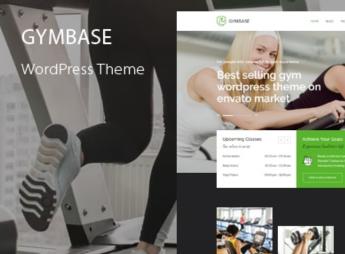
GymBase is a theme built for gyms, fitness studios, and training centers, with a homepage slider that scales to fit the screen resolution and a responsive class schedule page. The theme presents its classes in accordion blocks and brings together a filterable portfolio, a blog with comments, and a contact page with a location map, all in a minimalist look for gyms, strength training, and yoga businesses.
GymBase Key Features
- Adaptive opening slider
The homepage slider automatically scales down to fit the device resolution. - Responsive schedule page
Organizes class times into a table that rearranges itself on smaller screens. - Accordion classes
Lists classes in expandable blocks, opening the details without leaving the page. - Filterable portfolio with detail page
Filters items by category and opens each project on its own page. - Contact with map and working form
Displays the location map and takes messages through a ready-to-use form.
GymBase Benefits
- Schedules always readable on mobile
Members check the class schedule straight from their phone, without zooming in. - Fewer clicks to the information
Class details open on the same screen, shortening the visitor’s path. - Clean look that puts photos first
The minimalist style keeps training and facility photos front and center. - Ready site with no extra setup
Blog, portfolio, schedule, and contact already come built in as theme pages.
Who Is GymBase For?
- Gyms and boxes that need to publish an updated class schedule every week.
- Instructors teaching yoga, strength training, or functional training who want to present each class in detail.
- Weight-loss and wellness studios that attract members through mobile and need fast contact.
- Anyone who wants a lean site focused on facility photos and training times.
How to Download GymBase
GymBase is available for download here on Ultrapack. Step-by-step install instructions for this file are in the How to install tab, next to the description. Once activated, the schedule, classes, and portfolio pages become available from the dashboard’s pages menu.
Among fitness themes, GymBase stands out for its simplicity: instead of piling up layers of configuration, it packs the essentials of a gym site into a few well-built pages. For anyone who needs to get schedules, classes, and contact live fast, and keep everything running smoothly on tablet and mobile, that focus saves time both in setup and weekly upkeep.
Frequently asked questions
Is GymBase – Gym Fitness WordPress Theme GPL-licensed?
Yes. GymBase – Gym Fitness WordPress Theme is distributed under the GPL (GNU General Public License). You may legally use, modify and redistribute it on as many sites as you want.
Can I use GymBase – Gym Fitness WordPress Theme on multiple sites?
Yes. You can install GymBase – Gym Fitness WordPress Theme on as many sites as you want. Only automatic updates through Ultrapack Auto Updater have a limit: from 3 to 80 sites, depending on the plan.
How much does GymBase – Gym Fitness WordPress Theme cost at Ultrapack?
GymBase – Gym Fitness WordPress Theme costs US$2.99 as a single purchase, and it is also included in the subscription plans starting at US$12/mo (VIP I).
Does GymBase – Gym Fitness WordPress Theme include updates?
Yes. The current version of GymBase – Gym Fitness WordPress Theme is 16.5, published at Ultrapack on Sep 14, 2026. Subscribers update straight from the WordPress dashboard with UAU (Ultrapack Auto Updater).
Is GymBase – Gym Fitness WordPress Theme scanned before publication?
Yes. Every version of GymBase – Gym Fitness WordPress Theme goes through a malware scan (ClamAV and YARA rules, at UltraHub) before it is published.
What are the requirements for the theme GymBase – Gym Fitness WordPress Theme?
Requires PHP 5.6 or higher. Tested up to WordPress 7.0.
How to install
Automatic updates: this item is updated by the Ultrapack Auto Updater. With it installed, the new version shows up in your dashboard like any other WordPress update (how to set it up).
The file on this page is already the theme, ready to upload to WordPress.
- Download the file
themeforest-2732248-gymbase-responsive-gym-fitness-wordpress-theme.zip. - In the WordPress dashboard, go to Appearance > Themes > Add New > Upload Theme.
- Select the file
themeforest-2732248-gymbase-responsive-gym-fitness-wordpress-theme.zipand click Install Now. - Click Activate.
Requirements: Requires PHP 5.6 or higher. Tested up to WordPress 7.0.
- If WordPress answers that no valid theme was found, the file is the developer’s full package and the theme is in a folder inside it. Extract the file on your computer, look for the folder that has
style.cssandscreenshot.png, zip that folder only and upload it again.
Stuck on a step? Open a ticket telling us which one you stopped at.


